187
Operating elements
12.4.3 Aligning pantograph
Aligning with arrow keys
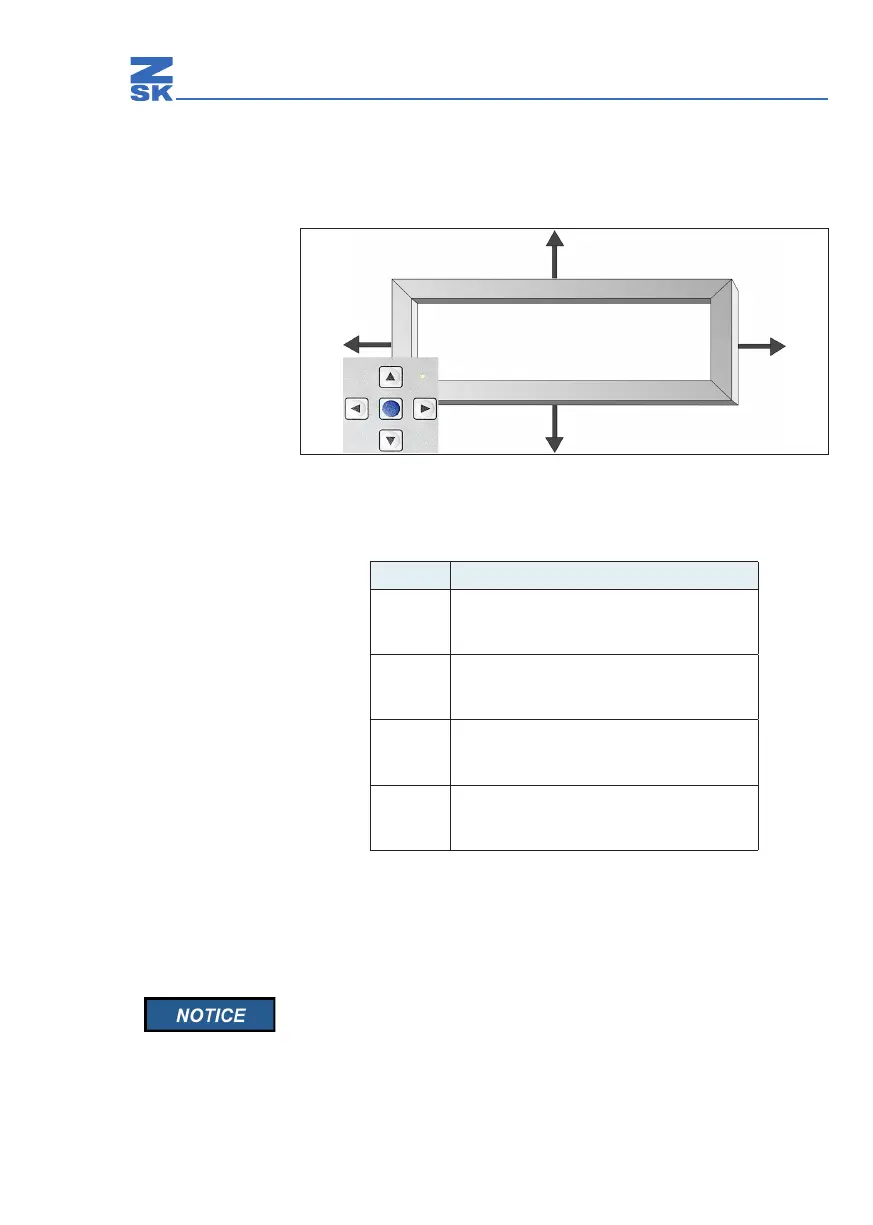
Abb. 67: Directions of pantograph movement (example)
Directions of pantograph movement
Align the pantograph with the arrow keys.See (Abb. 67).
Press the ZSK key again.
Ö The pantograph positioning keys are deselected (LED goes out).
Once you have aligned the pantograph, switch o the positioning
key cluster because the machine cannot be started while manual
positioning is switched on.
Key Direction of pantograph movement
Õ
Backwards
(away from the front edge of the work table)
Ö
Forwards
(towards the front edge of the work table)
Ô
To the right
Ó
To the left


 To Next Page