146
Machine overview
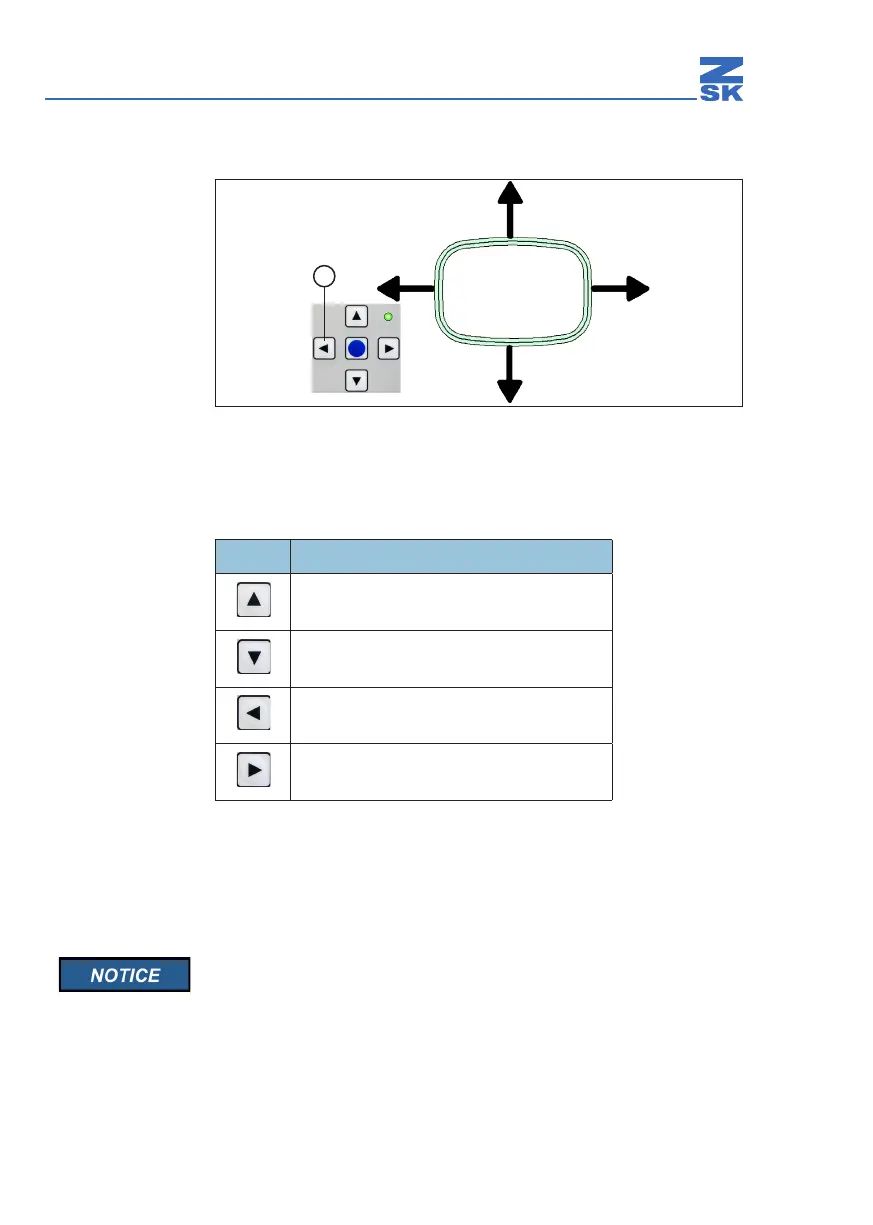
Aligning with arrow keys
Abb. 34: Directions of pantograph movement (example)
Keys for positioning pantograph (e.g. to the left)
Align the pantograph with the arrow keys (1).
Taste Bewegungsrichtung des Pantographen
Backwards
(away from the front edge of the work table)
Forwards
(towards the front edge of the work table)
To the left
To the right
Press the ZSK key again.
Ö The pantograph positioning keys are deselected (LED goes out).
Once you have aligned the pantograph, switch o the positioning
key cluster because the machine cannot be started while manual
positioning is switched on.
1


 To Next Page