Contacts 44
n
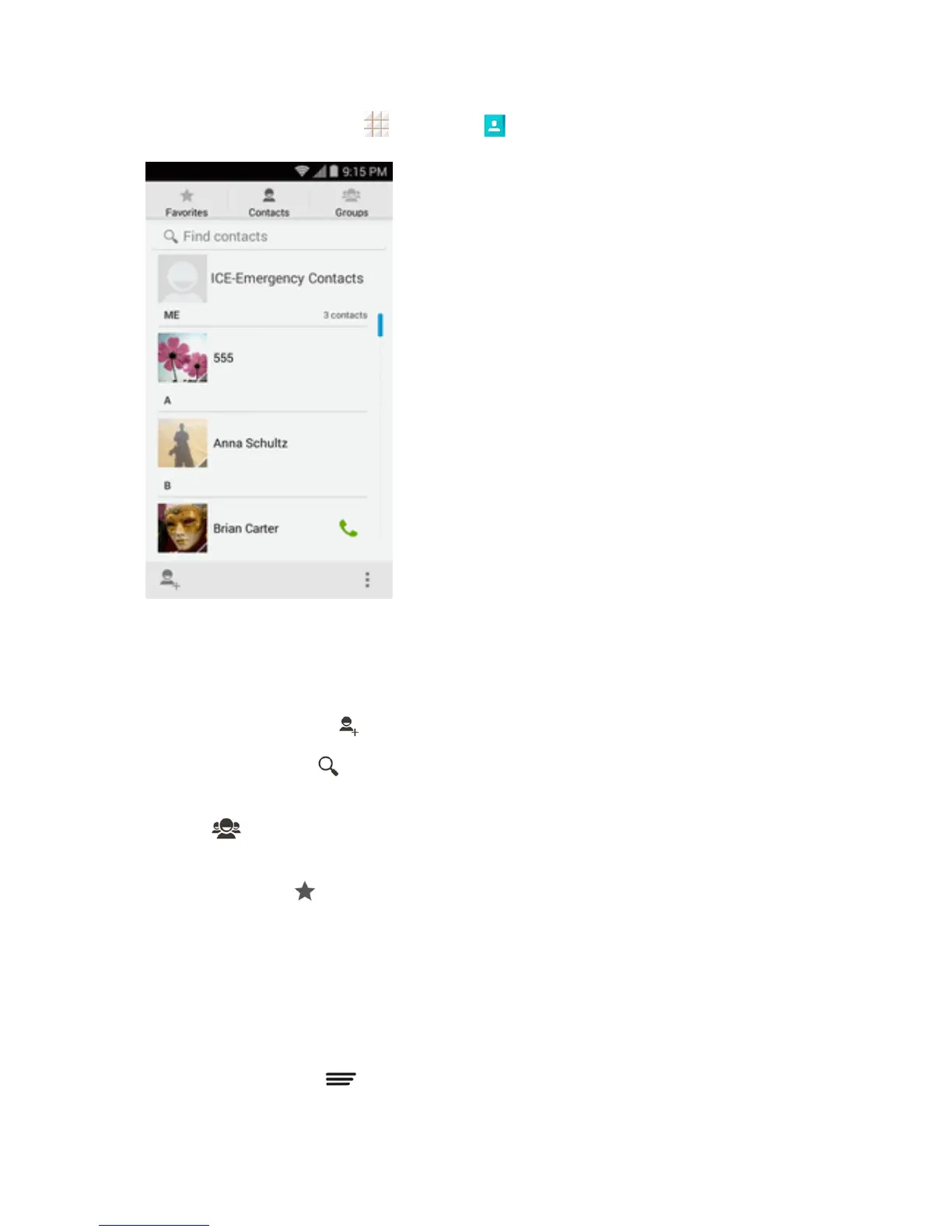
Fromthehomescreen,touch >Contacts .YouwillseetheContactslist.
n Contacts List:TheContactslistdisplaysallcontactscurrentlystoredinyourphone,including
Googlecontacts,ExchangeActiveSynccontacts,Phonecontacts,andcontactsfromother
Webaccounts.Touchacontacttoviewcontactinformation,makeacall,sendamessage,and
more.
n
Create Contacts:Touch toaddacontact.
n
Find contacts:Touch andsearchforcontactswithname,number,organization,orother
information.
n
Groups :Creategroupsofcontacts,suchasfriends,family,coworkers,classmates,or
EmergencyContacts(ICE).
n
Favorite contacts :Thistabcontainsthefavoritecontactsthatyoumanuallyaddandthe
contactsyoufrequentlycontacted.
Scrollthroughthelisttoviewallyourcontacts.Toseeaspecificentry,scrolltoitandtouchit.
Tip:Ifyouhavealotofcontactsstored,youcantouchandholdthesliderontherightanddragitto
alettertoquicklyfindthecontactyouneed.
Contacts List Options
Fromthecontactslist,touch todisplaythemaincontactslistoptions.


 To Next Page