18
145
18 - External units
To import the outdoor temperature we dened in the export tab, we need to dene a type with the
key OUTDOOR. You should also give the type denition a name that actually means something – for
example Outdoor temperature.
18�9�3 Dening a WMShare unit
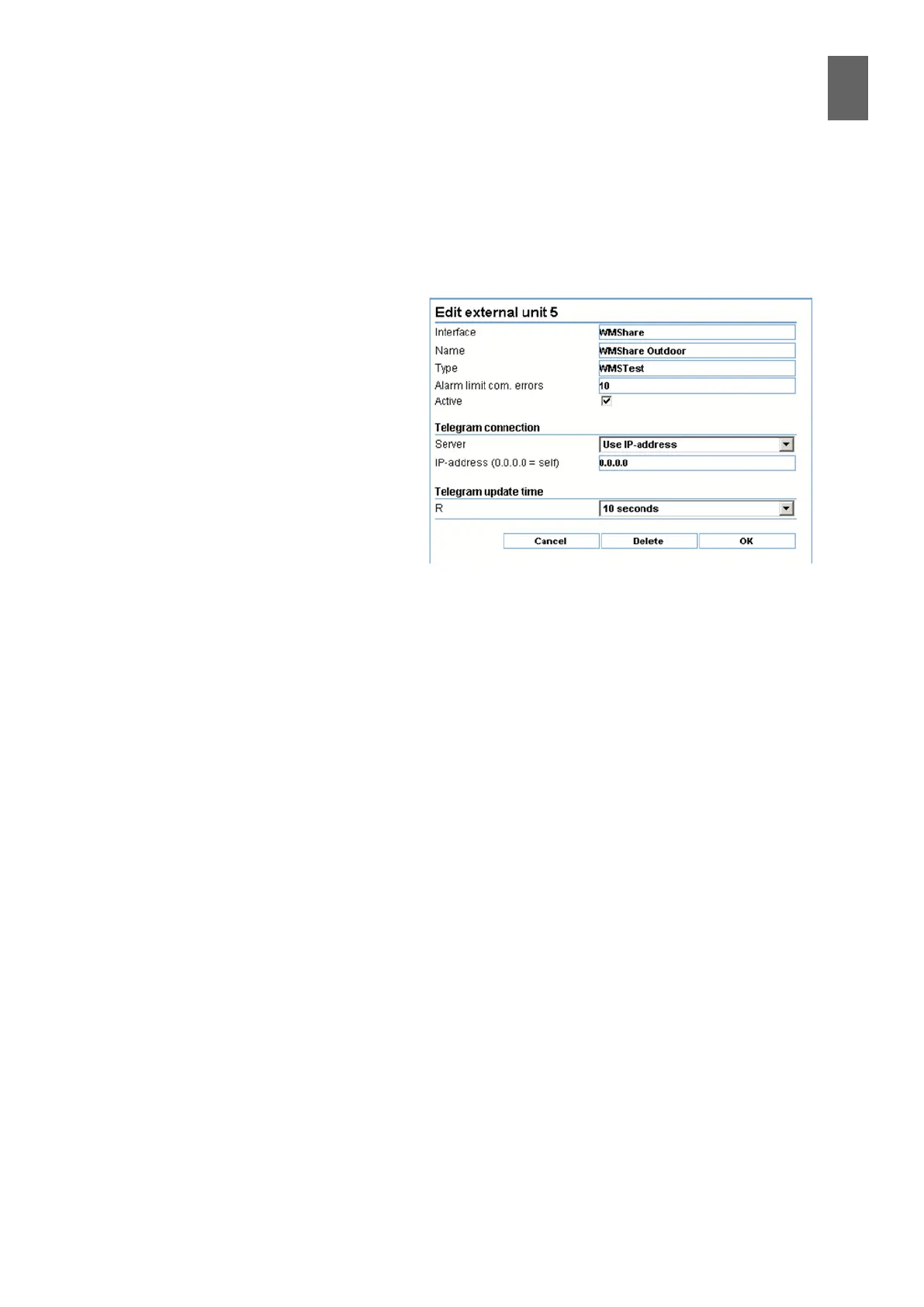
To create a WMShare unit, go to Settings/
Advanced/External units, then Setup.
Select WMShare as the interface, set the
correct WMShare type, check the Active
box and save.
Next, select the unit you just activated
to see an extended dialog. Specify the IP
address of the WMPro you want to import
values from, and how often you want to
update. If you set a very short time, the
WMPro might not manage to update as
often as you want.
A WMShare unit only contains values that
can be imported – in other words there are no parameter values. The available values are listed as
keys in the type denition.
You are free to create more than one external unit with the same WMShare type. For example you
could obtain several outdoor temperatures to calculate a menu value or simply to act as a backup.
18�9�4 Server list (URLs)
In Settings/Advanced/External units and WMShare import (see above) you can enter up to ve web
addresses in the form of URLs (the names you enter in a browser address bar). You can use these
names as the address instead of an IP number. This may be useful if the unit supplying the value
does not have a xed IP number.
18�9�5 Other uses for WMShare
Because the WMShare data is stored in a simple text le, you can use the le to share the data with
other systems.
For example, you could easily import the le to a PC-based system and process it there. Or you could
set up a web server with a le called share.txt and use WMShare to import information to a WMPro.
The le must use the correct syntax.


 To Next Page