11
78
11- Channels and parameters
When you check one of the boxes for the hour and day databases, the rst unoccupied channel is
reserved for this purpose. That means that the database channels will not be in any particular order.
This does not really matter, but you may prefer things slightly more organised. In that case, simply
wait until you have nished conguring everything else before adding the databases. This means all
the databases will occupy a single block at the end of the list of congured channels. If a channel is
linked to a database, a database icon appears to the left of the channel eld.
11�1�2 Saving settings
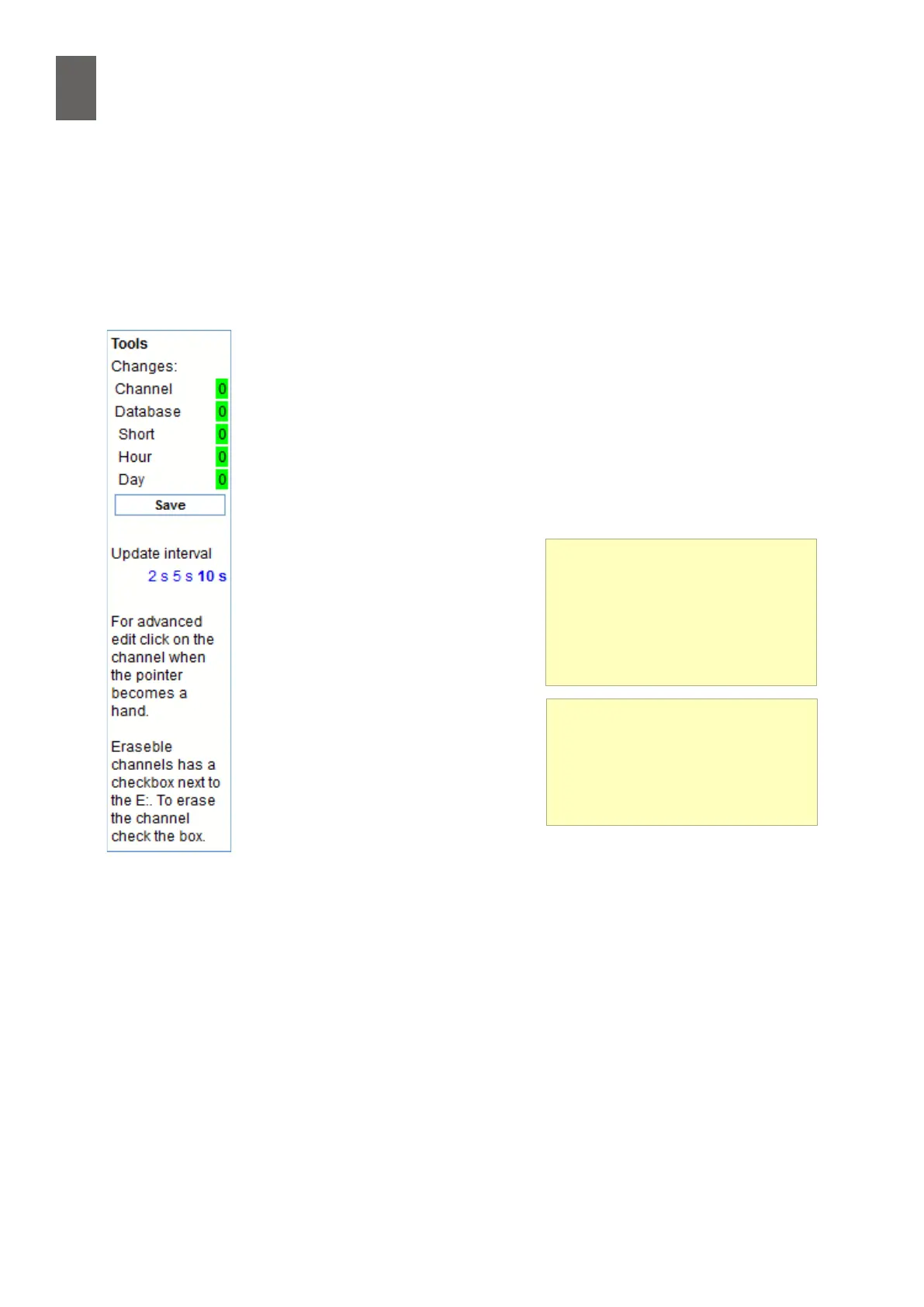
When you have nished changing settings, you need to save them. To the right
of the channel list there is a oating toolbar showing the number of changes
you have made. You can click the button there to save all the settings. Impor-
tant: You can make changes to other channels without having to save
them every time, but you must remember to save the settings before leav-
ing the page or all your changes will be lost. The toolbar also lets you choose
how often you want to update the page with new values. The default update
interval is 10 seconds. There is also a short help text in the toolbar.
11�1�3 Advanced channel settings
Move the mouse pointer over the
channel eld, which turns yellow.
When the mouse pointer turns into
a hand, click to open a dialog for
advanced settings. The appearance
of the dialog diers depending on
whether the channel is linked to an
I/O or is unoccupied. For analog and
digital inputs and outputs, the dialog
is as described in section 5. There is a
slight dierence for temperature in-
puts. You will need to go to Settings/
Sensors & Actuators if you want make
any changes to a temperature input apart from selecting the sensor type. See
section 5. Please see the reference manual for other advanced channel settings.
Channel list
This list shows all channels with
their values. You can specify how
often the list is updated. You can
choose from 2, 5 or 10 second
update intervals.
Scale and oset
The scale and oset elds alter the
signal before it is counted. If you
enter a scale value = -1, the signal
is inverted.


 To Next Page