11
79
11- Channels and parameters
11�1�4 Manual control
You might need to set an analog input, say, to a particu-
lar value during setup or service. All analog and digital
outputs can do this automatically, but you can also set
other channels manually. This function is time limited in
case you forget that it is activated. To set the time limit, go
to Advanced channel settings, and to activate the function
go to Settings/Advanced/Manual control. We will use a
radiator valve as an example.
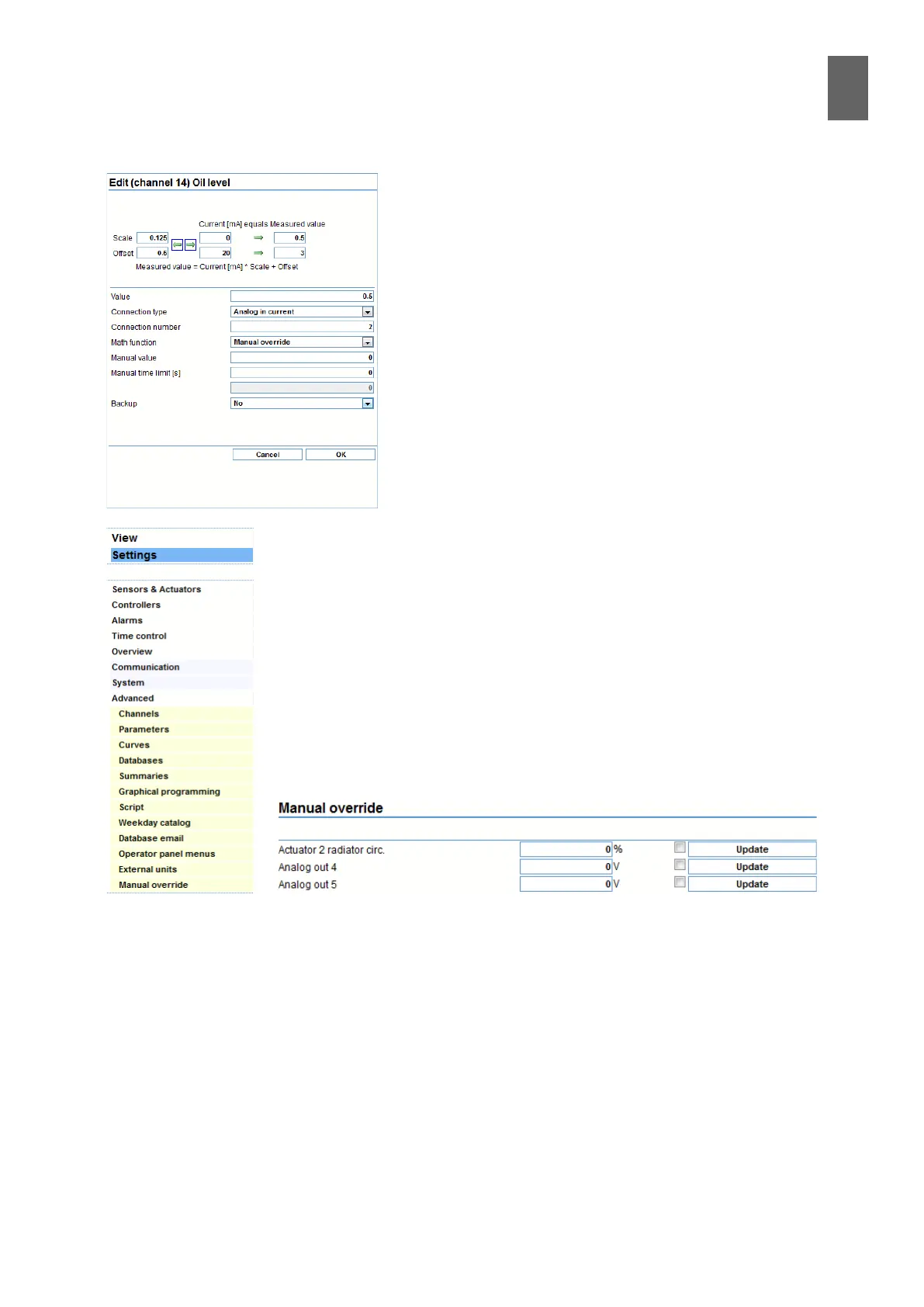
To set a channel manually, select Manual control in the
Mathematical function eld, and specify a time limit. There
is no need to set the manual value at this stage. The de-
fault setting for all output channels is that they can be set
manually, and the time limit is set to 1800 seconds (half an
hour). If you want to change the time, do it here. The Fac-
tor and Oset elds alter the signal before it takes eect. If
you enter a factor of -1, the signal is inverted.
To activate the function, go to Settings/Advanced/Manual control. You will
now see a page showing all the channels that can be set manually. Enter the
value you want the channel to have, check the box and click Save. In this
example, the control value will open to 50% for 1800 seconds, regardless of
the controller output.
To reset the channel before the end of the time limit, simply uncheck the
box and click Save. Important: You must save each row separately�
When you return to automatic control, the controller is likely to have set
itself to an end position. This means that the actuator will close or open fully
for a while before returning to normal.


 To Next Page