150
Accutome A-Scan Plus Connect User’s Guide
Manage IOL Groups
IOLs can be grouped by type, manufacturer, physician, location, patient
pathology or other criteria. IOLs are organized in groups of four. Each group
may be given a custom name to distinguish its purpose. Any IOL group may be
selected directly from the drop down menu on the IOL calculations tab. You can
set up unlimited IOL groups.
When you set up IOL groups you set them up in the Manage IOL Groups
screen. The manage IOL groups screen is the only location within the Accutome
A-scan Plus Connect for entering IOL information.
How to Manage IOL Groups:
The process for setting up an IOL group consists of:
• Entering IOL Group Name
• Entering lens information associated with each group
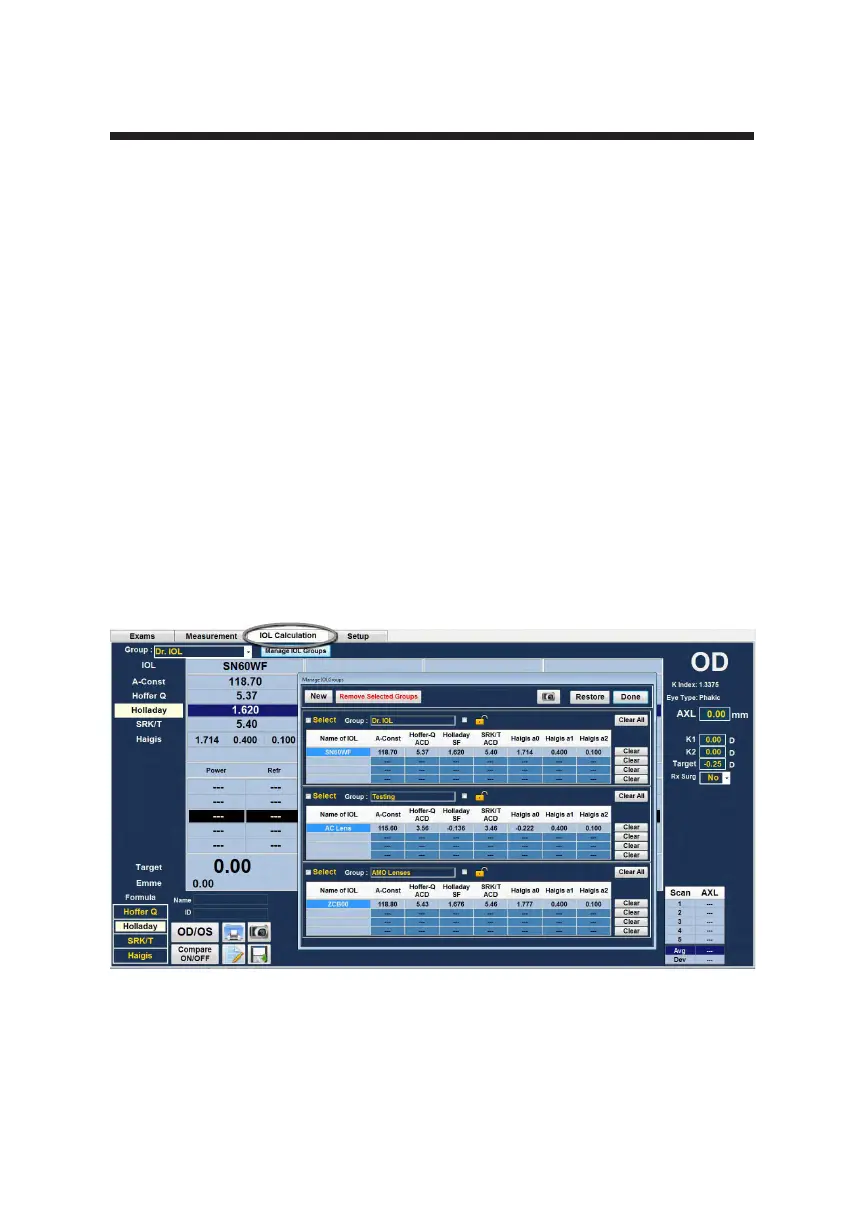
All entry of IOL groups takes place in the Manage IOL Groups screen. The IOL
Group screen is accessed from IOL Calculation Tab.
Figure 8-3 Manage IOL Groups Screen



 To Next Page