64
Accutome A-Scan Plus Connect User’s Guide
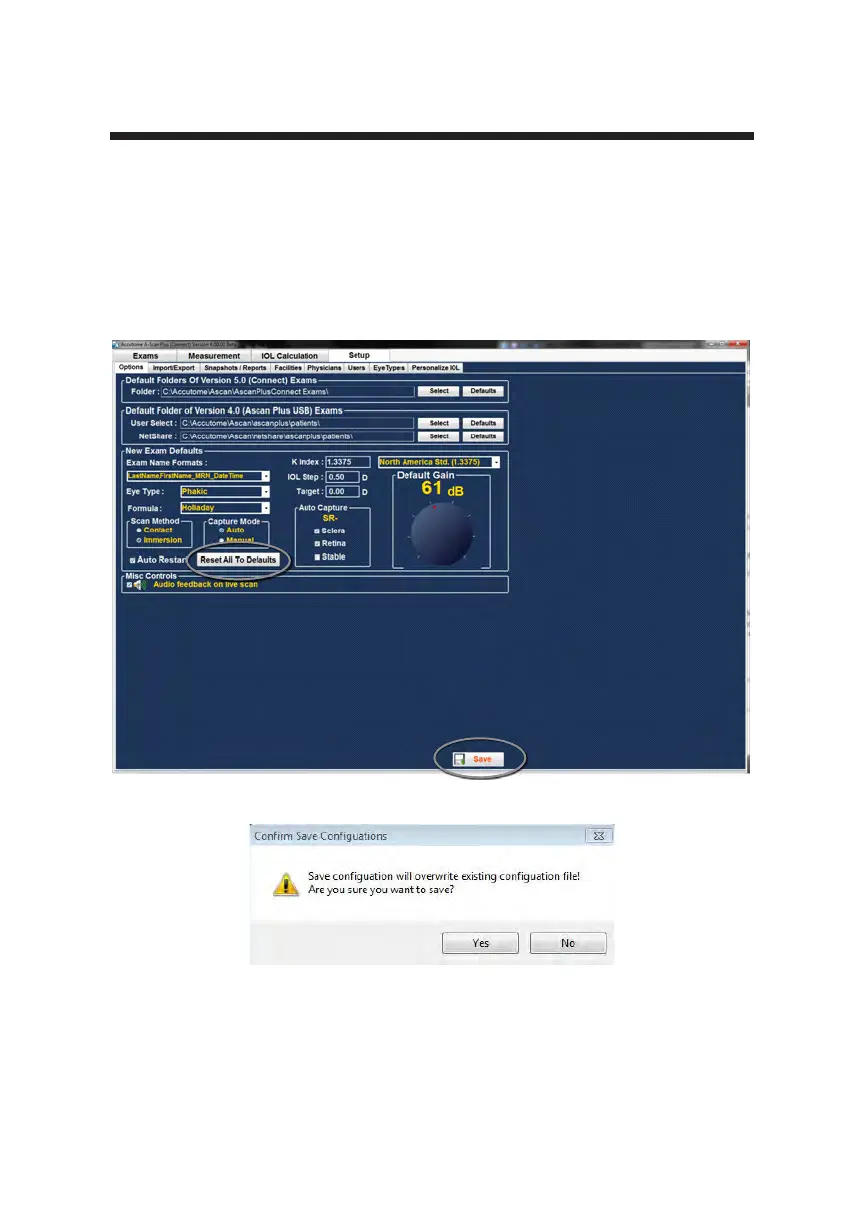
Reset All to Defaults
If you would like to restore all option setting adjustments to the system defaults:
1. Click on “reset all to defaults.”
2. A “Restore All to System Setting” dialog will launch. If you would like to
restore all option settings and not save changes, click “Yes.” If you would
like to retain the changes made to the Option settings, click “No.”
Figure 5-19 Selecting Save Changes
Figure 5-20 Are You Sure
The prompt: “Save Conguration will overwrite existing conguration le! Are
you sure you want to save?” Yes or No.
Left click “Yes” to conrm the entry. Selecting “No” will not save the changes.



 To Next Page