48
Accutome A-Scan Plus Connect User’s Guide
Save and Conrm Conguration Changes
Anytime an option is changed, such as the Default folder of exams, the changes
must be saved to the conguration le.
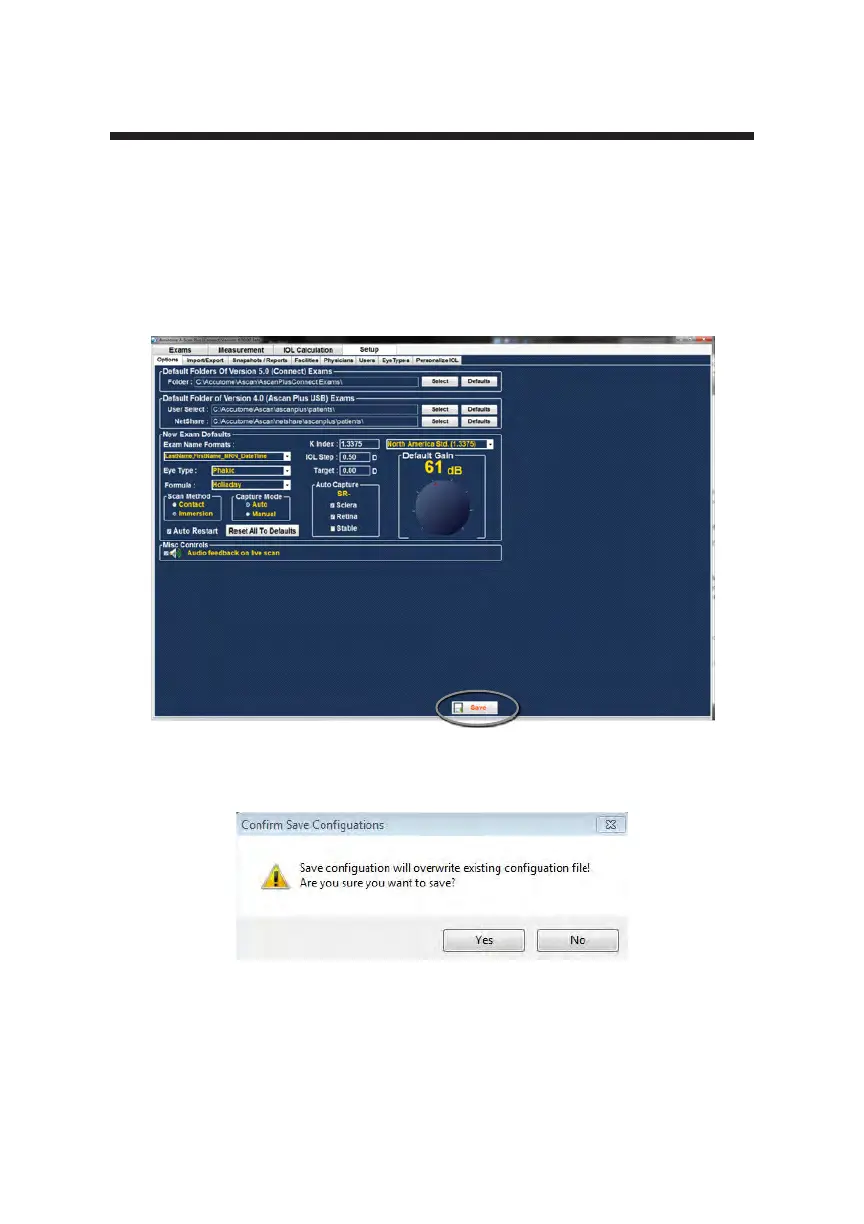
Once the changes have been made left click on the save button located on the
lower right portion of the screen.
The prompt: “Save Conguration will overwrite existing conguration le! Are
you sure you want to save?” Yes or No.
Left click “Yes” to conrm the entry. Selecting “No” will not save the changes.
Figure 5-8 Are You Sure
Figure 5-7 Selecting Save Changes



 To Next Page