66
Accutome A-Scan Plus Connect User’s Guide
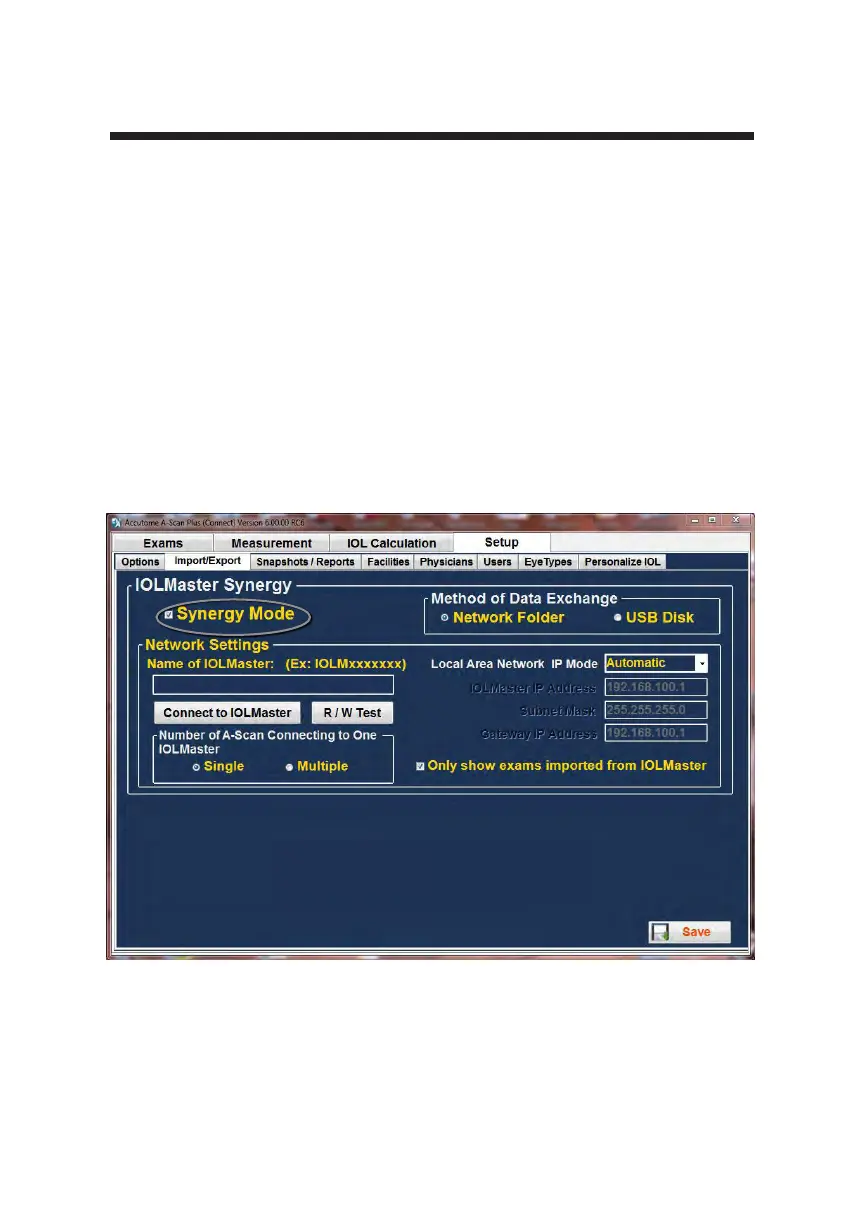
Figure 5-22 Turn On the Synergy Mode
Import /Export
The Import/Export feature of the Accutome A-Scan Plus Connect allows you to
use the a-scan as either a standalone a-scan or as a back to the IOL Master 500.
How to turn on Synergy Mode
Select the second tab from the left labeled “Import/Export”. This screen allows
you to turn on or off the Synergy function of the Accutome A-Scan Plus
software. At the top of the screen in large yellow writing is a label “Synergy
Mode”, with a small box at its left. Click inside the box and a check mark
should appear. This indicates that the Synergy mode is now active. You should
notice that the previously grayed out or locked portions of the screen located at
the top right are now active. Exact details for operation are found in chapter 9.



 To Next Page