33
Accutome A-Scan Plus Connect User’s Guide
Getting Started
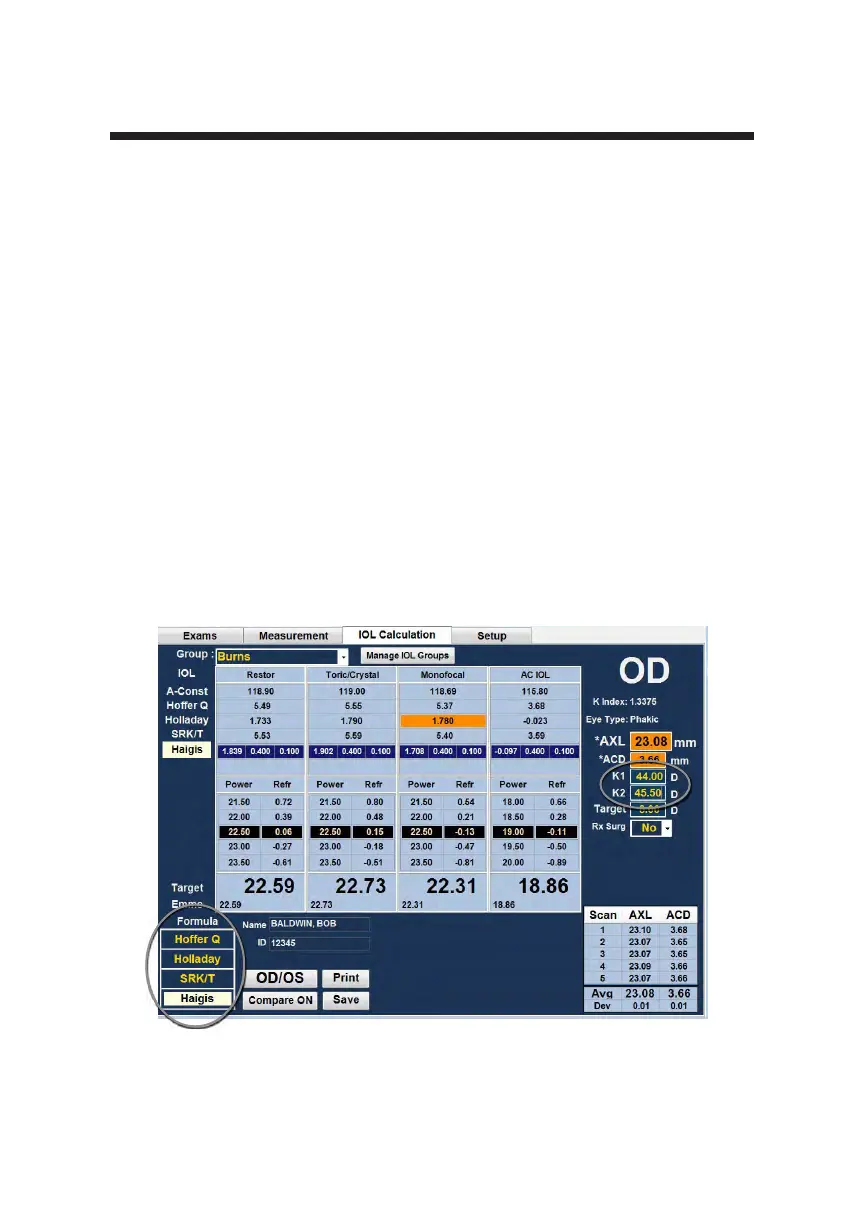
4. Select the formula, if necessary. Position the curser over the formula
required and left click to select. Formula selections are located in the
bottom left hand corner of the screen.
Note: The ACD eld is only active if you are using the Haigis formula. If you
have selected another calculation formula the eld will not appear.
Entered ACD should be a phakic ACD measurement. If this value is unknown,
the ACD can be estimated by entering “0”.
5. Position the mouse cursor over K1 and left click. When the eld is active,
enter the K1 values in Diopter or mm.
6. Pressing tab or using the mouse click on K2.
7. Enter K2 value in the same manner as K1.
Note: When you rst receive the Accutome A-Scan Plus Connect, the IOL
Groups are empty. If there are no IOL Groups present on the Calculate IOL
Screen, you will not be able to perform a calculation. Refer to the “Setting Up
IOL Groups” section for further information.
Figure 3-24 K1, K2 Values



 To Next Page