2. Authentication of Data Management Software
Trial usage period for the Data Management Software is 30 days.
To use the software beyond 30 days, authentication of the Data Management Software is
needed.
2.1 Authentication file
Authentication file (aco_auth.lic) is provided.
Using the authentication file, perform authentication of the Data Management Software.
2.2 Authentication procedure
Perform authentication with following procedure.
1. Start the Data Management Software
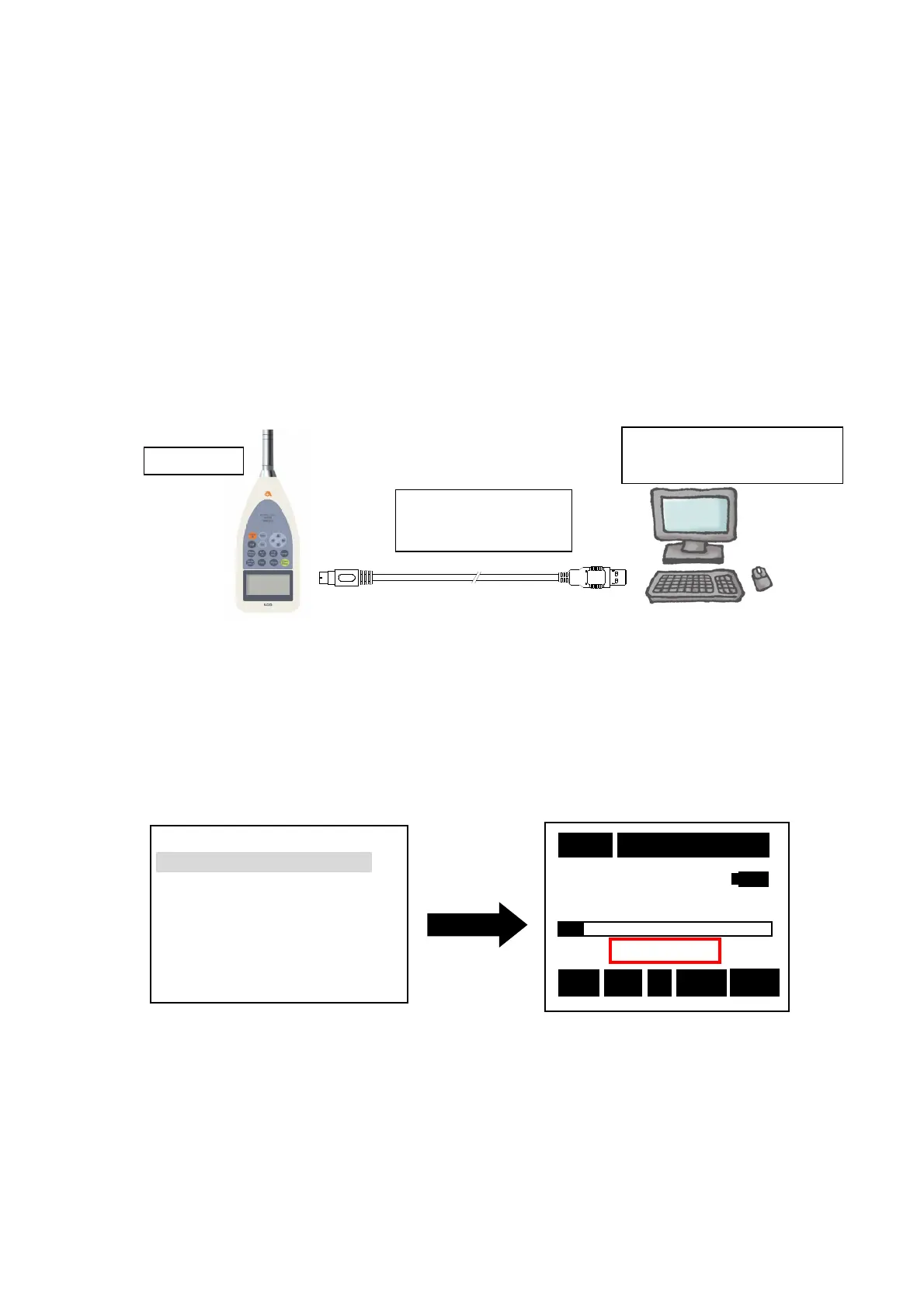
2. Connect the software to TYPE 6236 by remote control
Set TYPE 6236 to communication mode (Remote) and connect TYPE 6236 with PC
using USB interface cable included in the software as shown below.
Connection procedure is as follows.
2-2-1. Turn on the power of TYPE 6236.
2-2-2. Set TYPE 6236 to communication mode (Remote)
At the [Menu] <System> 1/3 screen, change the [Mode : Normal] to [Mode :
Remote] using ▲▼ keys.
Register the setup by pressing the [Set] key and the screen will return to measurement
screen.
Name of the optional card inserted
at the time will blink.
2-3. Connect TYPE 6236 with the PC using the USB Interface Cable included in the Data
Management Software.
<Note>
USB Interface Cable shall be connected only after the power of the TYPE 6236 is turned ON.
Mode :Remote
Data delete :off
LCD cont :***
Date y/m/d :01/01/01
Time h/m/s :00:00:00
Printer (pc) set :9600
USB out :OFF
Rec A Fast
Lp
10m 000h00m00s
TYPE 6236
PC
(Data Management Software)
USB Interface Cable
BC-0038PC



 To Next Page