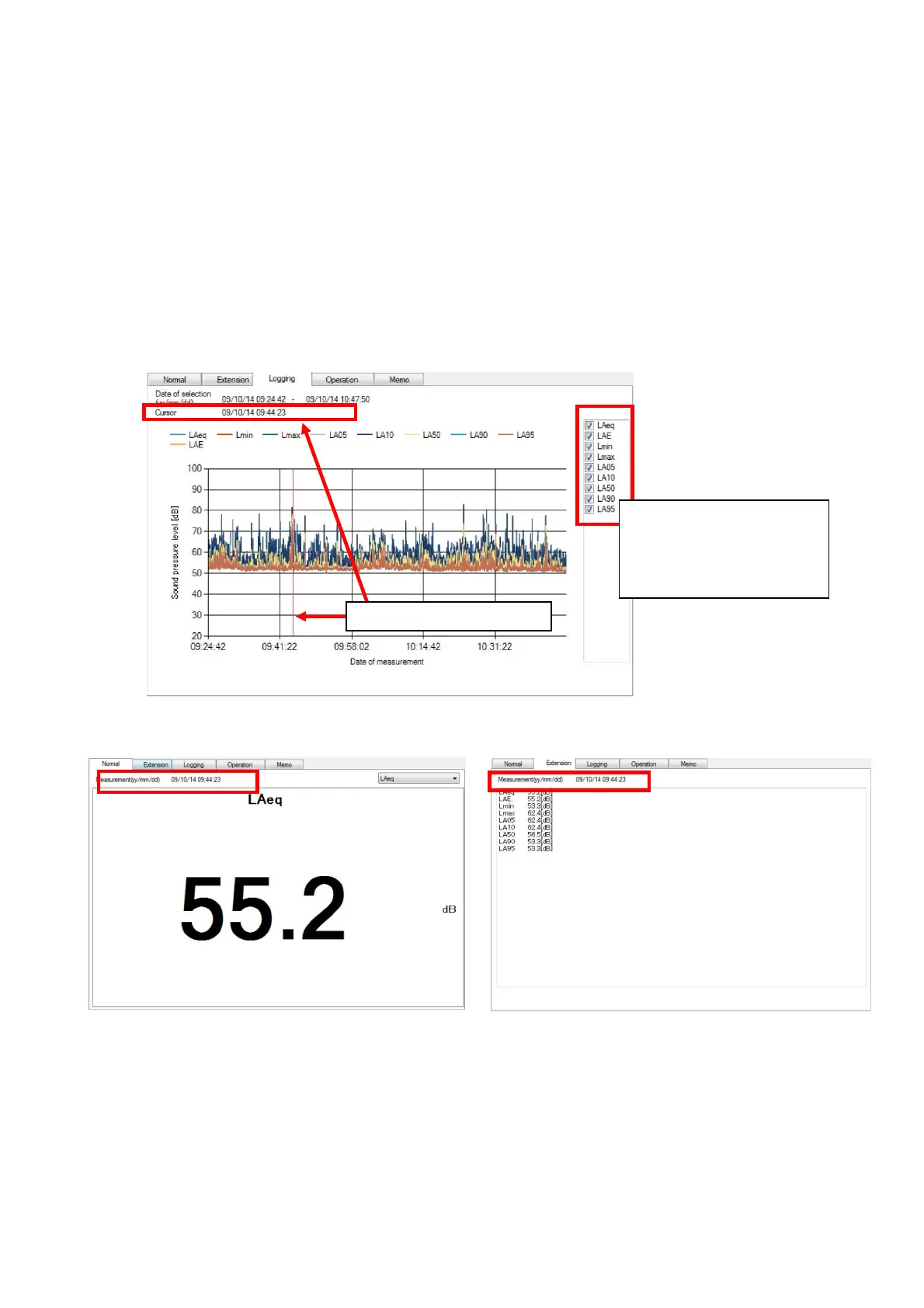
4.2.2 Display of logging
Select Logging panel to display measurement data in chronological order.
Logging is displayed if the measurement data has a measurement interval setting of [Repeat]
To designate measurement mode for logging display, select desired measurement mode using
the check box in the measurement mode list on right side of the display. Check mark in the
box shows selected measurement mode. To clear the selection, click check marked box
again ]and the check mark disappears.
If the graph is clicked at certain point by the mouse, such point (measurement date) becomes
a cursor and red line will move. Measurement data of the measurement date at the cursor
position will be displayed on the Normal panel and Extension panel.
【In the case of the Normal panel】 【In the case of the Extension panel】
Clicked point : Cursor
Set desired
measurement mode for
logging display using
the check box.



 To Next Page