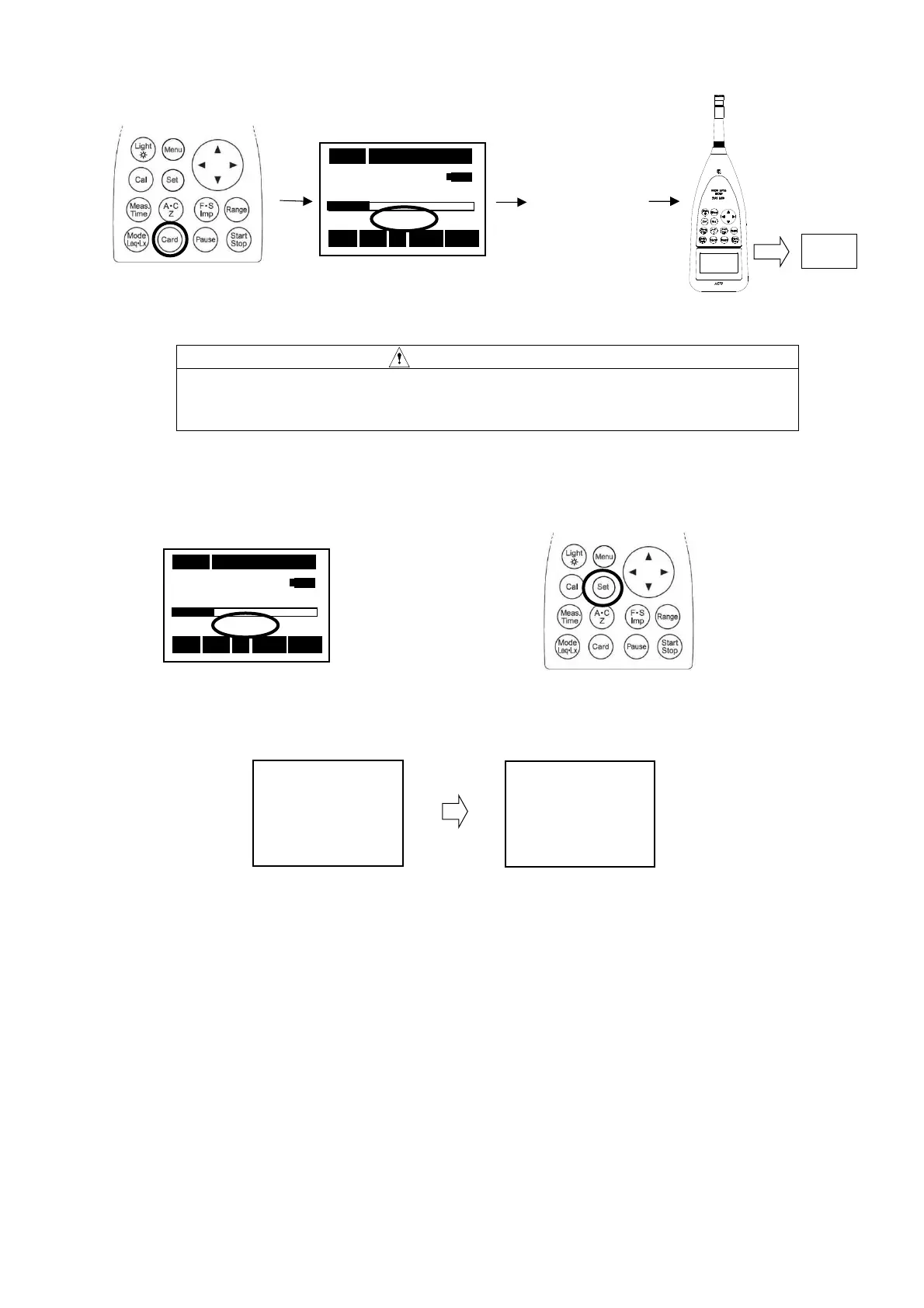
Eject the card
CAUTION
After "STD" lighting, please take out a card in a few minutes.
There is the case that "No Card Error" is displayed. In that case, the file might
Delete the card data
Data all Clear
STD
Yes=Start
No =Set
②STD lighted.
④Eject
the Card.
03s 000h00m00s
63.5 dB
STD
Stp A Fast LA
① Confirm STD blinking.
②Keep
[Set]
Key pushed for a few seconds in
the situation with the card installed.
03s 000h00m00s
63.5 dB
STD
Stp A
Fast LA
③Delete all the data along the displayed flow of operation, then to return to the former
window.
①Press
[Card]
key.
③Power off
ALL CLEAR OK?
Yes=Start
No =Set



 To Next Page