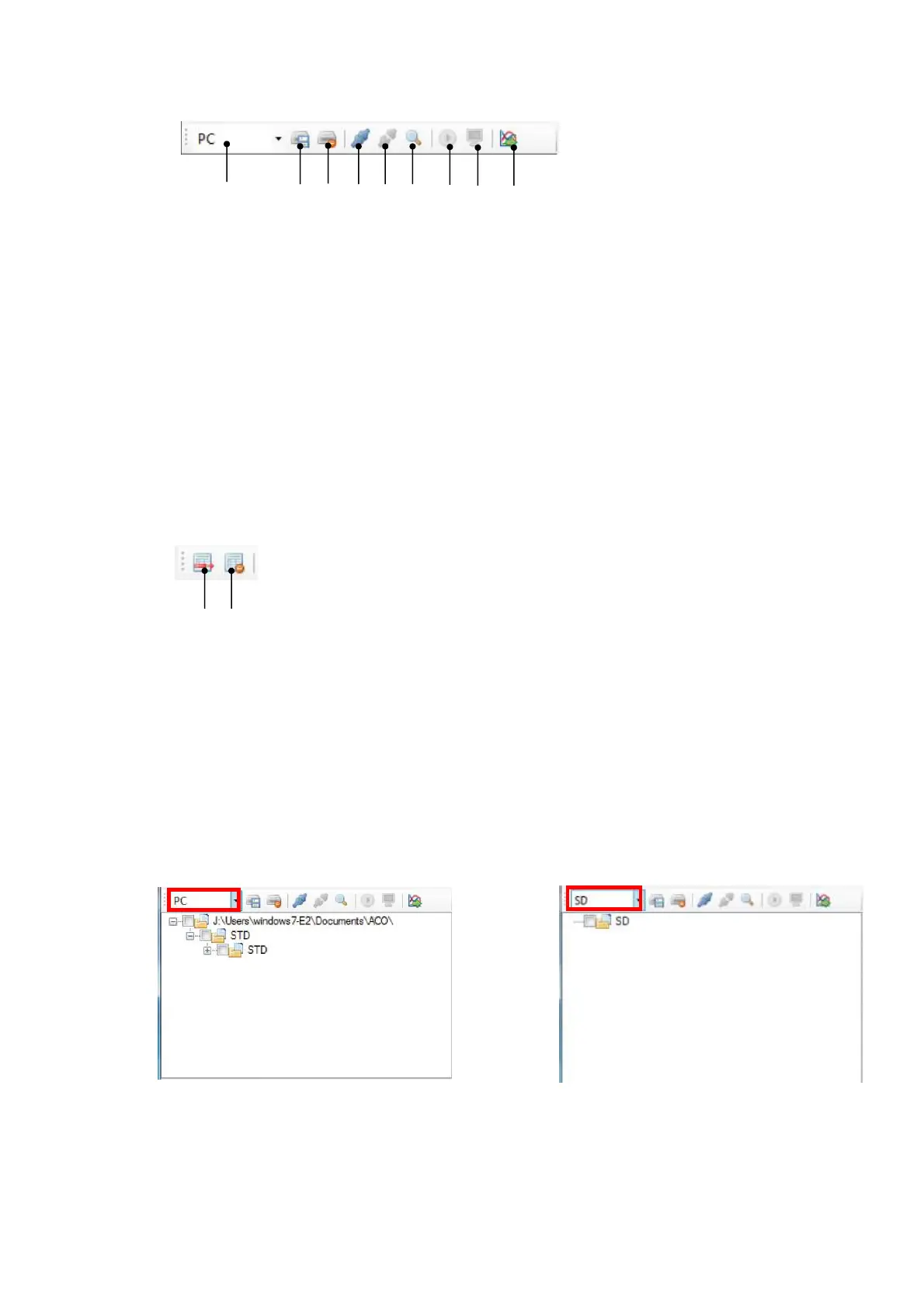
3.3 Functions on the Tool Bar
3.3.1 Tool Bar for file management / remote control
① ② ③ ④ ⑤ ⑥ ⑦ ⑧ ⑨
① Switch display of SD/PC tree : Switch display of tree on the file control panel between
“SD” or “PC”.
② SD card data backup to PC : Copy measurement data file in the SD card to the
backup folder in the PC.
③ Initialization of SD card : Delete all the measured data file in the SD Card.
④ Connect TYPE 6236 : Connect to the TYPE 6236
⑤ Disconnect TYPE 6236 : Disconnect the TYPE 6236
⑥ Restructuring COM port : Restructure COM port in the PC.
⑦ Start remote control measurement : Start measurement by the TYPE 6236.
⑧ Start remote control monitoring : Start monitoring of the TYPE 6236.
⑨ Import data to application : Import data in the measurement files selected on the
file control panel and add them to the measurement
data list.
3.3.2 Tool Bar for the measurement data list
① ②
① Deletion of a data selected from the data list : Delete 1 (one) data selected from the
measurement data list.
② Deletion of all data from the data list : Delete all the data in the measurement data list.
3.4 Management of file /remote-controlled area
3.4.1 File Management Panel
Tree list of the measurement data file / directory is displayed.
By using the upper box, “PC or “SD” can be switched. When the “PC” is selected, the route
folder is the folder set by the [Setting] → [Application setting].
【At “PC”】 【At “SD”】



 To Next Page