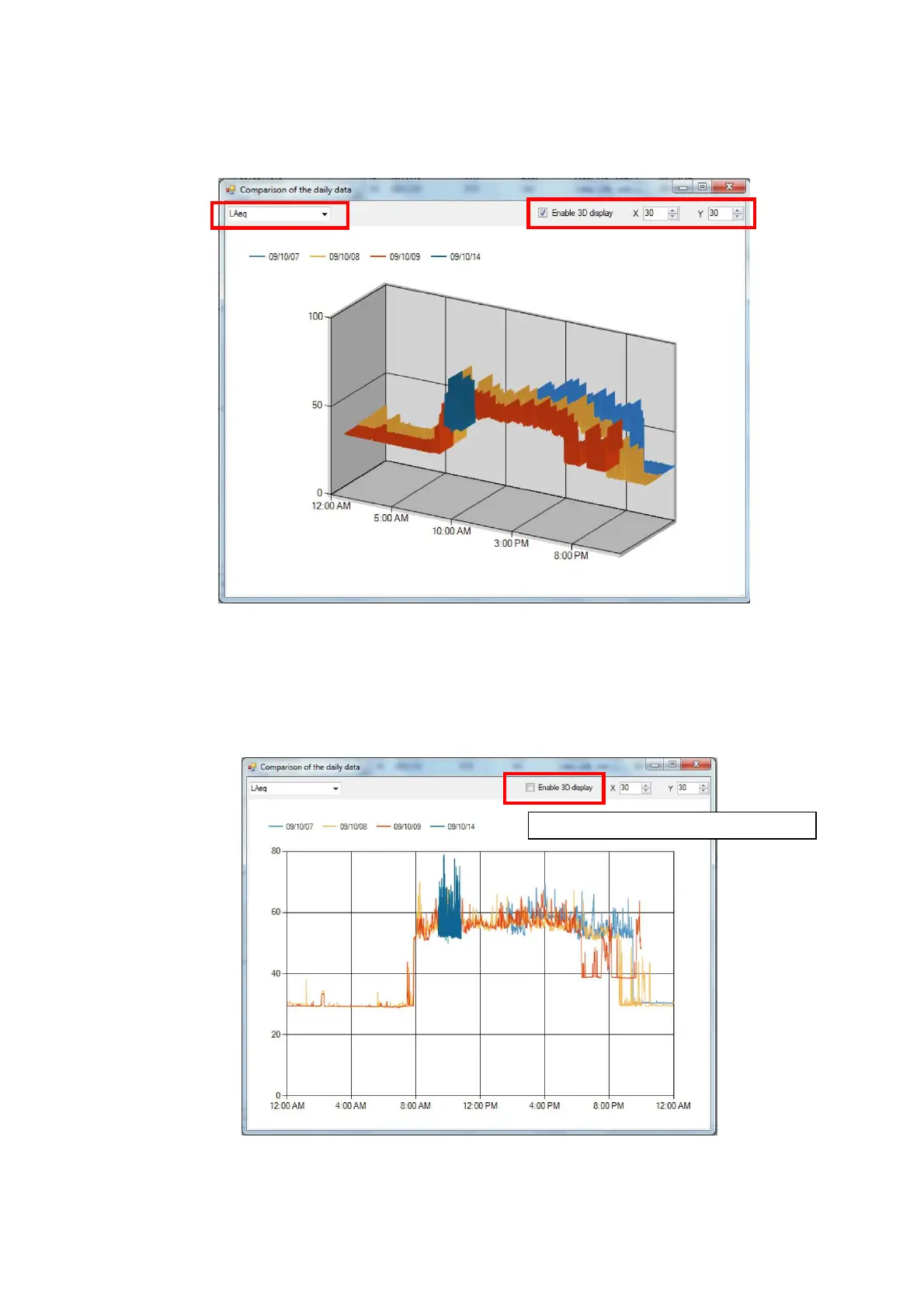
6. Comparison of the daily data window will be displatyed.
Comparion result is shown in 3D image.Select measrurement mode from the combo box on
the upper left corner.Point of view can be changed by changing the X and/or Y values on the
upper right corner.
5.5.1 Change display range
Procedure to change the display range is as follows.
1. Clear the check box for “Activate 3D mode” and change the display from 3D to 2D.
“Activate 3D mode” check box



 To Next Page