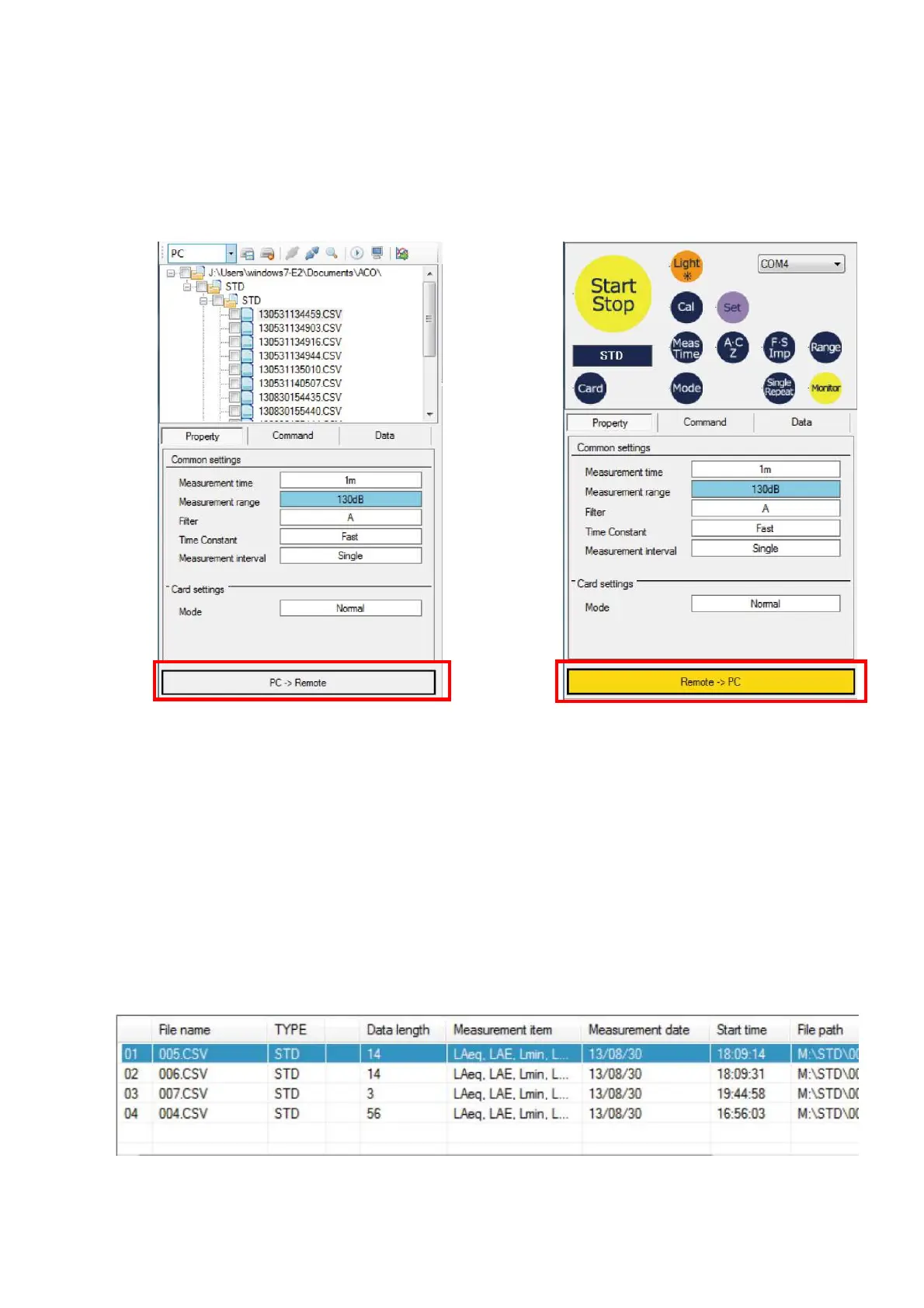
3.5.4 File management/remote control Button
Switch display between file management and remote control operation.
With each click of the button, display is changed alternately file between file management
and remote control. At the remote control, the button becomes yellow color.
【At File Management】 【At Remote Control】
3.6 Measurement data list area
3.6.1 Measurement data list
List of measurement data included in the Data Management Software is displayed.
Measured data is added with the same order as the acquisition of the data. Sorting of the
list cannot be made. When certain measurement file in the list is selected, measured data is
displayed on the measurement data list area.
Measurement data with different format cannot be imported to the Data Management
Software. If the file size is large, long period of time may be required to import the file to the
Data Management Software.



 To Next Page