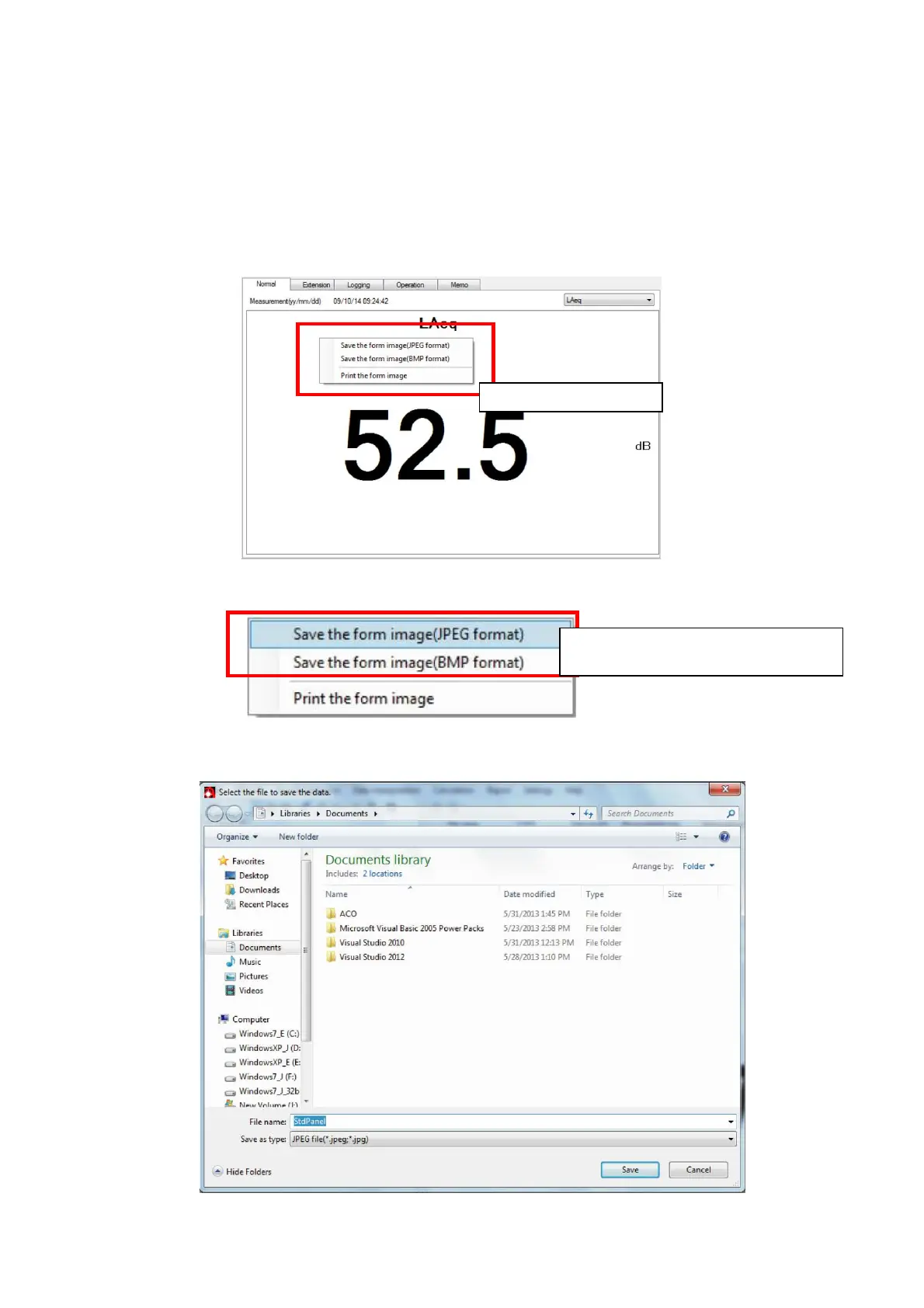
4.1.4 Save the image displayed on the screen.
With the display of the Normal/Extension/Logging/Calculation/Memo panels, displayed
image can be saved. The image file format can be selected from 2 (two) formats,[JPEG] or
[BMP].
As an example, following explanation for the procedure to save the image is made for the
Normal panel.
1. Right-click the mouse on the displayed panel. A shortcut menu will be displayed.
2. Select [Save the form image] from the shortcut menu.
3. Save file window will be displayed.
Select folder in which the image file is to be stored, and click [Save].
Shortcut menu
Select desired data file format,



 To Next Page