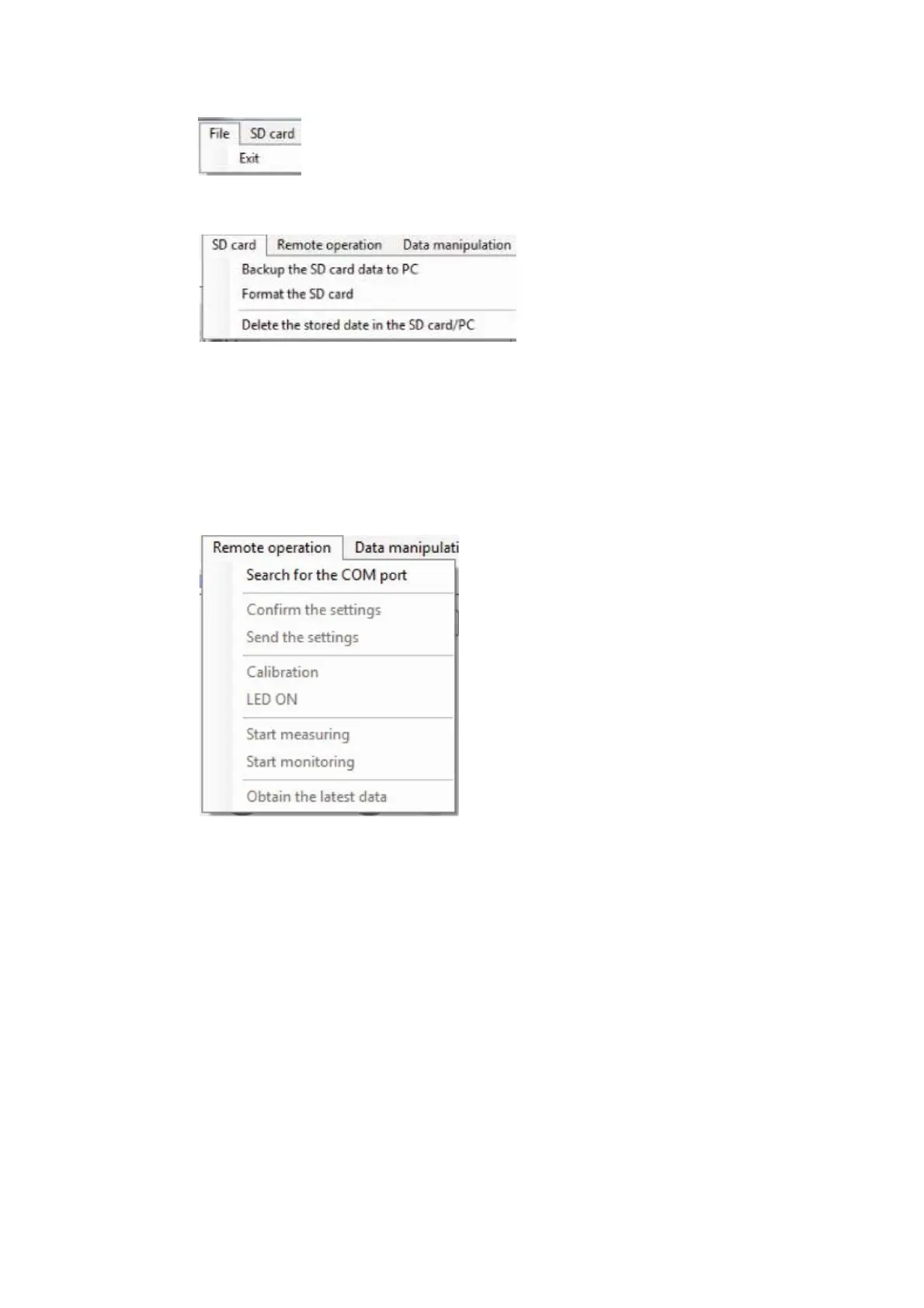
3.2 Functions on the Menu Bar
■ File
・Exit : Finish the Data Management Software.
■ SD Card
・Backup the SD card date to PC : Create backup file in the PC for the files
(measured data) in the SC Card.
・Format the SD card : Delete all the files (measured data) in the SD
Card.
・Delete the stored date in the SD card/PC : Delete specified file (measured data) in the SD
Card or PC.
■ Remote Operation
・Search for the COM port : Restructure COM port in the PC and list the COM port
in the Remote Control Panel.
・Confirm the settings : Obtain information on measurement setup from the
TYPE 6236.
・Send the settings : Setup measurement setup information in the TYPE 6236.
・Calibration : Start calibration of TYPE 6236.
・LED ON : Light up the backlight of the TYPE 6236 display. Re-click to
turn off the light.
・Start measuring : Start remotely controlled measurement.
・Start monitoring : Start remotely controlled monitoring.
・Obtain the latest data : Obtain latest measurement data from the TYPE 6236.



 To Next Page