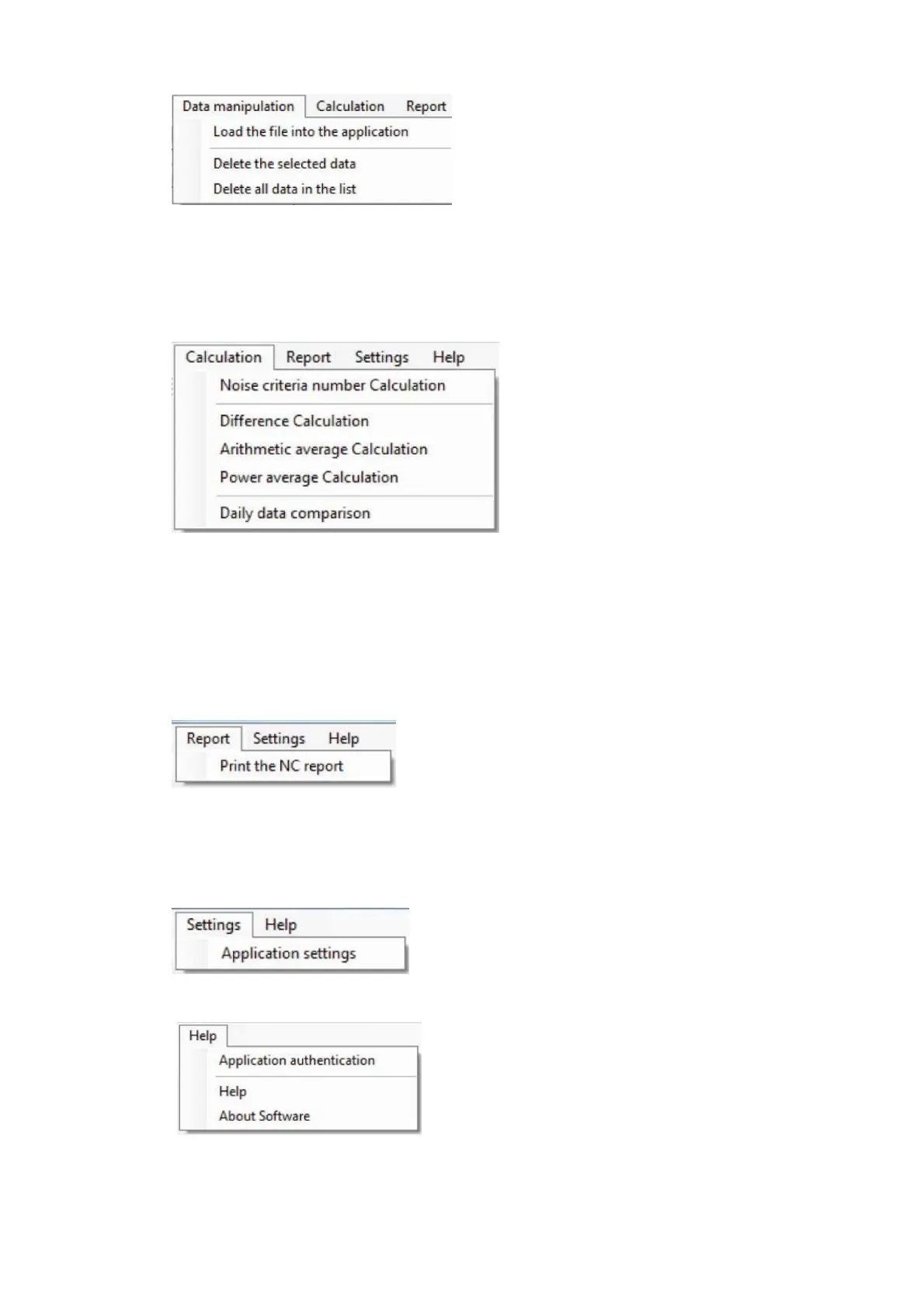
■ Data manipulation
・Load the file into the application : Read file specified on the file control panel and add it the
measurement data list.
・Delete the selected data : Delete measurement data selected from the measurement
data list.
・Deletion all data in the list : Delete all the measurement files in the measurement data
list from the list.
■ Calculation
・Noise criteria number Calculation : Calculate noise criteria.
・Difference Calculation : Calculate difference using two (2) measurement data.
・Arithmetic average Calculation : Calculate arithmetic average using multiple
measurement data.
・Power average Calculation : Calculate average of power using multiple
measurement data.
・Daily data comparison : Display comparison in order of date for multiple
measurement data.
■ Report
・Print the NC report : Create and print NC report.
Printing of the NC report is possible only if the
measurement data is 「1/1 Octave Real-time analysis
data」 and 「Z (Flat) characteristic」.
■ Setting
・Application settings : Set backup folder for measurement data.
■ Help
・Application authentication : Perform authentication of the Data Management
Software.
・Help : Display help file.
・About Software : Display version information.



 To Next Page