Preparation
About No Card Error
If either one of Memory Card, 1/1-1/3 Octave Real-time Analysis Card, FFT Analysis Card, or RSR
Card is not installed to this instrument, “No Card Error” will be indicated on the screen key operation
will become impossible. Please insert either one of above mentioned cards as necessary before use.
<Indication on the screen when any card is not inserted>
Battery installation
When LCD display tells low battery, install new batteries.
For long-term measurement, install new batteries in advance.
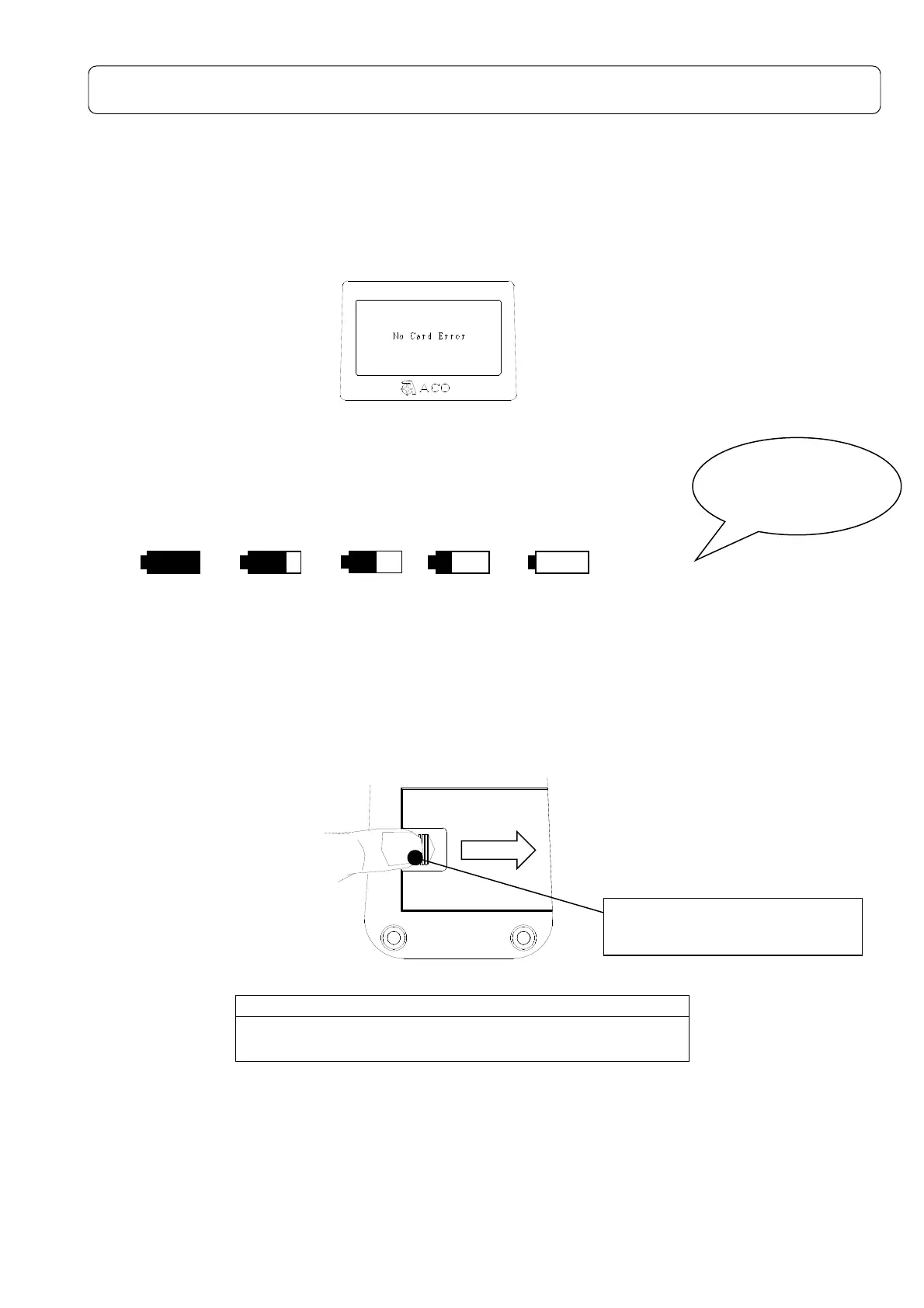
The following displays tell you the condition of the batteries.
The battery residual quantity display are the 5 stages like the following.
To install new batteries:
1) Turn off the POWER switch.
2) The slide is done while pushing the battery lid by the thumb.( Refer to the figure below)Put
the new batteries in the case, then shut the cover. The inside of the case shows you the
direction of the batteries.
Do not put the batteries in the wrong direction. These
four batteries should be replaced at the same time.
・Battery life is approximately:
9hours (Alkaline batteries, continuous operation)
・Use of LCD back-light shortens the life of the batteries (approximately 1/3).
・Please prepare the AC adaptor AC-1026(option) in advance when it is used for a long
period of time.
EMPTY
FULL
Replace batteries
if"ENPTY
shut off.
LOW
“OPEN” pushing and slide in
the direction of the arrow.



 To Next Page