1.3.2 Installation of the Data Management Software
In the case if any application is running, exit out of such application.
Insert CD-ROM to the CD drive and execute [setup.exe] in the [NA-0038M] folder.
If NET Framework 3.5 SP1 is not installed, it will be installed at the same time.
After completion of the installation of the NET Framework 3.5 SP1, there is a possibility that
reboot of the PC is required.
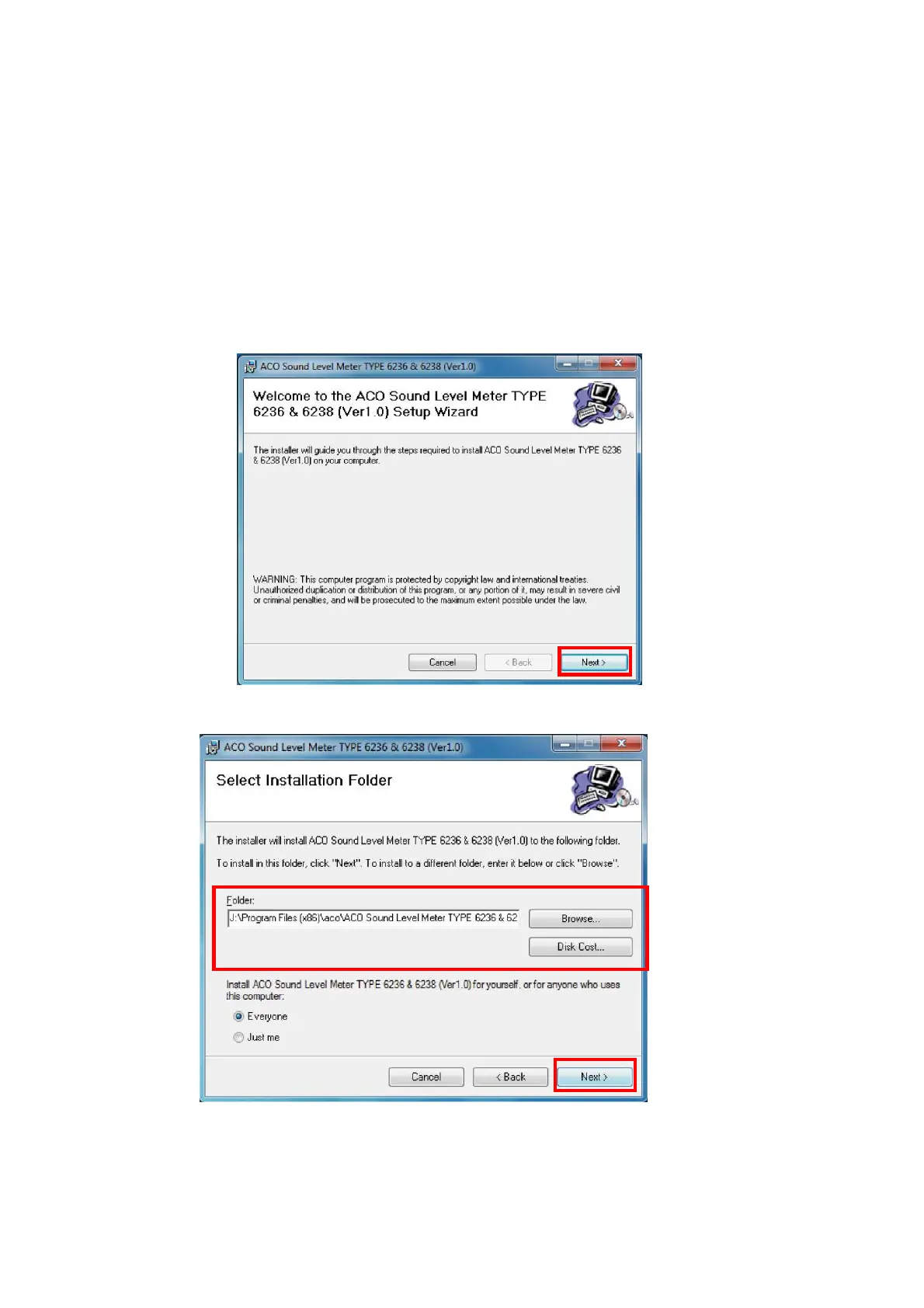
Install per following procedure.
●In the case if the NET Framework 3.5 SP1 is already installed
1. Click 【Next】
2. Select folder for installation and click 【Next】.



 To Next Page