1.3.3 Installation of USB driver
To remotely control the TYPE 6236 or to certify the Data Management Software, USB driver is
required. If “FT245R USB FIFO” is detected as a new hardware a, USB driver shall be installed
after turning on the power of the TYPE 6236 and connect the TYPE 6236 and PC using USB
interface cable
Installation procedure for the USB driver is as follows.
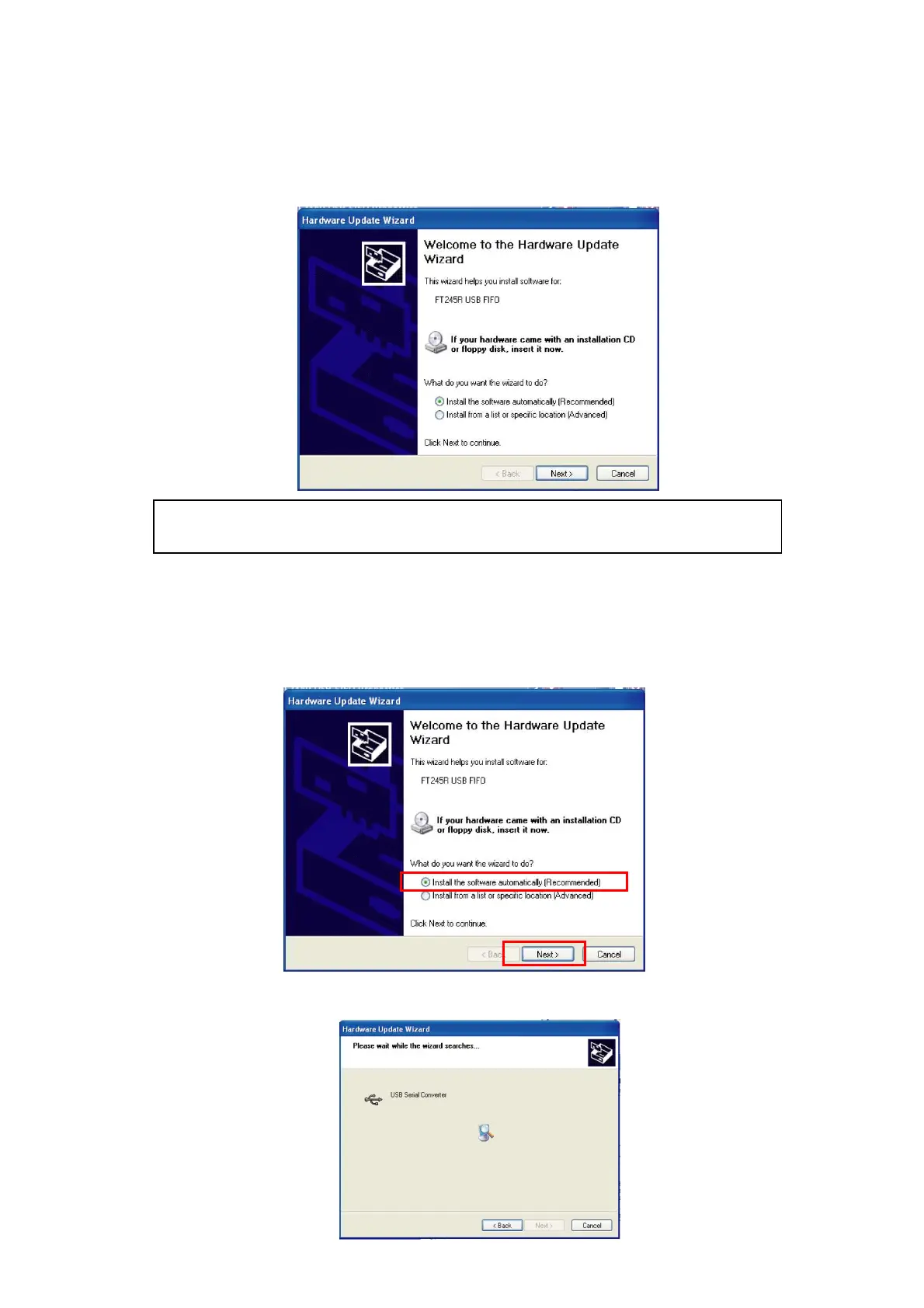
1. ”FT245R USB FIFO” will be detected as a new hardware. Insert CD for the Data
Management Software into the CD-ROM drive. Select 【Install the software automatically
(recommended)】 and click 【Next】.
2. Installation of the driver will be started and the screen will show installation status
display.
If the USB driver is already installed, it is not detected as a new hardware.
In such case it is not necessary to perform USB driver installation procedure.



 To Next Page