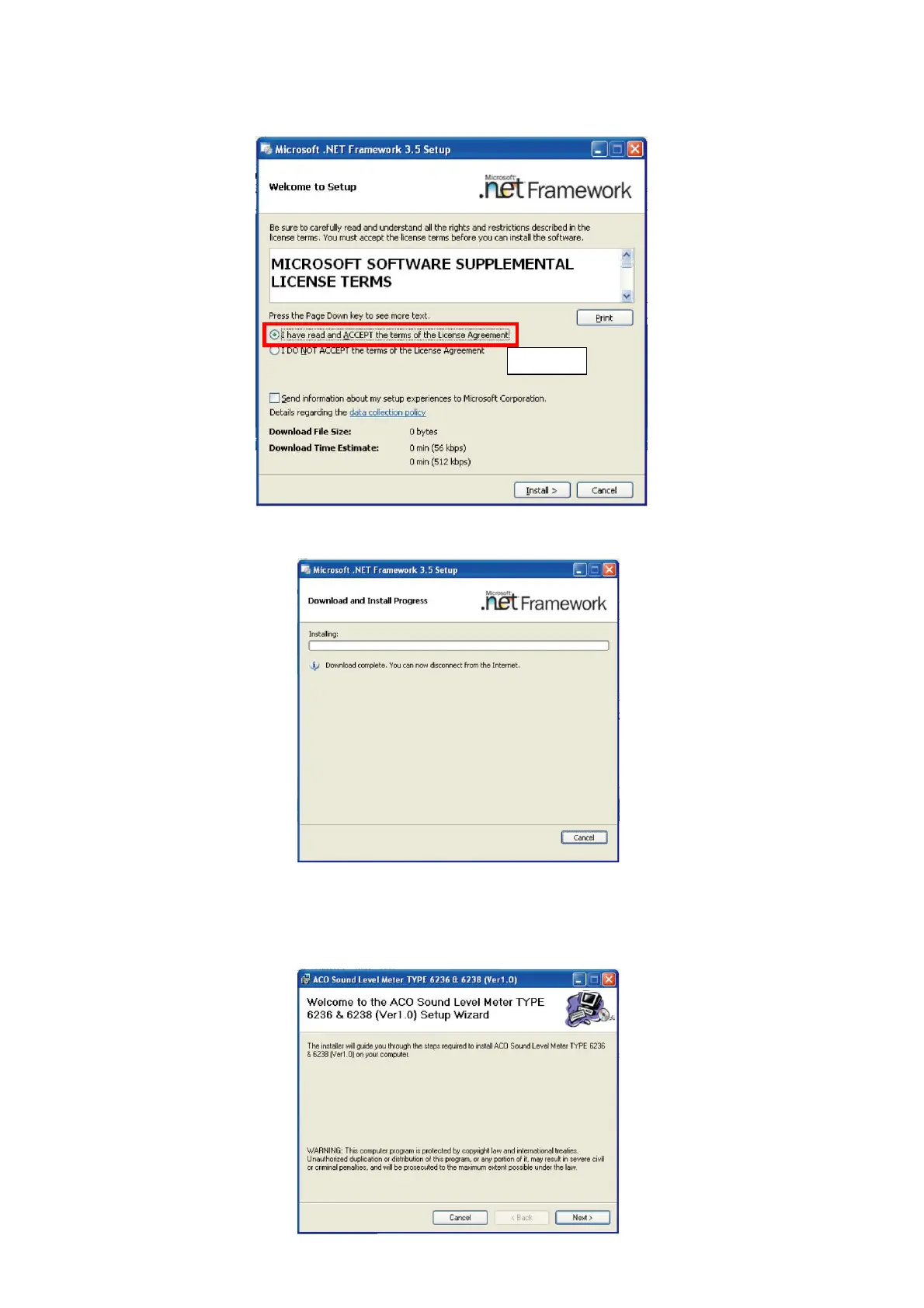
● In the case if the.NET Framework 3.5 SP1 is not installed or only partially installed.
1. Read carefully license terms of the NET Framework 3.5 SP1 and if it is acceptable, click
【Accept】.
2. Installation of the NET Framework 3.5 SP1 will be started and the screen will show
installing status display.
3. After the completion of the installation of the NET Framework 3.5 SP1, reboot of the PC may
be required. In such case, reboot the PC in accordance with the direction of the PC.
*After this step, follow procedure for installation shown in previous pages 6 and 7.
Click



 To Next Page