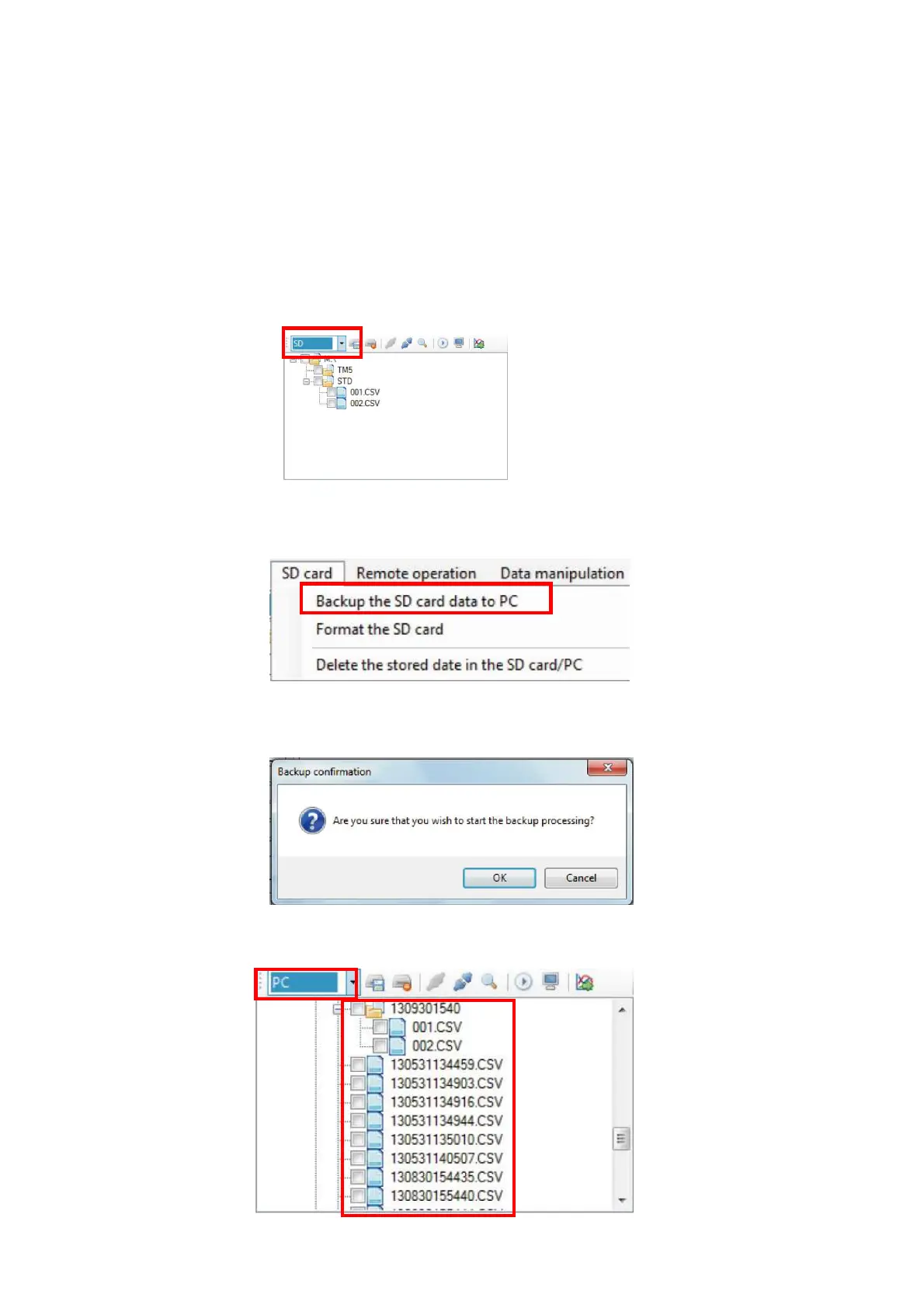
6. Backup of the measurement data files in SD card
Copy the measurement data file recorded in the memory card and optional program card to
the backup folder. All the measurement data files recorded in the card are subject for the
backup regardless if the selected condition on the tree display of the file management panel is
cleared or not.
Procedure for the backup operation is as follows.
1. Insert memory card or optional program card to the card drive of the PC or external SD card
reader.
2. Select file management using the [File management / remote control] button to display File
Management Panel. Change the tree display to 「SD」.
3. Select [SD Card]→[Backup the SD card data to PC.] on the Menu Bar, or click [Backup the
SD card data to PC] button on the Tool Bar.
4. Backup confirmation window will be displayed.
5. Click [OK] and backup operation will be carried out.
To confirm that data files are being copied, change the tree display to 「PC」.



 To Next Page