3. Name of each part and function
3.1 Outlook of the Data Management Software
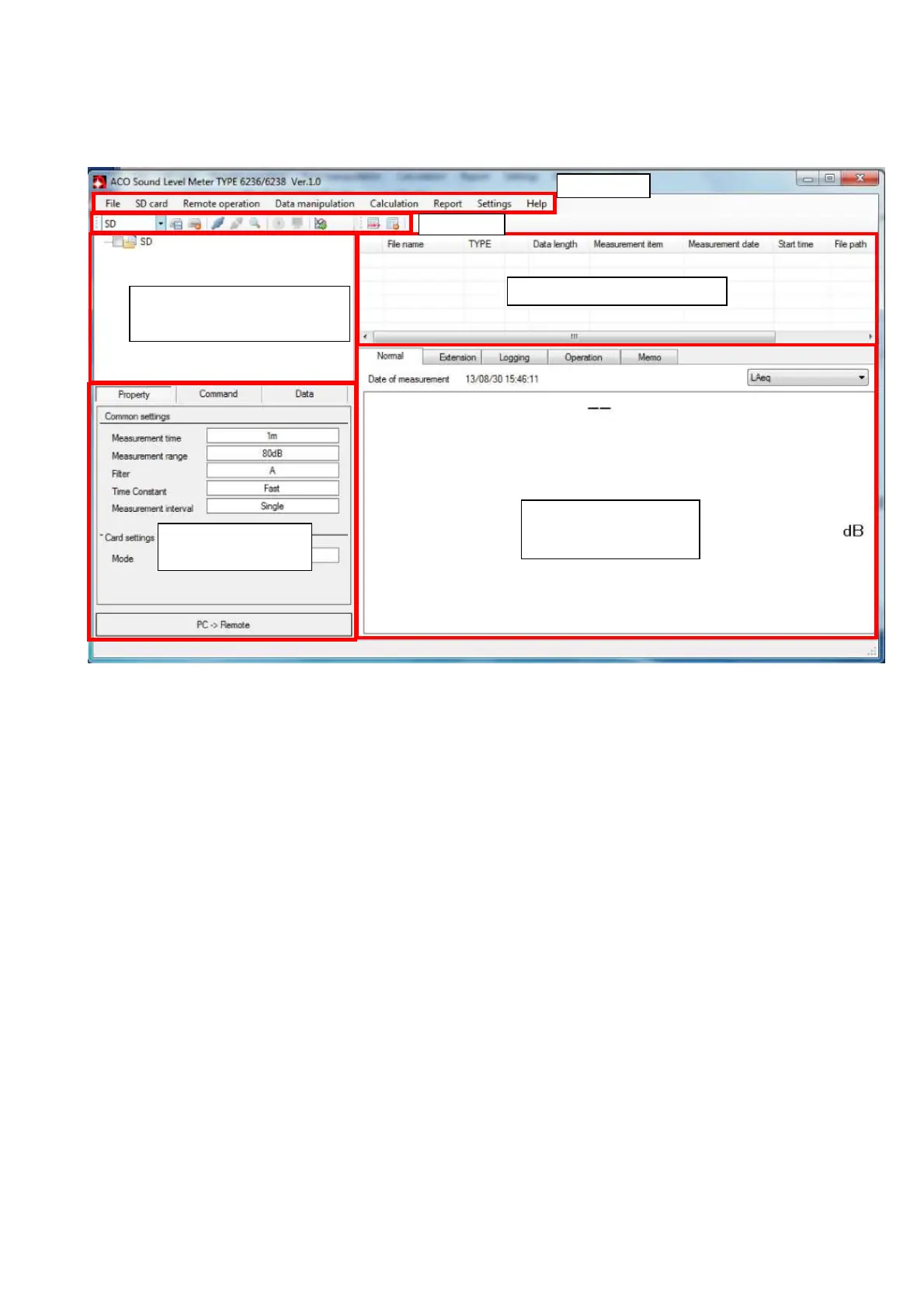
General outlook of the Data Management Software is as shown below.
■ Menu Bar
Menu of the operation used by the Data Management Software.
■ Tool Bar
Indicates buttons of functions that are frequently used for the Data Management software.
■ Management of file/remote-controlled area
This area is to control the files in the SC card and PC, and to performed remote control
operation.
■ Property/Archival record area
This area is to display simple list of the measurement setup, command history,
■ Measurement data list area
This area is to display list of measurement data recorded in the Data Management software.
■ Measurement data display area
This area is to display measurement values or graph for the content of the measured data
selected by the Measurement data display area with measured data or graph
Measurement data list area
Measurement data
display area
Property/Archival
Management of
file /remote-controlled area



 To Next Page