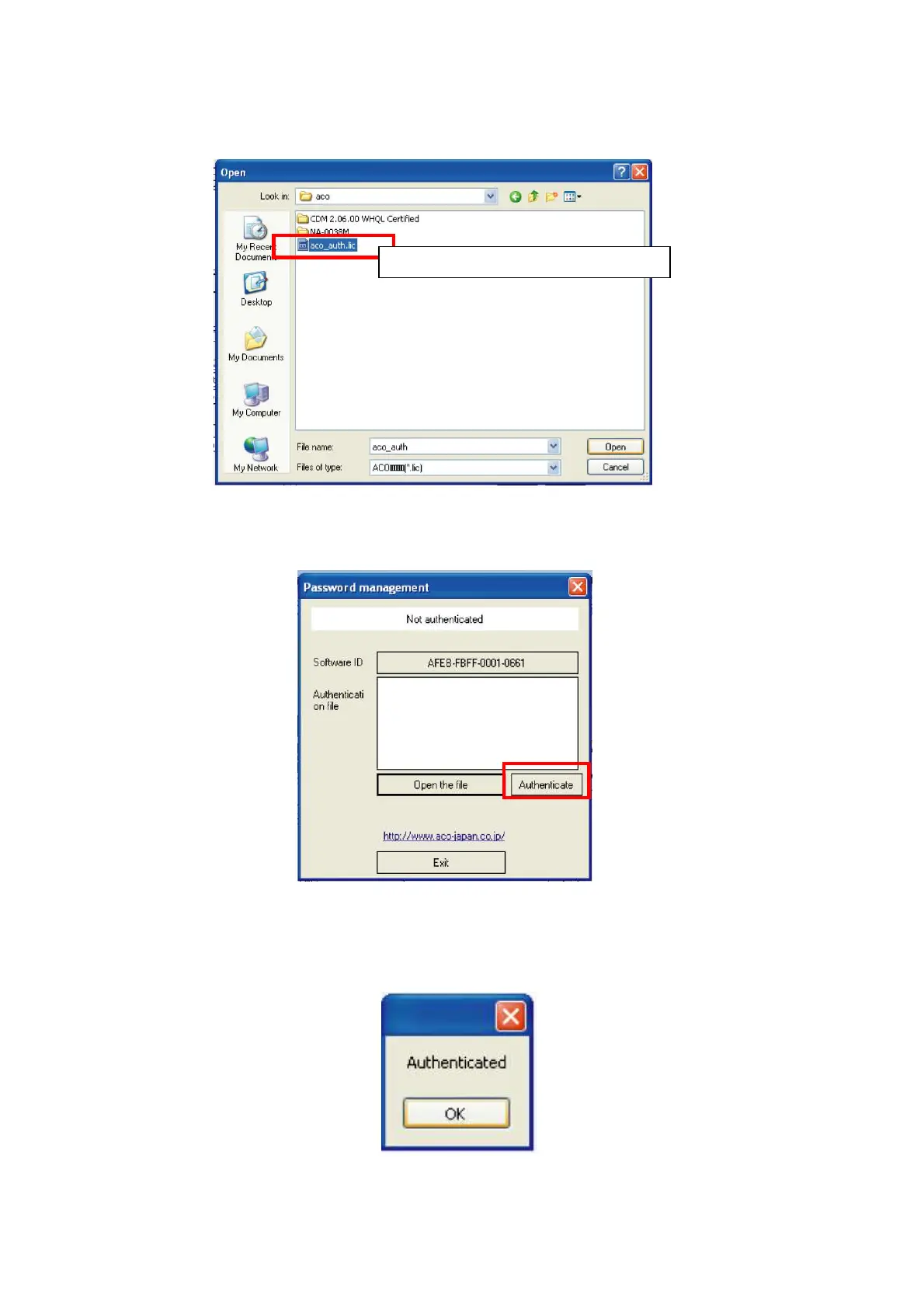
5. [Open] window will be displayed.
Select authentication file (aco_auth.lic) and click [Open].
6. File path of the selected authentication file will be indicated on the Authentication
window. Click [Authenticate].
7. If the authentication is completed normally, Authentication Completion window will be
displayed. Click [OK] and the display will return to the main window of the Data
Management Software.
Select this file and click [Open].



 To Next Page