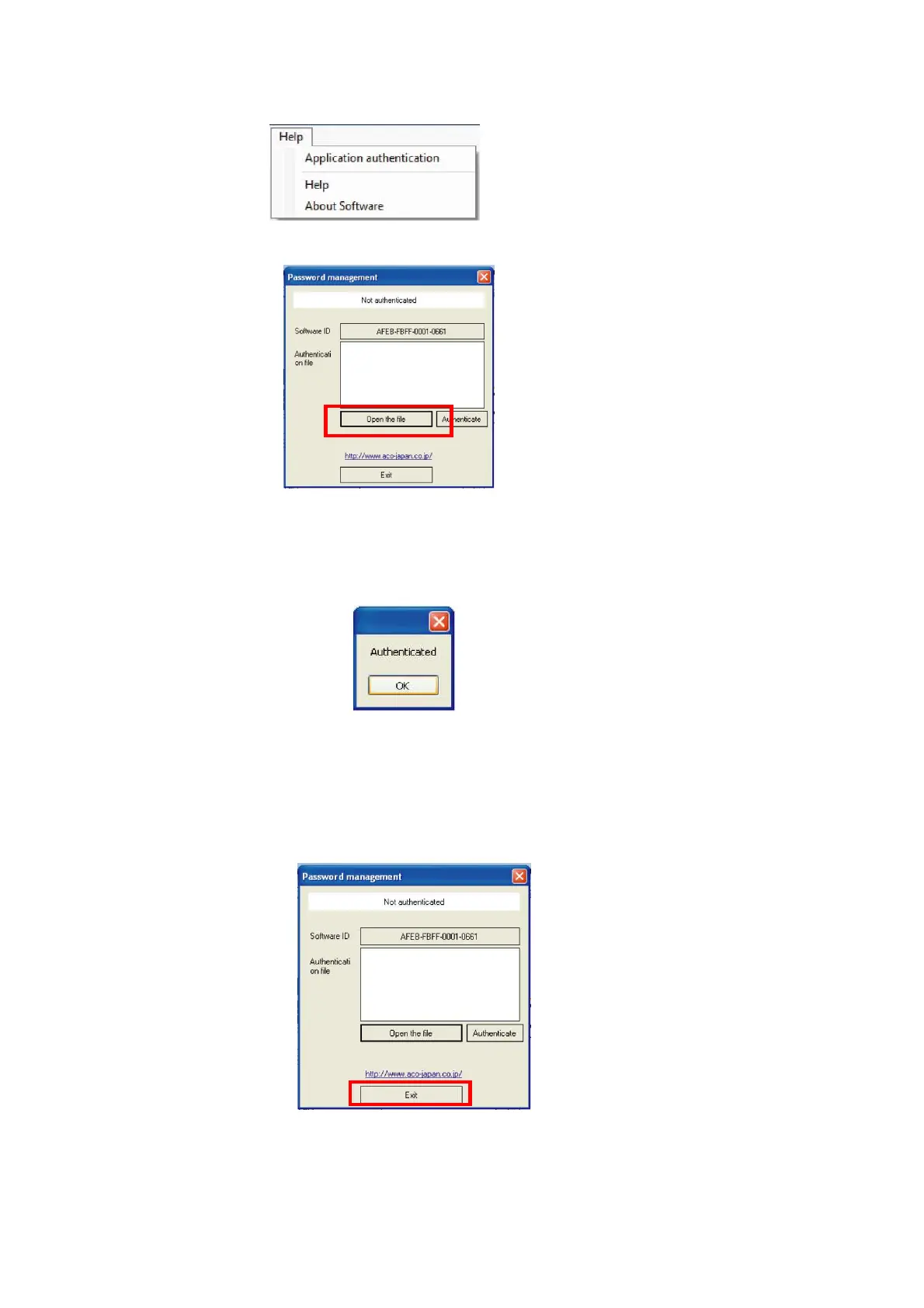
3. Select [Help] → [Application authentication] on the Menu Bar.
4. Authentication window will be displayed.
Click [Open the file] on the Authentication window.
If authentication is already completed, following message will be shown on the window.
Click [OK] and the display will return to the main window of the Data Management Software.
If the connection between the TYPE 6236 is not established, [Open the file]
and [Authenticated] button cannot be clicked. In such case, click [Exit] and confirm the
connection with the TYPE 6236.



 To Next Page