5.5 Daily data comparison
Display comparison of daily date for multiple measurement data of different measurement
date.
Comparison can be performed for measurement data that are for the same measurement item
as listed below.
● Noise measurement data for which the measurement interval is set to 「Repeat」.
Comparison procedure is as follows.
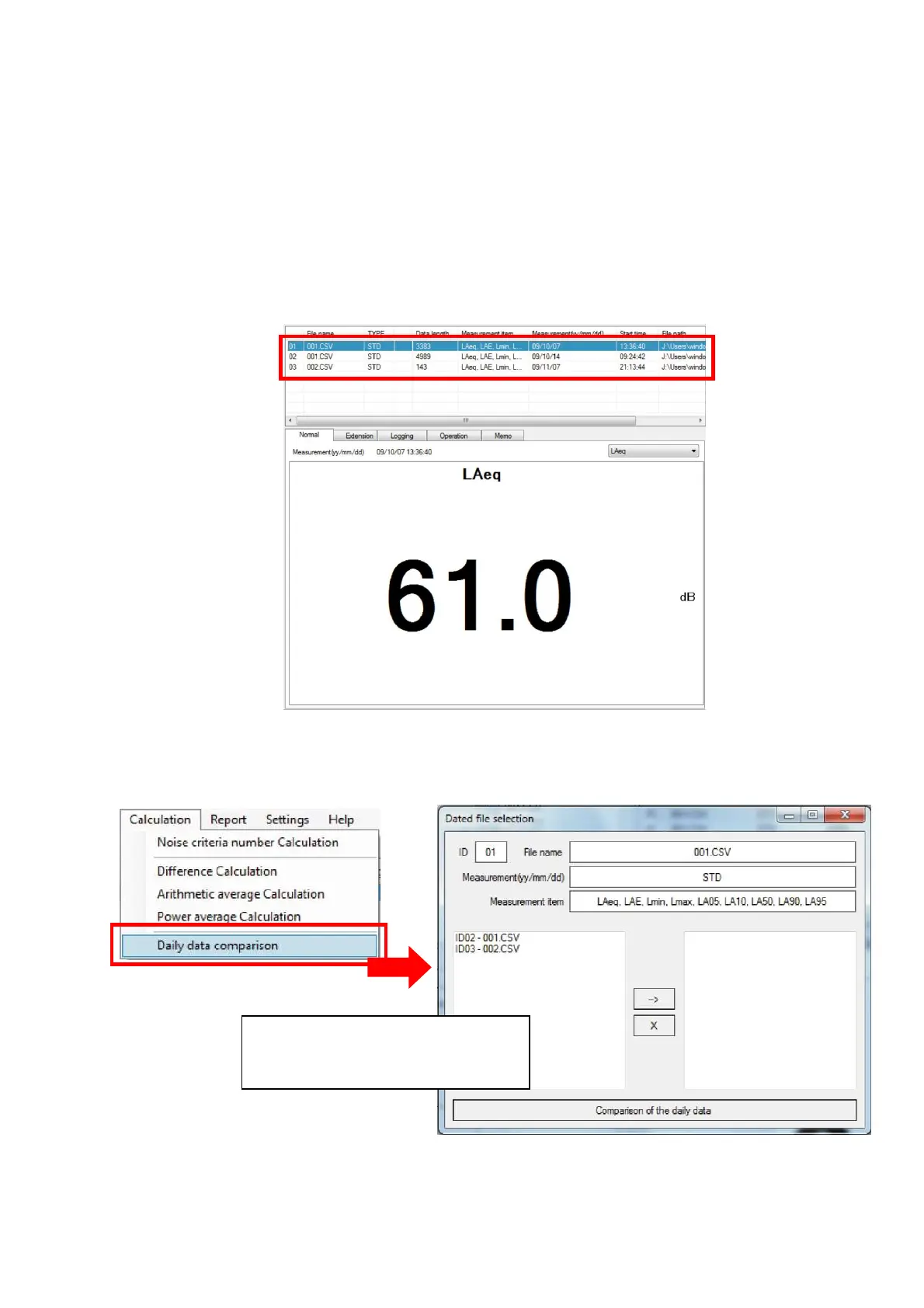
1. Select measurement data files subject for the comparison from the measurement data file
list.
2. Select {Calculation}→[Daily data comparison] on the Menu Bar.
[Daily data comparision] window will be displayed.
This window will be displayed
by the selection of
[Daily data comparision]



 To Next Page