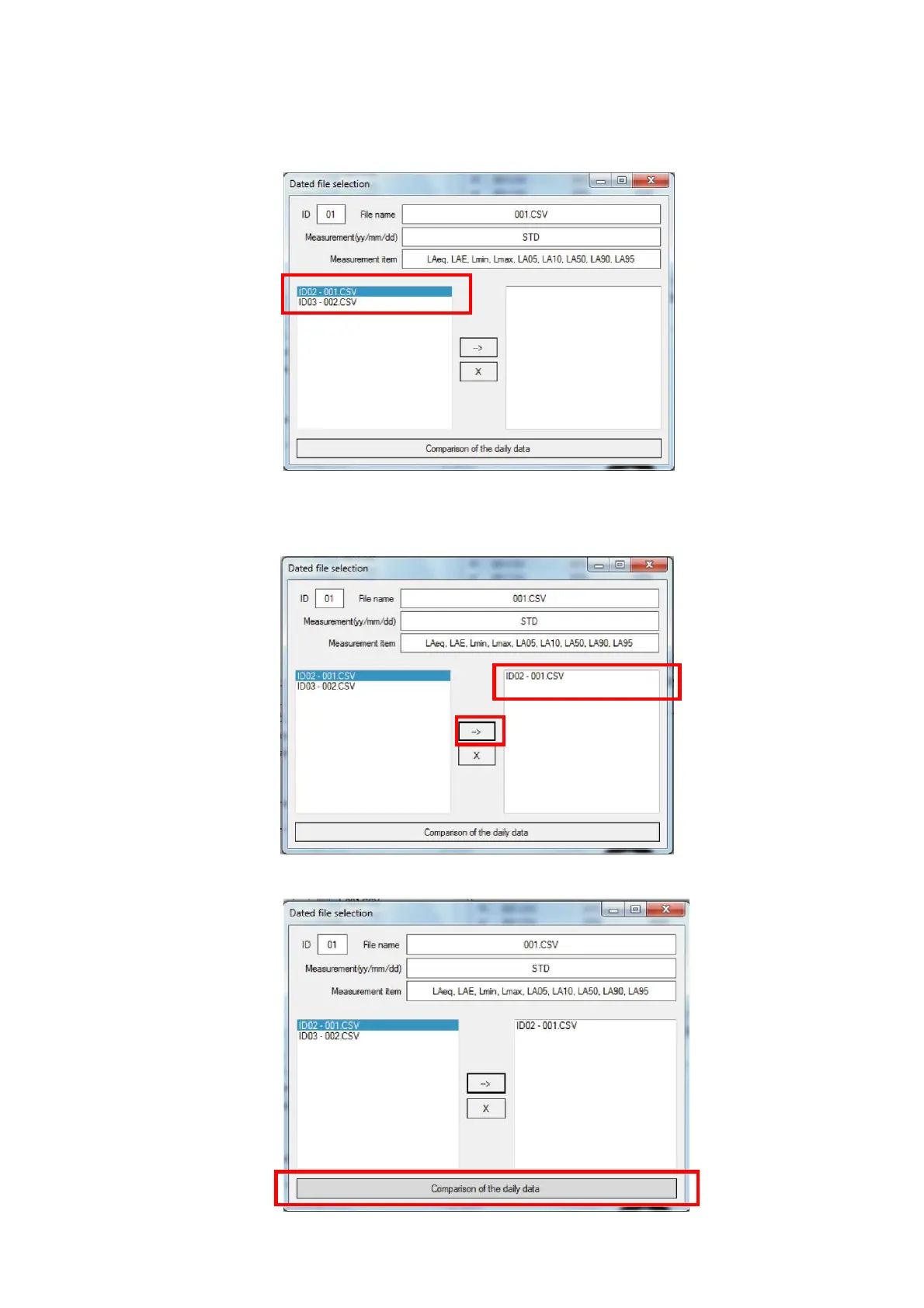
3. On the date and hour selection dialog winddow, select data files subject for the comparison of
date and hour. (selection of multiple data files is possible.) If the measurement data files for
the comparison are not imported to the measurment data file list, such file names will not be
displayed inn the left side file name list column.
4. Click [→] button Selected files will be copied to the right side file name column. To delete
data file from the right side file name list column, selecte the file in the right side column and
click [x] button.
5. Click [Comparison of the daily data].



 To Next Page