Measurement Procedure
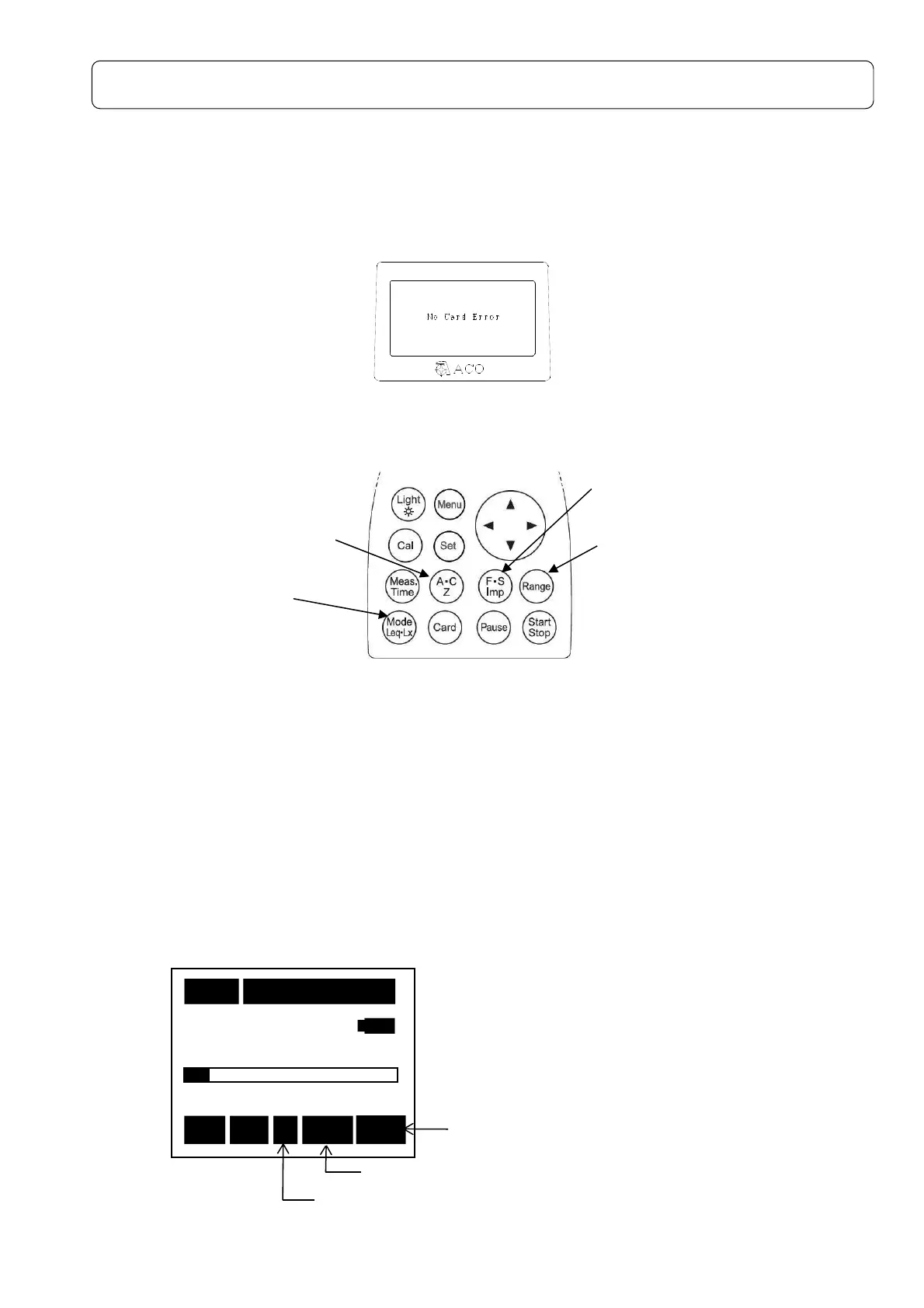
About No Card Error
If either one of Memory Card, 1/1-1/3 Octave Real-time Analysis Card, FFT Analysis Card, or RSR
Card is not installed to this instrument, “No Card Error” will be indicated on the screen key operation
will become impossible. Please insert either one of above mentioned cards as necessary before use.
<Indication on the screen when any card is not inserted>
Sound pressure level (L
A
/Lc/Lp) measurement:Frequency weighting key A,C,Z
< Parameter setting >
Measurement is made according to the following procedure.
①Frequency weighting key :A, C or Z
②Display mode key :L
A
, Lc or L
p
③Time weighting key :F, S or Imp
④Range key :Select a range where the bar graph indicates
approximately 2/3 of the full scale.
【Method of selecting RangeKey】
Press
[Range]
key, and choose by cursor keys▲▼, and press
[Range]
key
again to register.
< Display >
②Display mode key
④
[Range]
key
③Time weighting key
(
F
:Fast,
S
:Slow,
Imp
: Impulse)
①Frequency weighting key
(A・C, Z)
1s 000h00m00s
40
130
Stp Z Fast Lp
Time weighting key:Fast, Slow or Imp
Frequency weighting key :A, C or Z
Display mode
L
A,
L
C
or Lp



 To Next Page