Copyright
©
2005 ACTIA - General Presentation of SmarTach
®
- 7
English
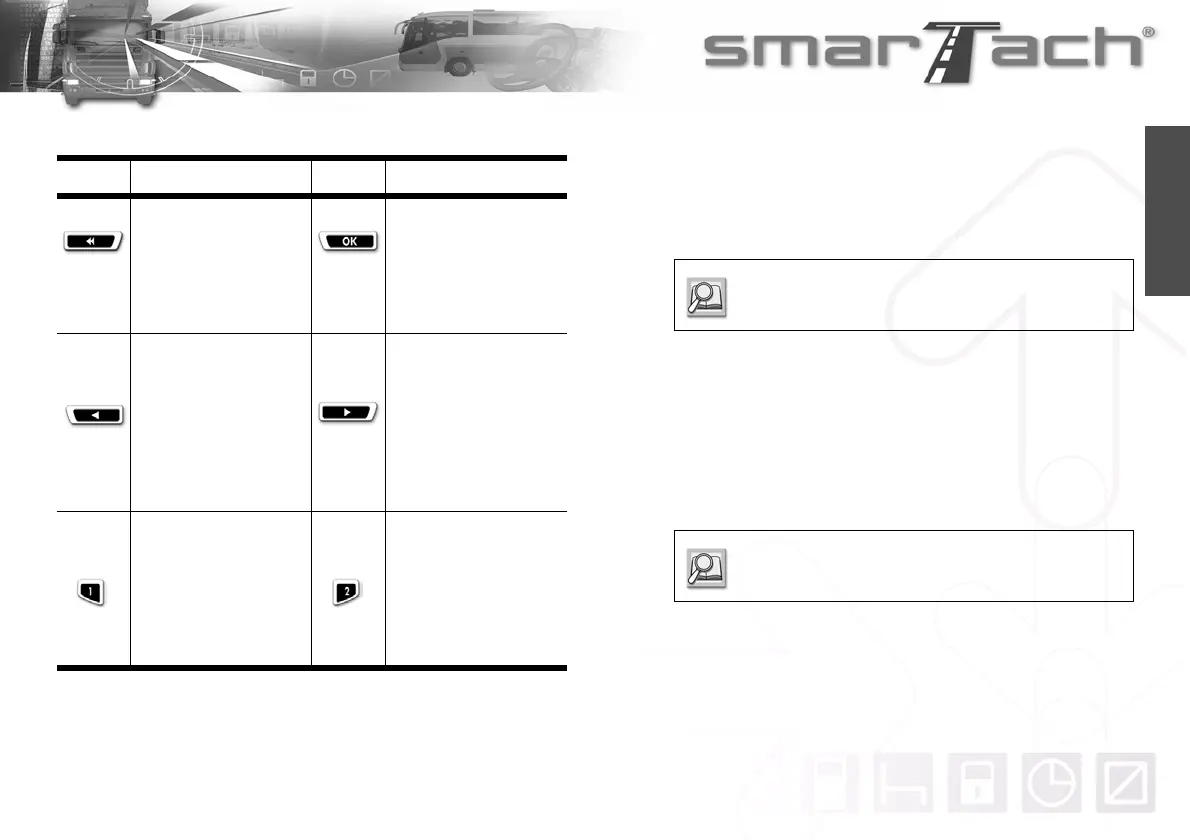
All operations are possible via the following keys:
2.2.3 Keyboard Beep
SmarTach
®
gives you an answer about your current action:
• One beep for a positive answer.
• Two consecutive beeps for a negative answer.
2.2.4 Warning Beep
When the warning light flashes, a beep may sound.
The warning beep sounds several times when:
• A warning has been triggered.
• No key is pressed for more than 30 seconds during manual
entry of activities.
Key Action Key Action
(Escape)
Press to
• cancel the current
action.
• return to the upper level
menu.
Press to
• go to a lower level
menu.
• answer Yes.
• confirm a choice.
• acknowledge warnings.
(Back)
Press to
• go back to the previous
item or menu.
• change the value you
are entering.
Hold down to
• change the current
value more quickly.
(Forward)
Press to
• go forward to the next
item or menu.
• change the value you
are entering.
Hold down to
• change the current
value more quickly.
Press to
• declare or modify your
activities as driver.
Hold down to
• insert or withdraw your
driver card from the left
slot.
Press to
• declare or modify your
activities as co-driver.
Hold down to
• insert or withdraw your
driver card from the
right slot.
Table 3
To activate/deactivate beeps, refer to Section 4.1.5
Keyboard Beep.
To activate/deactivate beeps, refer to Section 4.1.6
Warning Beep.



 To Next Page