32 - How to Use SmarTach
®
- Advanced Functions - Copyright
©
2005 ACTIA
English
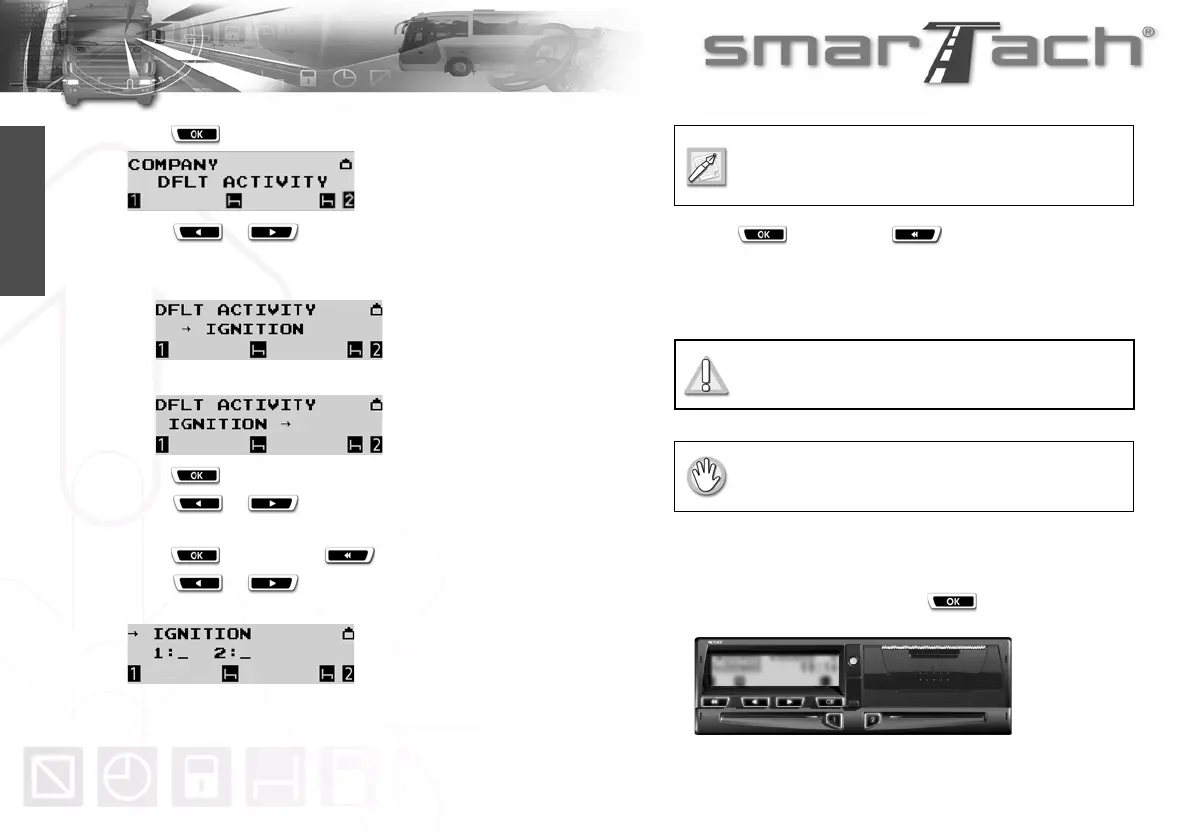
4. Press to select DFLT ACTIVITY.
5. Press or as many times as necessary to
select the default activity:
• when ignition is turned on.
• when ignition is turned off.
6. Press to validate the selected option.
7. Press or as many times as necessary to
select the driver default activity:
¦, ¥, _ or §.
8. Press to validate or to exit without change.
9. Press or as many times as necessary to
select the co-driver default activity:
¦, ¥, _ or §.
10. Press to validate or to modify the driver
default activity.
11. The last selected main display appears.
4.1.9 Remind Beep
SmarTach
®
can remind you to select activities when ignition is
switched on or off by generating beeps.
Companies can set this function. Proceed as follows:
1. In the first level of menus, press to go to the second
level.
Select a _ instead of an activity to keep the
selected activity unchanged when ignition is turned
on or off.
The following section describes a function only
available to companies.
Your company card must be inserted.



 To Next Page