50 - How to Use SmarTach
®
- Advanced Functions - Copyright
©
2005 ACTIA
English
4.7.2 At the End of the Previous Daily Work Period
In this example, assume that:
Here are the steps to follow:
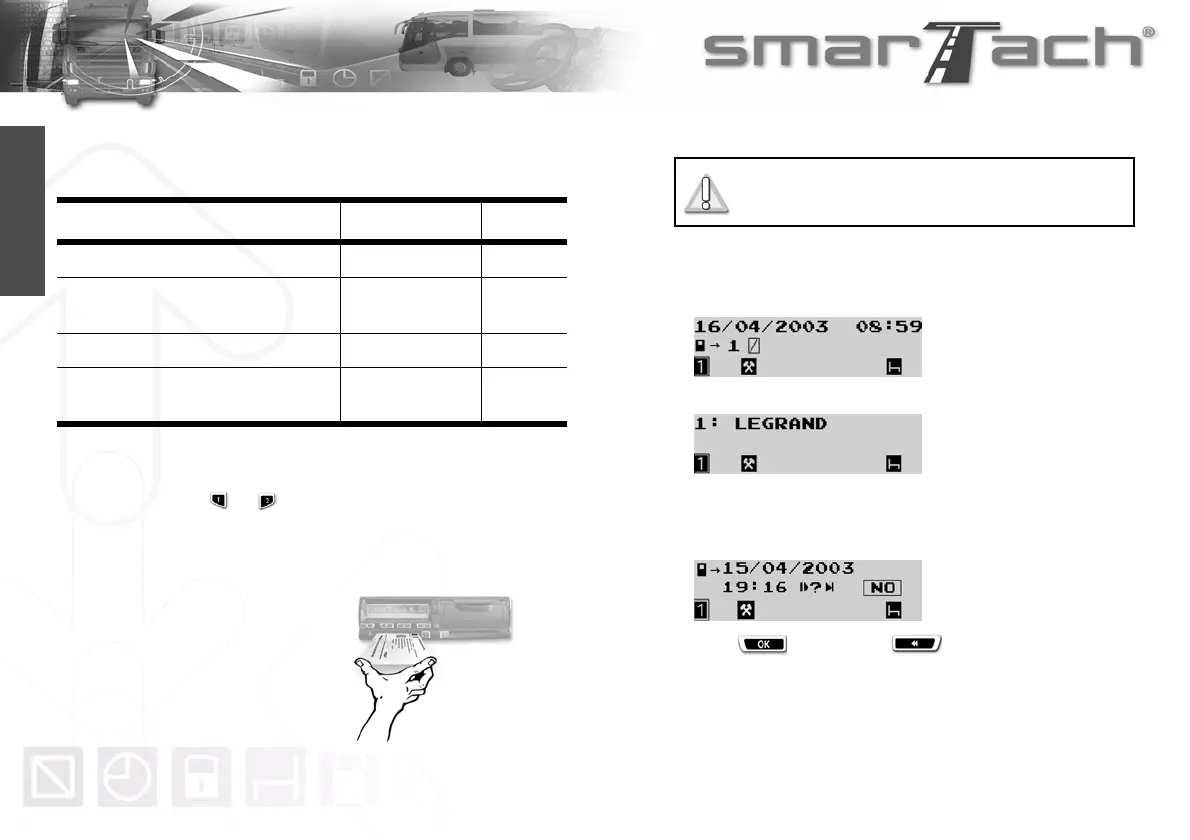
1. Hold down or to open the flap before inserting your
smart card.
2. When the slot is ready for card insertion, the corresponding
pictogramm 1 or 2 flashes.
3. Insert your card, with
the chip facing up and
the arrow towards
SmarTach
®
, into the
appropriate slot:
• left slot: driver
• right slot: co-driver.
4. Slide it in gently up to the stop.
5. The slot closes automatically.
The following display appears to inform you that SmarTach
®
reads the card. During operation, symbols move / - \.
6. After a moment, your name appears.
7. SmarTach
®
displays the date and time of the last card
withdrawal and asks you if it is still the same daily work
period.
Press to validate or to exit.
Action Date Time
You are starting your daily work period. April 16th, 2003
8:59
Now, you are inserting your driver card in
SmarTach
®
.
April 16th, 2003 8:59
Yesterday, you withdrew your card. April 15th, 2003 19:16
Yesterday, after having withdrawn your
card, you worked.
April 15th, 2003
from 19:16
to 19:45
Table 30
Do not force. Let the mechanism draw in the
card.



 To Next Page