Copyright
©
2005 ACTIA - How to Use SmarTach
®
- Advanced Functions - 45
English
4.7 How to Enter Activities Manually
You can enter activities manually if you have performed
activities while away from your vehicle, your driver card not
having been inserted in SmarTach
®
. You were not able to
declare them in real time.
SmarTach
®
enables you to enter them at the card insertion just
following those activities.
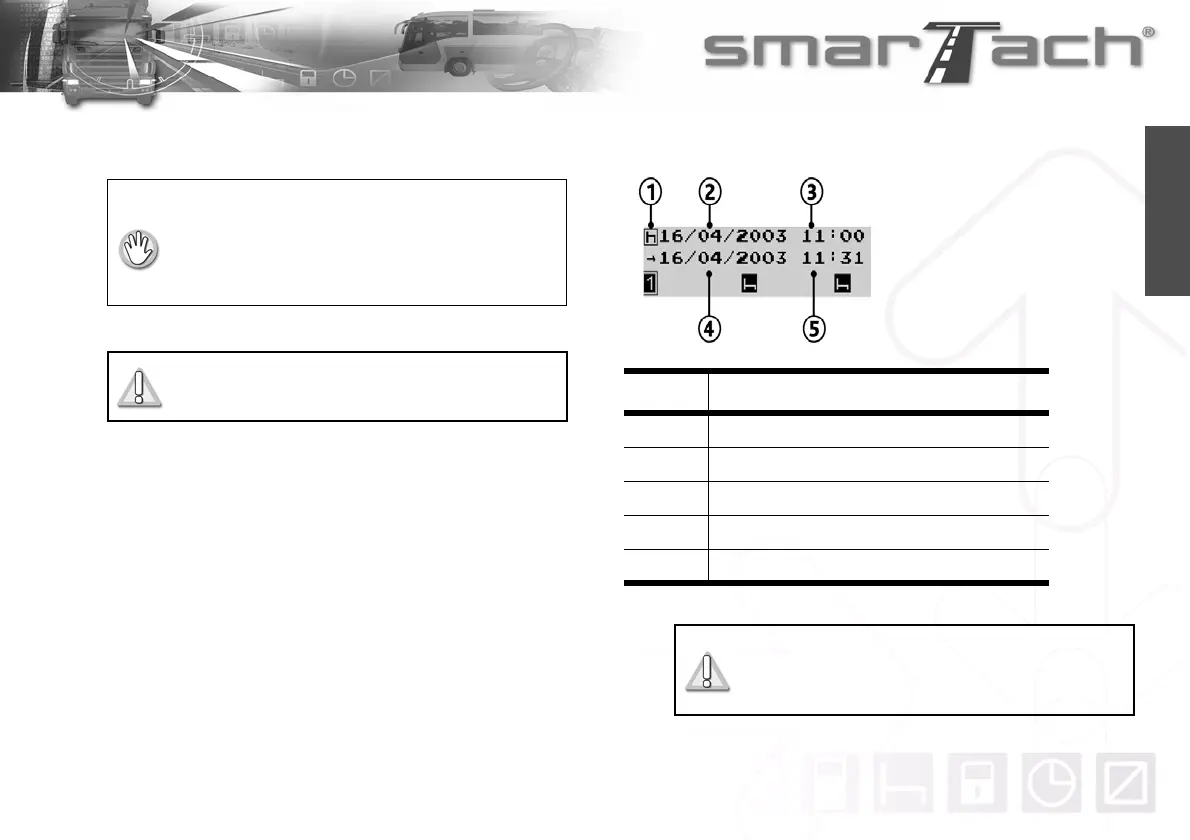
For each activity, you will have to declare the following data:
• The vehicle must be stationary.
• The ignition switch must be turned on
(the engine does not need to be started).
• No downloading operation must be in progress.
• No printing operation must be in progress.
All times used in this section are in local time.
Number Data
1 Activity type (Work, Availability or Break/Rest)
2 Start date of this activity
3 Start time of this activity
4 End date of this activity
5 End time of this activity
Table 26
SmarTach
®
only allows you to manually enter
activities having occured between the last
withdrawal of your driver card and its insertion.
Activity entry display



 To Next Page