44 - How to Use SmarTach
®
- Advanced Functions - Copyright
©
2005 ACTIA
English
5. Press to validate.
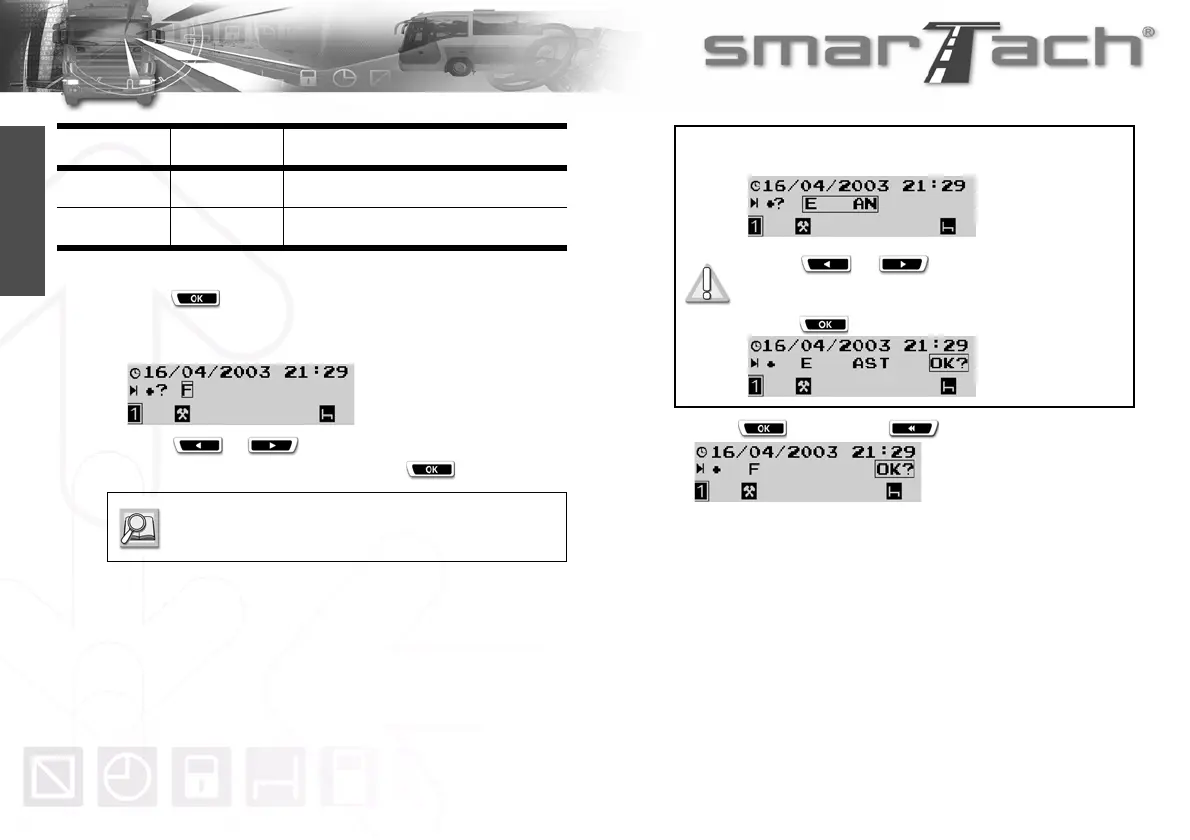
6. SmarTach
®
prompts you to specify the location where the
daily work period ends.
7. Press or as many times as necessary to
select the relevant country, then press .
8. Press to confirm or to cancel.
9. The last selected main display appears.
Pictogram User Location for
1:»±?
Driver End of the daily work period
2:»±?
Co-driver End of the daily work period
Table 25
Refer to Section 6.8 List of Countries and
Regions.
For Spain, you have to specify the region:
Select E for Spain.
Press or as many times as
necessary to select the relevant region.
Press to validate the region.



 To Next Page