Copyright
©
2005 ACTIA - How to Use SmarTach
®
- Basic Functions - 21
English
6. SmarTach
®
can cumulate display of different grouped
warnings or alternate grouped and single warnings.
SmarTach
®
sorts them from newest to oldest. Each one is
shown if the previous one is acknowledged.
7. Main Display becomes available again if all detected
warnings have been correctly acknowledged.
3.8 How to Withdraw your Smart Card
To withdraw your card, proceed as follows:
1. Hold down
• to withdraw your card from the driver slot.
• to withdraw your card from the co-driver slot.
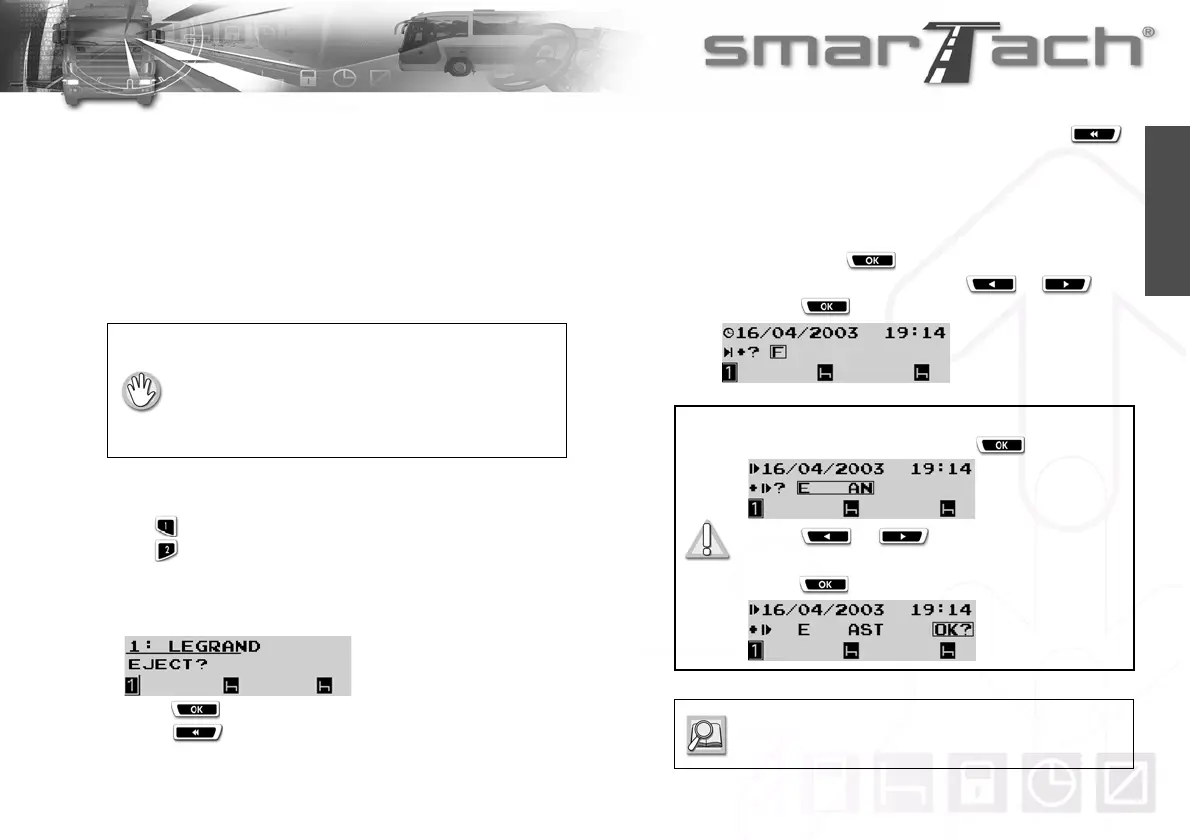
2. The number of the selected slot and your name are
displayed. SmarTach
®
prompts you to confirm the card
withdrawal request.
3. Press to confirm
Press to cancel withdrawal operation. The last
displayed information reappears.
4. If you are not finishing your daily work period, press
to not enter the location.
If you are finishing your daily work period, you must enter the
location where you are finishing your daily work period:
• to confirm the country displayed by default (here F for
FRANCE), press ,
• to select a different country, press or , and
then press .
• The vehicle must be stationary.
• The ignition switch must be turned on
(the engine does not need to be started).
• No printing operation must be in progress.
• No downloading operation must be in progress.
For Spain, you have to specify the region:
Select E for Spain and press .
Press or as many times as
necessary to go to the relevant region.
Press to validate.
Refer to Section 6.8 List of Countries and
Regions.



 To Next Page