60 - How to Use SmarTach
®
- Advanced Functions - Copyright
©
2005 ACTIA
English
2. Select the relevant data on the tester and download them.
3. Close the downloading session.
4.10 How to Display SmarTach
®
Technical Data
To display SmarTach
®
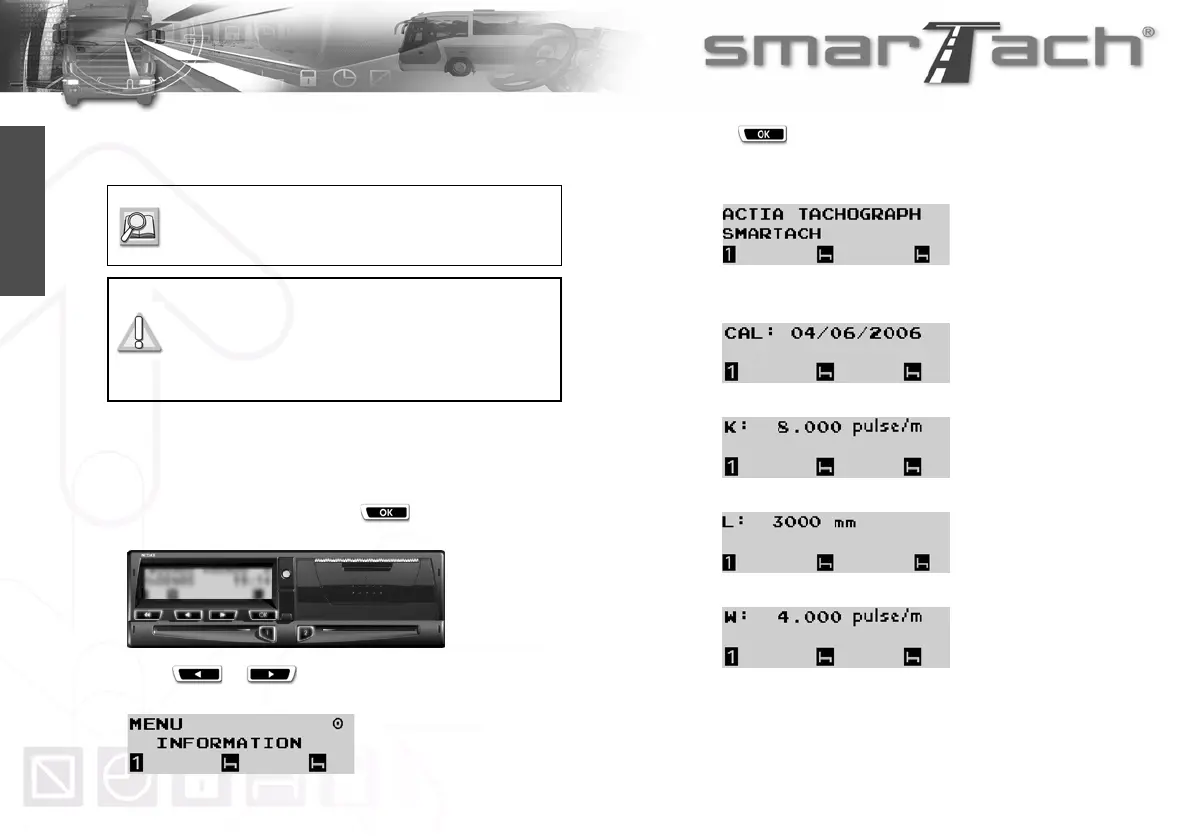
technical data, proceed as follows:
1. In the first level of menus, press to go to the second
level.
2. Press or as many times as necessary to go to
INFORMATION.
3. Press to select INFORMATION.
4. The following data are available (examples):
• Product general identification
• Version details for Hardware and Software
• Date on which SmarTach
®
must be calibrated.
• Constant of the recording equipment (K)
• Effective circumference of the wheel tyres (L)
• Characteristic coefficient of the vehicle (W)
Refer to Annex 1B, Appendix 7 for more details on
downloading data (from SmarTach
®
or a driver
card).
Downloaded data are signed to certify data
integrity and authenticity.
Downloading does not alter or delete any
stored data.



 To Next Page