36 - How to Use SmarTach
®
- Advanced Functions - Copyright
©
2005 ACTIA
English
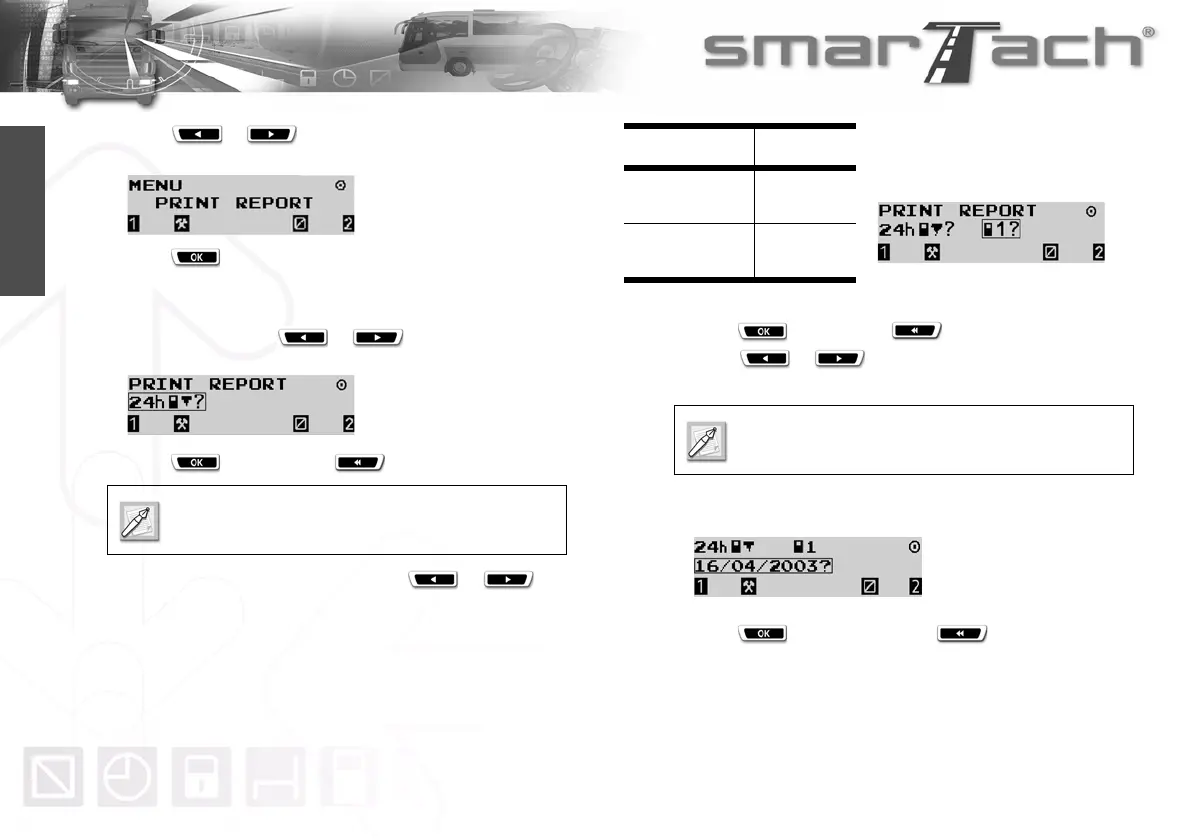
2. Press or as many times as necessary to go to
PRINT REPORT.
3. Press to select PRINT REPORT.
4. You can print your daily activities from SmarTach
®
or your
driver card.
In both cases, press or as many times as
necessary to select 24h
°® or 24h©® respectively.
5. Press to continue or to cancel your selection
6. If two cards have been inserted, press or to
select from which card data are to be printed:
7. Press to validate or to change your selection.
8. Press or to modify the daily work period to be
taken into account on the printout.
The following example is for printing your daily activities from
your driver card.
9. Press to print the ticket or to change your
selection.
Printing data from a driver card is only possible if
the card is inserted.
Card Pictogram
Slot 1:
Driver card
©1?
Slot 2:
Co-driver card
©2?
Table 22
Operate the same way to print activities from
SmarTach
®
24h°®.



 To Next Page