Copyright
©
2005 ACTIA - Appendices - 71
English
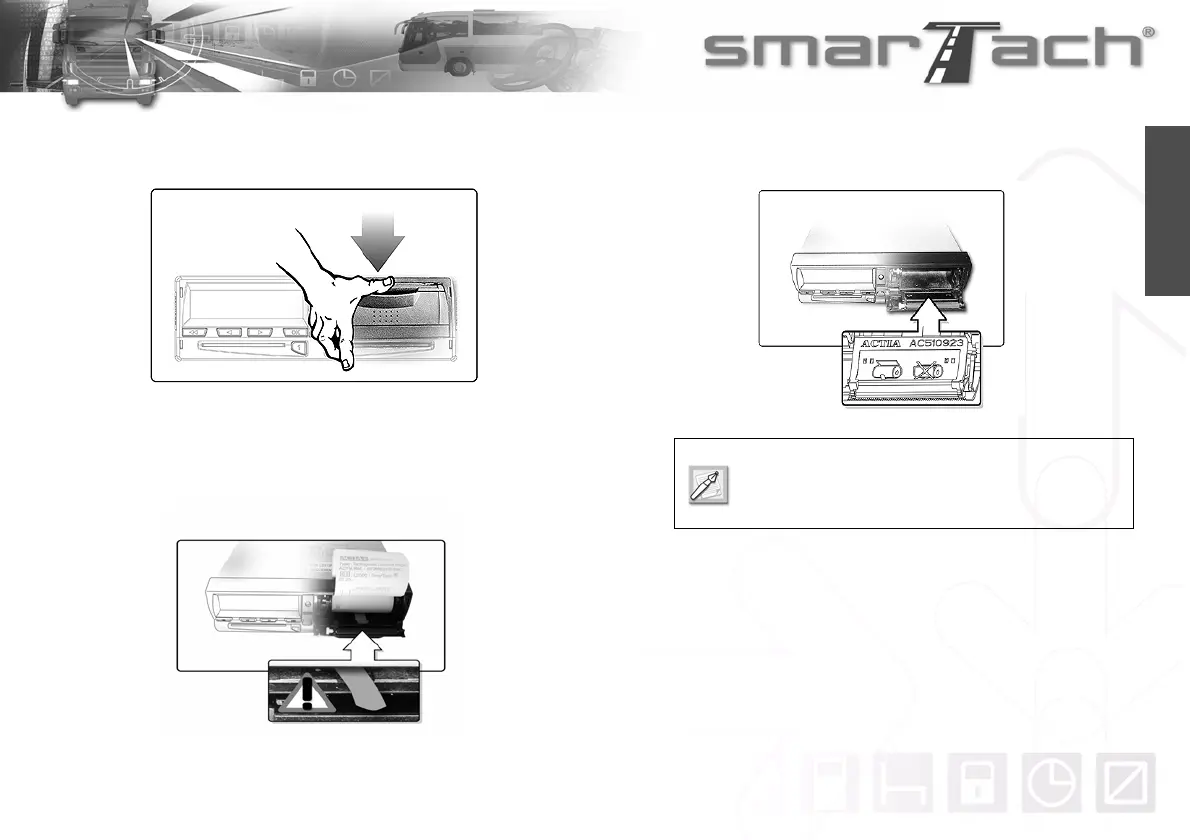
To change the paper roll, proceed as follows:
1. Pull the level towards the front and open the printer door.
2. Pull the plastic tab to remove the roll or empty drum.
Then unwind the new paper roll out through the top, towards
you, with the blank side upwards.
3. Insert the roll in its recess, following the instructions provided
on the back of the printer door.
4. Press on the door to close it, holding the paper upwards.
The printer door is a spare part.
Use the reference provided on the door to order
doors.



 To Next Page