REMOTE OPERATION
5-3
Preparing the instrument for remote operation
Introduction
The instrument can be controlled remotely using either the RS-232 interface or the GPIB (General
Purpose Interface Bus) interface. The command set used is designed to comply with IEEE 488.2.
In RS-232 mode some IEEE 488.2 features are not implemented due to the restrictions of the
interface.
Programs to control the instrument remotely over the two interfaces have much in common, the
main difference being the way in which characters are transmitted.
Plug and Play driver
Information is provided in Chapter 2 for installing the LabWindows/CVI Instrument Driver and
the VXI Plug and Play Soft Panel software supplied with this manual.
Local lockout
In the remote mode the controller can set the instrument into Local Lockout state. When Local
Lockout is set the front panel is disabled and the [LOCAL] key is made ineffective. This state is
often used when the instrument is part of an automatic test system and left unattended. In this
state the instrument cannot be affected by operation of the front panel. The keyboard can only be
re-enabled by releasing Local Lockout over the remote interface or by switching the supply off
and on again.
Remote/local operation
When the instrument is addressed by the GPIB controller it enters its remote mode and the screen
displays the [REM] annunciator at the lower right corner. Only one key, [Go To Local], has any
effect. Pressing this key returns the instrument to normal manual operation, unless Local Lockout
(LLO) has been asserted by the controller
When the instrument is addressed by the RS-232 controller, the remote mode is normally not
entered (and thus no [REM] annunciator appears on the screen), although RS-232 operation is
taking place.
In order to go to remote mode via the RS-232 it is necessary to transmit a control character (^A or
01H − connect or go to remote) following which the [REM] annunciator appears. Subsequently
pressing [Go To Local] or transmitting a control character (^D or 04H − disconnect or go to local)
returns the instrument to normal manual operation (unless Local Lockout has been asserted).
Remote operation selection
Remote operation can be selected between RS-232 and GPIB as follows:
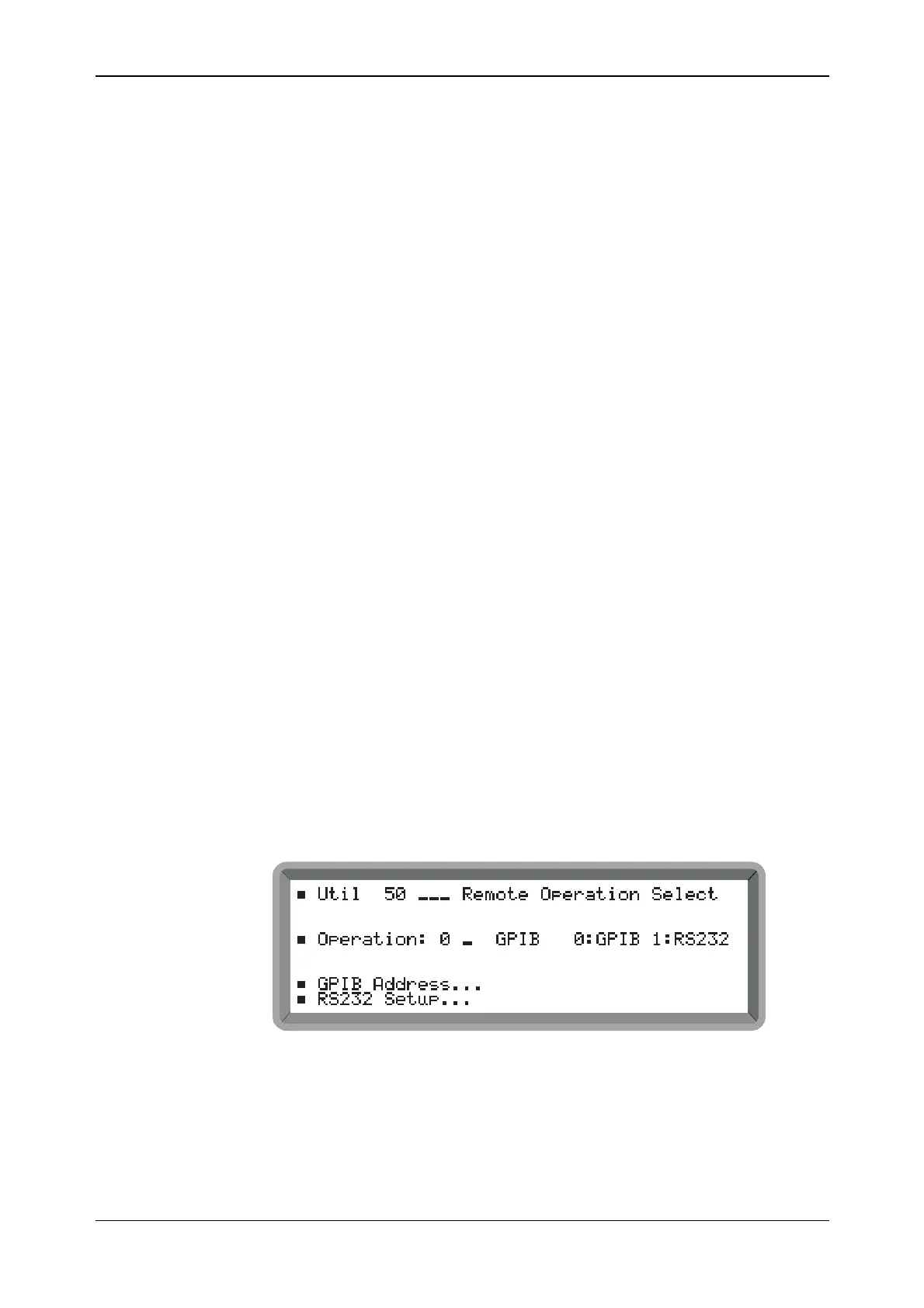
(1) Select the Util 50: Remote Operation Select menu. This shows the currently selected remote
mode of operation (see Fig. 5-1).
B2074UT050
Fig. 5-1 Remote operation select menu
(2) Select between RS232 and GPIB remote operation.
(3) To set the RS-232 parameters highlight RS232 Setup... and press [SELECT]. This causes the
Util 52: RS232 Setup menu shown in Fig. 5-2 to be displayed.
(4) To set the GPIB address highlight GPIB Address... and press [SELECT]. This causes the
Util 51: GPIB Address menu shown in Fig. 5-3 to be displayed.



 To Next Page