4-17
DETAILED OPERATION
Selecting carrier frequency
Carrier frequency can be entered in the range 9 kHz to 1.2 GHz (2023A), 9 kHz to 2.05 GHz
(2023B) or 9 kHz to 2.51 GHz (2025) to a resolution of 1 Hz.
(1) Press [CARR FREQ] to select carrier frequency as the current function. Carr Freq: is
highlighted on the screen.
(2) Enter the required value using the numerical key pad. Terminate using the [Hz], [kHz],
[MHz] or [GHz] key.
(3) The frequency can then be adjusted either in steps or by using the control knob for
continuous adjustment. The default increment/decrement is 1 kHz.
(4) You can check the current amount of offset from the reference carrier frequency by
pressing and holding [TOTAL Δ].
(5) Pressing [RETN] returns you to the reference carrier frequency; pressing [SET REF] selects
the currently displayed frequency as the reference frequency.
Carrier on/off
The carrier may be switched ON or OFF at any time via the [CARR ON/OFF] key. This
effectively switches the output on and off, retaining the 50 Ω output impedance.
Carrier sweep operation
The sweep capability allows the comprehensive testing of systems, since measurements at single
points does not necessarily give an overall indication of the performance. Sweep operation is
carried out in this instrument by means of three utility menus.
Sweep parameters
Carrier start and stop frequencies together with step size and time are set as follows:
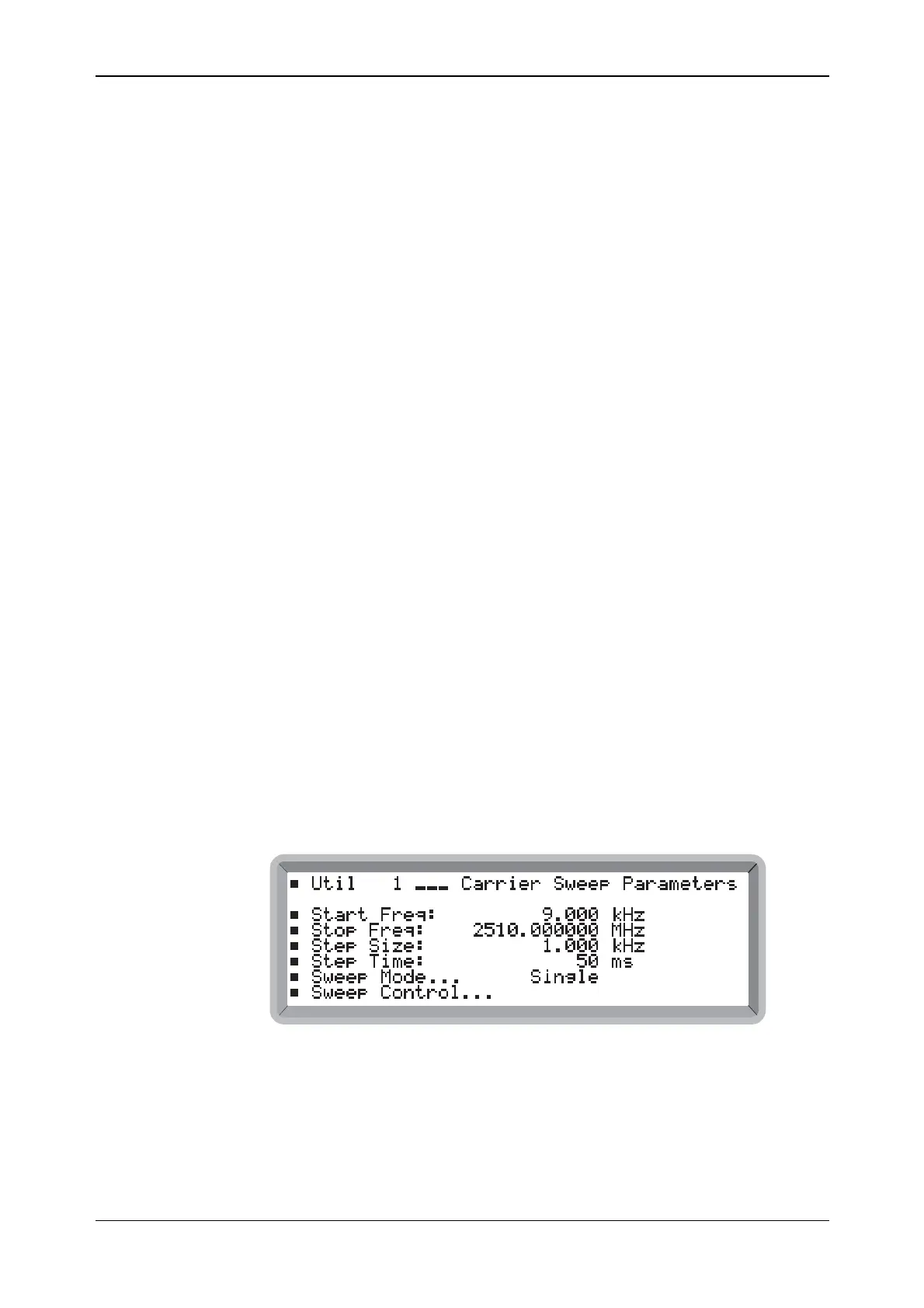
(1) Select the Util 1: Carrier Sweep Parameters menu. This shows the currently selected
parameter values (see Fig. 4-12) as well as the currently selected mode.
(2) Enter the sweep start and stop frequencies.
(3) Enter the step size. For linear sweeps enter the step size in the range 1 Hz to the instrument
maximum frequency to a resolution of 1 Hz.
For log sweeps enter the step size in the range 0.01% to 50.00% to a resolution of 0.01%.
4) Enter step time in the range 50 ms to 10 s (5 s when Option 100 fitted).
B6312
Fig. 4-12 Carrier sweep parameters menu
(5) To change the mode of sweeping, highlight Sweep Mode... and press [SELECT]. This
gives you immediate access to the Util 2: Carrier Sweep Mode Select menu shown below.
(6) To carry out the sweeping operation, highlight Sweep Control... and press [SELECT]. This
gives you immediate access to the Util 3: Carrier Sweep Control menu shown below.



 To Next Page