DETAILED OPERATION
4-23
Modulation modes
The EXT MOD INPUT socket allows an external modulation signal to be summed with the
signals from the internal oscillator. This allows up to three modulations to be available: for
example, external FM with a combined internal AM1 and AM2.
Modulation source can be internal or external. If internal, the modulation can be the sum of two
signals − AM1 + AM2, FM1 + FM2 or ΦM1 + ΦM2 − each of which can have its own
depth/deviation and modulation frequency.
The common carrier wave can be modulated by two different types of modulation, where one uses
an internal source and the other an external source. The internal source may be composed of two
signals. Allowed combinations are:
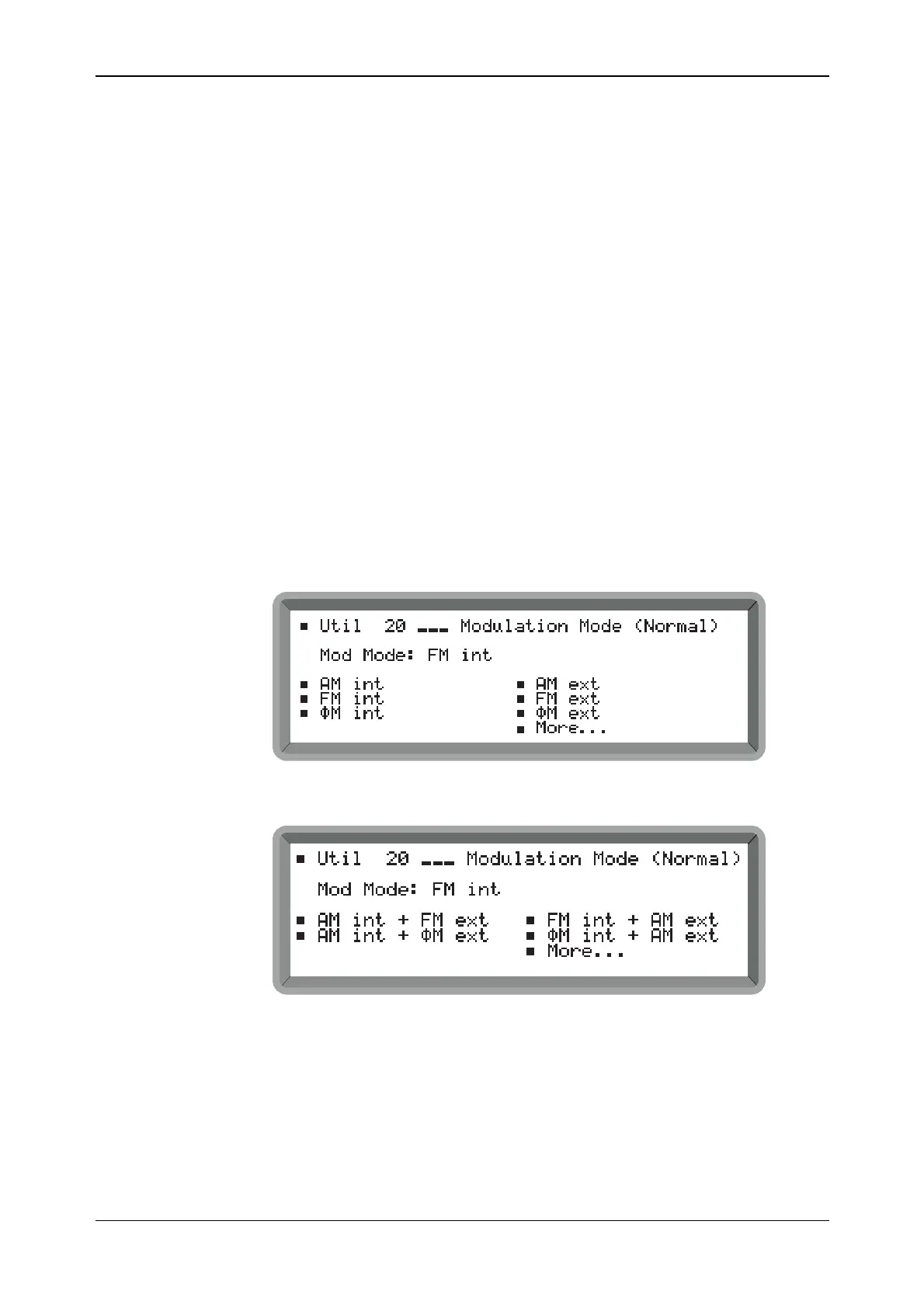
internal AM + external FM ; internal FM + external AM
internal AM + external ΦM ; internal ΦM + external AM
Note that pulse modulation may be selected in addition to any normal modulation combination.
Mode selection
Modulation mode may be selected as follows:
(1) Select the Util 20: Modulation Mode (Normal) menu. This shows the currently selected
modulation mode against Mod Mode:. If pulse modulation is enabled this is also displayed.
(2) From the menu select the desired modulation mode by highlighting the item and then
pressing [SELECT]. The current modulation mode changes accordingly. Select single on
the first menu page (shown in Fig. 4-19) or dual on the second (shown in Fig. 4-20).
B2057UT020A
Fig. 4-19 Modulation mode menu
−
first page
B2058UT020B
Fig. 4-20 Modulation mode menu
−
second page
(3) Press [MOD] to return to the main screen. Repeatedly pressing [MOD] now steps through
each modulation of your selected modulation mode.



 To Next Page