DETAILED OPERATION
4-32
Function generator
The instrument contains a function generator capable of sourcing sine, square and triangle
waveforms. When the function generator is enabled its output appears on the LF OUTPUT or
MOD I/O connector, and internal modulation (page 4-26) is disabled.
(1) Select
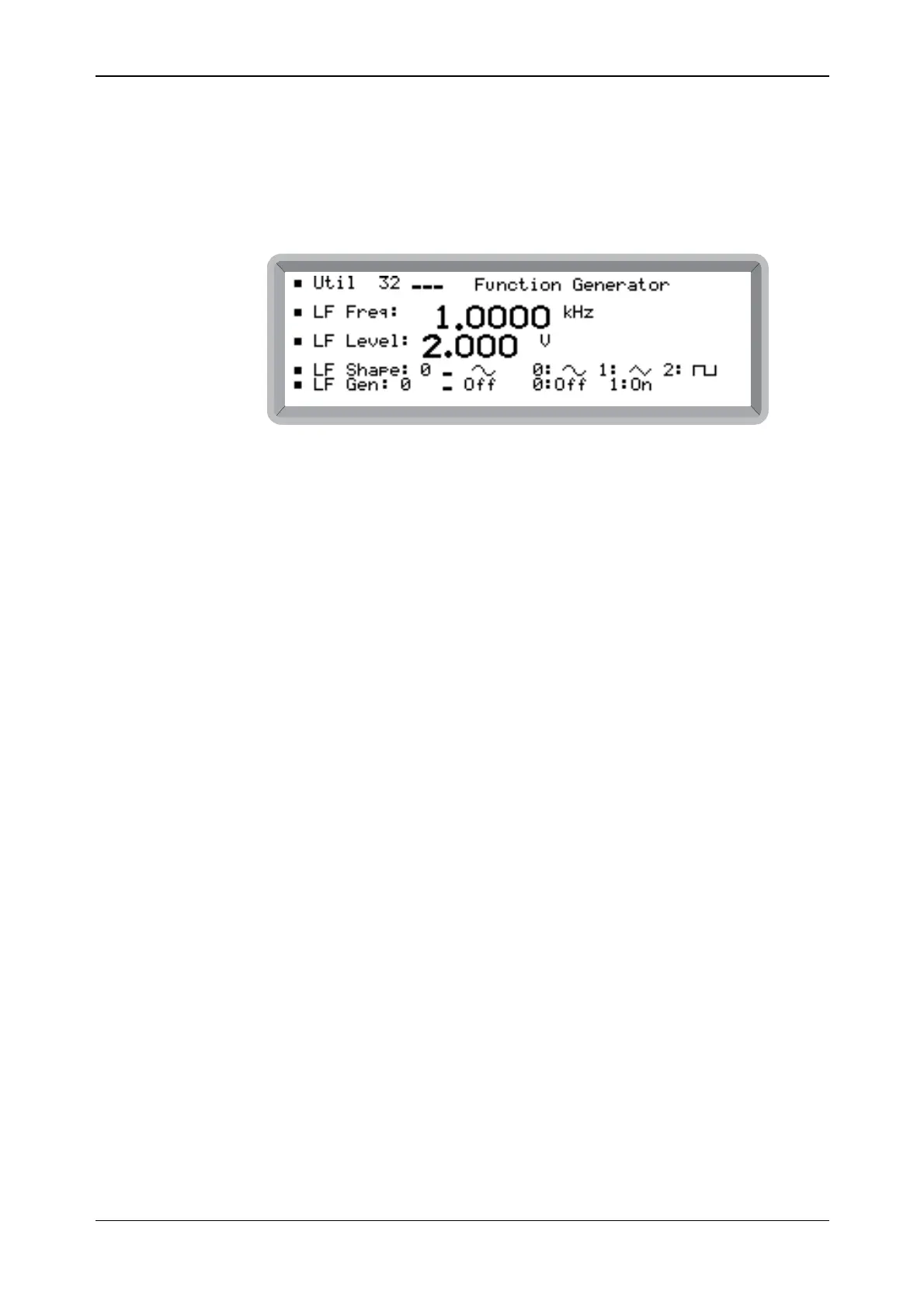
the Util 32: Function Generator menu. This shows the function generator screen
(see Fig. 4-30).
B6308
Fig. 4-30 Function generator menu
Enable function generator
(2) Highlight LF Gen: and enter 1 on the keypad (no terminator is required) to enable the
function generator.
(3) Press [MOD] to return to the main screen. Internal modulation is disabled.
If you press [MOD ON/OFF] to enable internal modulation, the function generator is
disabled.
Frequency
(4) Highlight LF Freq: and enter the required frequency (in the range 0.01 Hz to 100 kHz) via
the numerical keypad, terminating with the [Hz] or [kHz] key.
Level
(5) Highlight LF Level: and enter the required output level (in the range 1 mV to 4 V) via the
numerical keypad, terminating with the [mV] or [V] key.
Shape
(6) Highlight LF Shape: and enter 0, 1 or 2 (no terminator is required) to select sine, triangle or
square wave respectively.



 To Next Page