4-41
GENERAL
Frequency standard selection
This utility enables you to select a 10 MHz output to provide a standard for use with associated
equipment. It also enables you to select a standard (either external or internal) for use by the
instrument. When an external standard is selected, the internal TCXO is locked to the external
standard using a phase locked loop. In this case, the menu allows you to select between direct and
indirect. When direct is selected the internal standard for the RF tray is provided directly from the
external standard. When indirect is selected this standard is provided from the TCXO locked to
the external standard. Frequency standard selection is as follows:
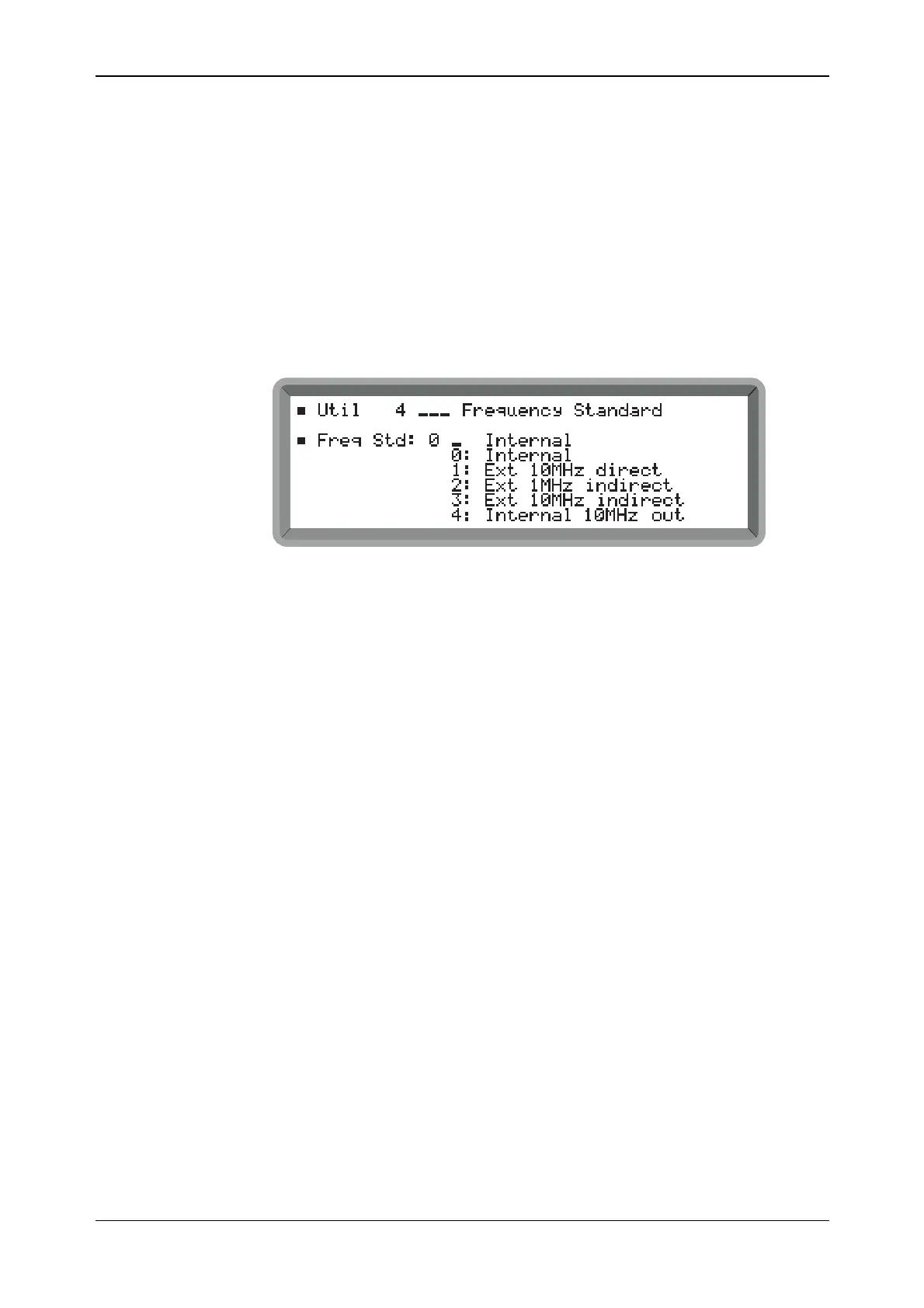
(1) Select the Util 4: Frequency Standard menu shown in Fig. 4-35.
B2356UT004
Fig. 4-35 Frequency standard menu
(2) To select the standard for the instrument, choose between Internal or one of the three
external standard selections. When an external standard is selected, Ext is displayed on the
main screen.
(3) To obtain an internally generated 10 MHz standard from the instrument’s FREQ STD
IN-OUT socket, select Internal 10MHz out.
(4) To provide an externally generated 1 or 10 MHz standard for the instrument, connect the
signal to the rear-panel FREQ STD IN-OUT socket. Then with an external standard
selected, you can choose between direct and indirect. You should select direct if your
provided standard is better than that fitted in the instrument.



 To Next Page