MEMORY
4-38
Memory write protection
To use the memory protection utility first ensure that the instrument is unlocked to Level 1 using
Util 80: Protection Lock/Unlock. Then you can either write protect a block of stores (or a single
store) to prevent accidental overwriting or unprotect it as follows:
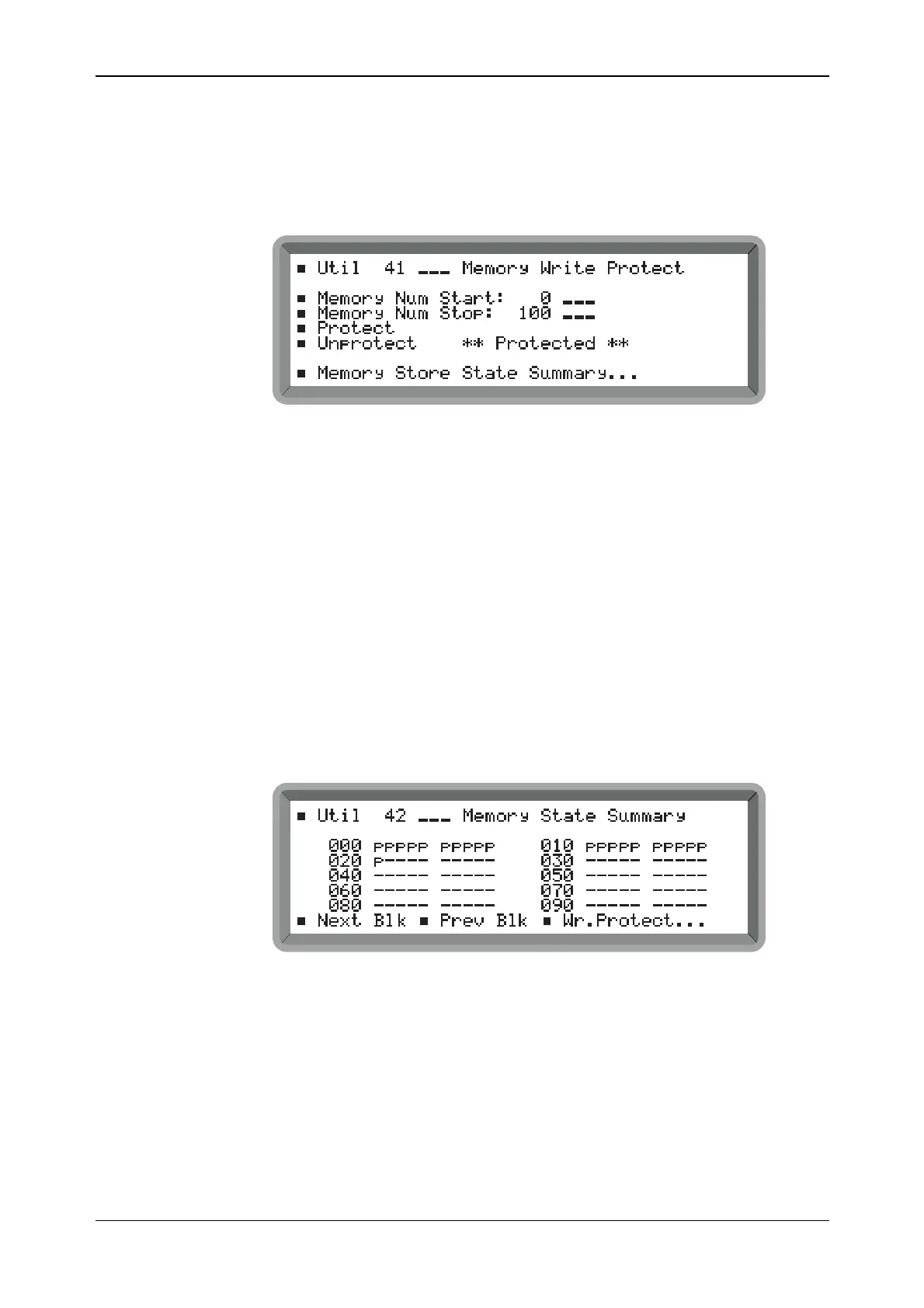
(1) Select Util 41: Memory Write Protect to display the menu shown in Fig. 4-32.
B2067UT041
Fig. 4-32 Memory write protection menu (showing stores 0 to 100 protected)
(2) For a memory block enter the Memory Num Start and Memory Num Stop store numbers.
For a single store make both numbers the same.
(3) Select Protect or Unprotect as required. This action is acknowledged by the message
** Protected ** or ** Unprotected ** appearing respectively.
(4) You can see which areas of the memory are protected by highlighting Memory Store State
Summary... and pressing [SELECT]. This gives immediate access to the Util 42: Memory
State Summary shown below.
Note that at power-on the volatile RAM stores are unprotected to allow immediate use.
Memory state summary
The memory state summary enables you to look at blocks of 100 stores at a time to see their
protection states as follows:
(1) Select Util 42: Memory State Summary to display the summary shown in Fig. 4-33.
B2068UT042A
Fig. 4-33 Memory state summary (showing carrier stores 0 to 20 protected)
(2) Choose which of the three blocks you require by selecting Next Blk or Prev Blk.
(3) An unprotected store is indicated by a dash, a protected store is indicated by a letter p. To
change the protection status select Wr.Protect... This gives immediate access to the Util 41:
Memory Write Protect menu above.



 To Next Page