OPTION 11 FAST PULSE AND HIGH POWER
Annex-B-5
Operation
The following sections replace those with the same titles in Chapter 4 in the main body of the
manual.
Pulse modulation selection
Pulse modulation may be selected in addition to any other normal modulation modes. The source
is external only, from the front-panel PULSE INPUT socket. Selection may be made as follows:
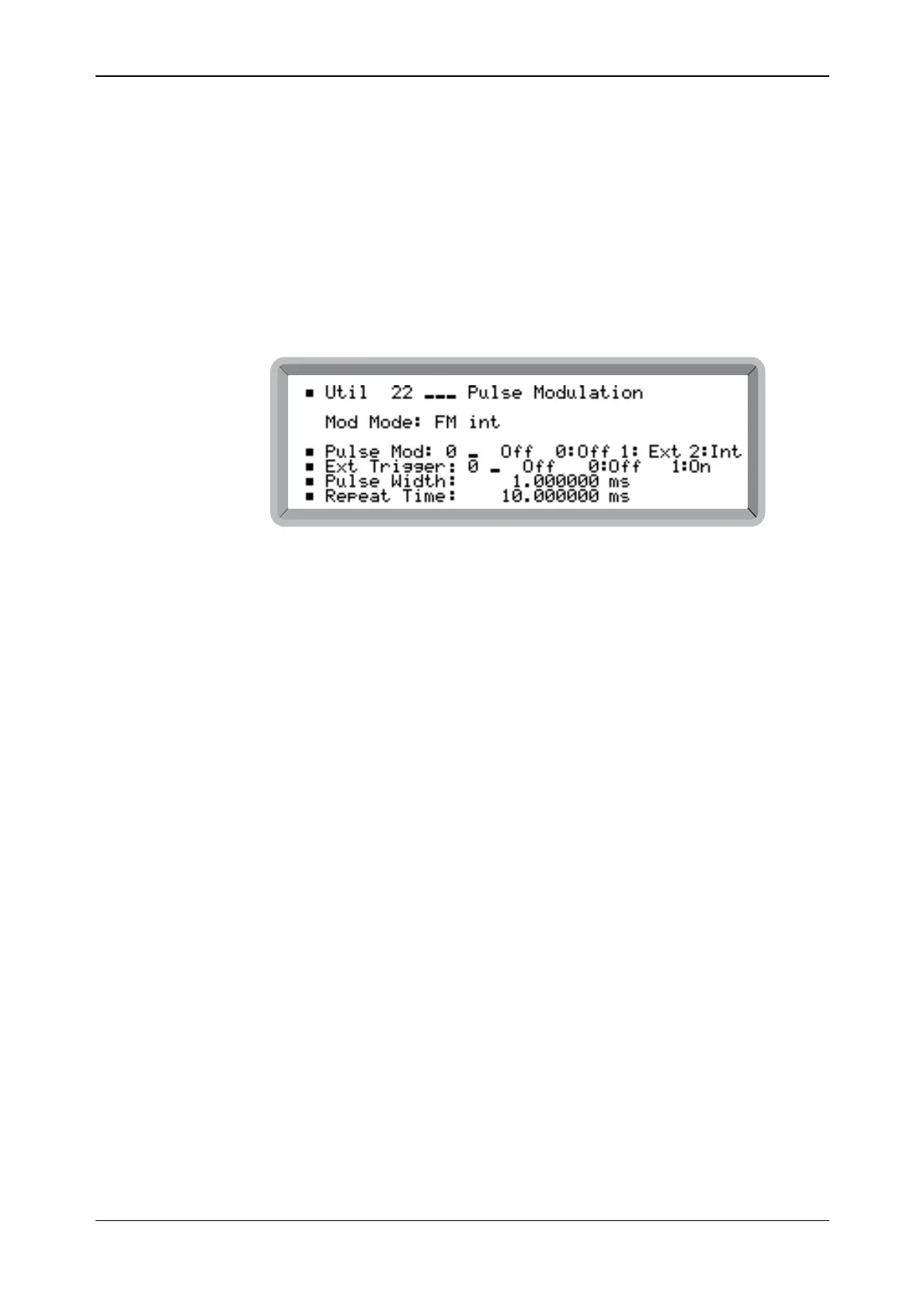
(1) Select the Util 22: Pulse Modulation menu. This shows the currently selected modulation
mode against Mod Mode: (see Fig. B-3). This example also shows the additional
Pulse Mod parameters available when Option 9 is fitted.
B6057
Fig. B-3 Pulse modulation menu
(2) Highlight Pulse Mod and enter 1 or 2 on the key pad (no terminator is required) to Enable
respectively the external or internal modulation. The display changes to show the current
modulation plus Pulse (for example, Mod Mode: AM int + FM ext + Pulse). Entering 0
disables the modulation.
(3) Press [MOD] to return to the main screen. Repeatedly press [MOD] until Pulse Mod is
displayed together with EXT ON. Press [MOD ON/OFF] to enable modulation. The
[SOURCE ON/OFF] key then controls the the modulation output.
When ON the carrier is controlled by the logic level applied to the PULSE INPUT socket. A
logical ‘1’ (a voltage between 3.5 and 5 V) allows carrier output, a logical ‘0’ (a voltage between
0 and 1.0 V) suppresses it. Turning pulse mod OFF effectively applies a logical ‘1’ allowing
carrier output.
Remote operation
The GPIB commands for pulse modulation PULSE:ON and PULSE:OFF are invalid , and
PULSE? always returns PULSE:ON.



 To Next Page