GENERAL
4-46
SINAD measurement (Option 12)
When this option is fitted you may make measurements of the SINAD ratio on an audio frequency
signal applied to the EXT MOD INPUT socket. Ensure that no external modulation mode has
been selected from Util 20, since external modulation has priority over SINAD.
You can make the measurement in a flat bandwidth of 7 kHz or have it weighted according to the
C-MESS or CCITT standards. You can select the amount of averaging so as to reduce variation in
results and to control the update rate.
An automatic mode is available which uses a simple algorithm to adjust the RF output level of the
signal generator until a target SINAD ratio is achieved.
The SINAD ratio is defined as:
10 log
10
[(Signal + Noise + Distortion Power)/(Noise + Distortion Power)]
The SINAD ratio provides a quantitative measure of signal quality, a noisy signal has a low
SINAD ratio which increases as the signal quality improves. This measurement determines the RF
signal level required to produce a given SINAD ratio at the receiver output. Typically SINAD
ratio targets of 12 and 20 dB are used.
Proceed as follows:
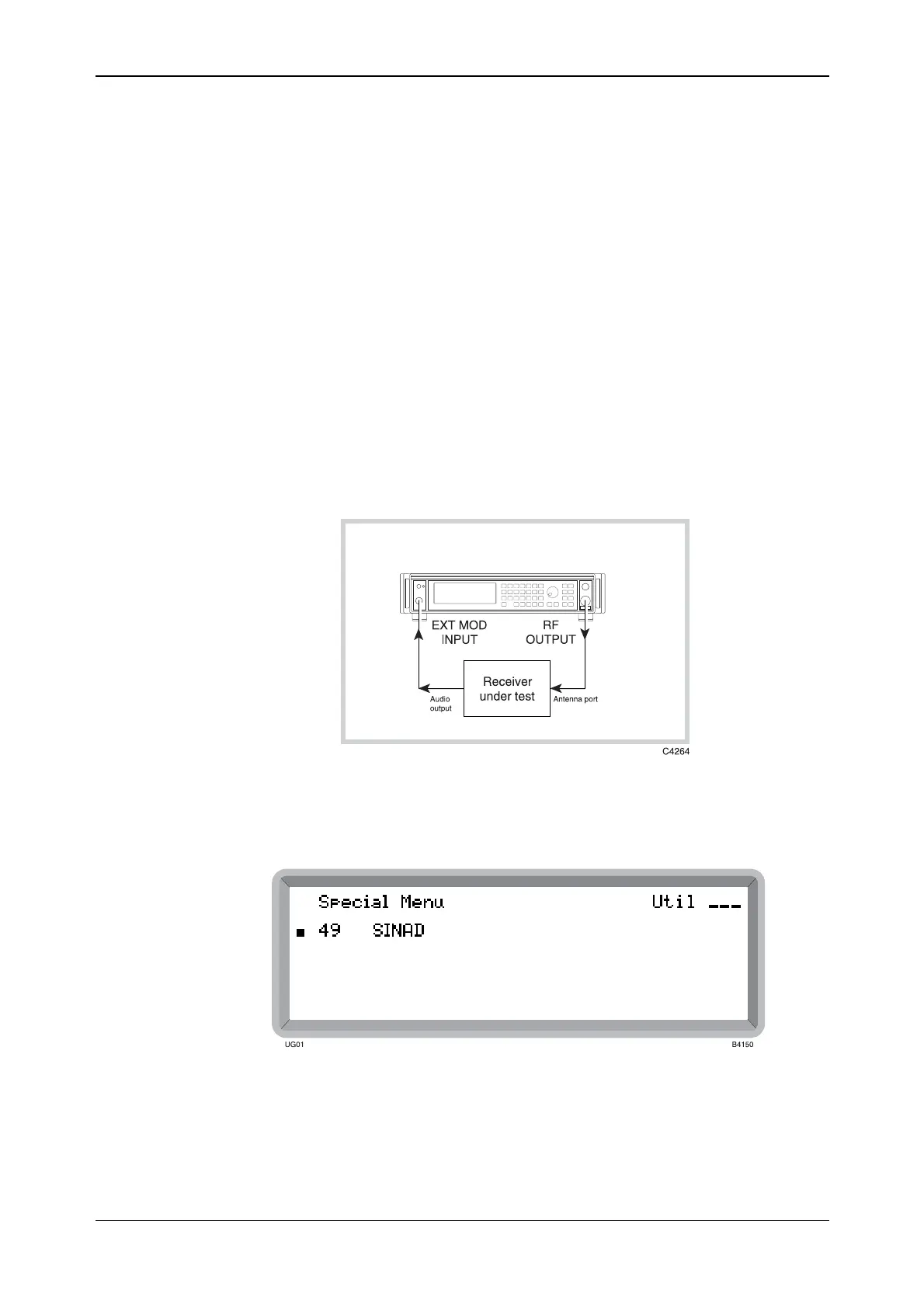
(1) First of all interconnect the receiver under test and the instrument as shown in Fig. 4-40
below.
Fig. 4-40 SINAD measurement interconnections
(2) Press [MENU] to display the Utility Group Menu. Then select Special to display the
Special Menu shown in Fig. 4-41 below.
Fig. 4-41 Special menu
(3) Highlight Util 49: SINAD and press [SELECT] to display the Util 49: SINAD Measurement
menu shown in Fig. 4-42 below.



 To Next Page