GENERAL
4-47
B6310
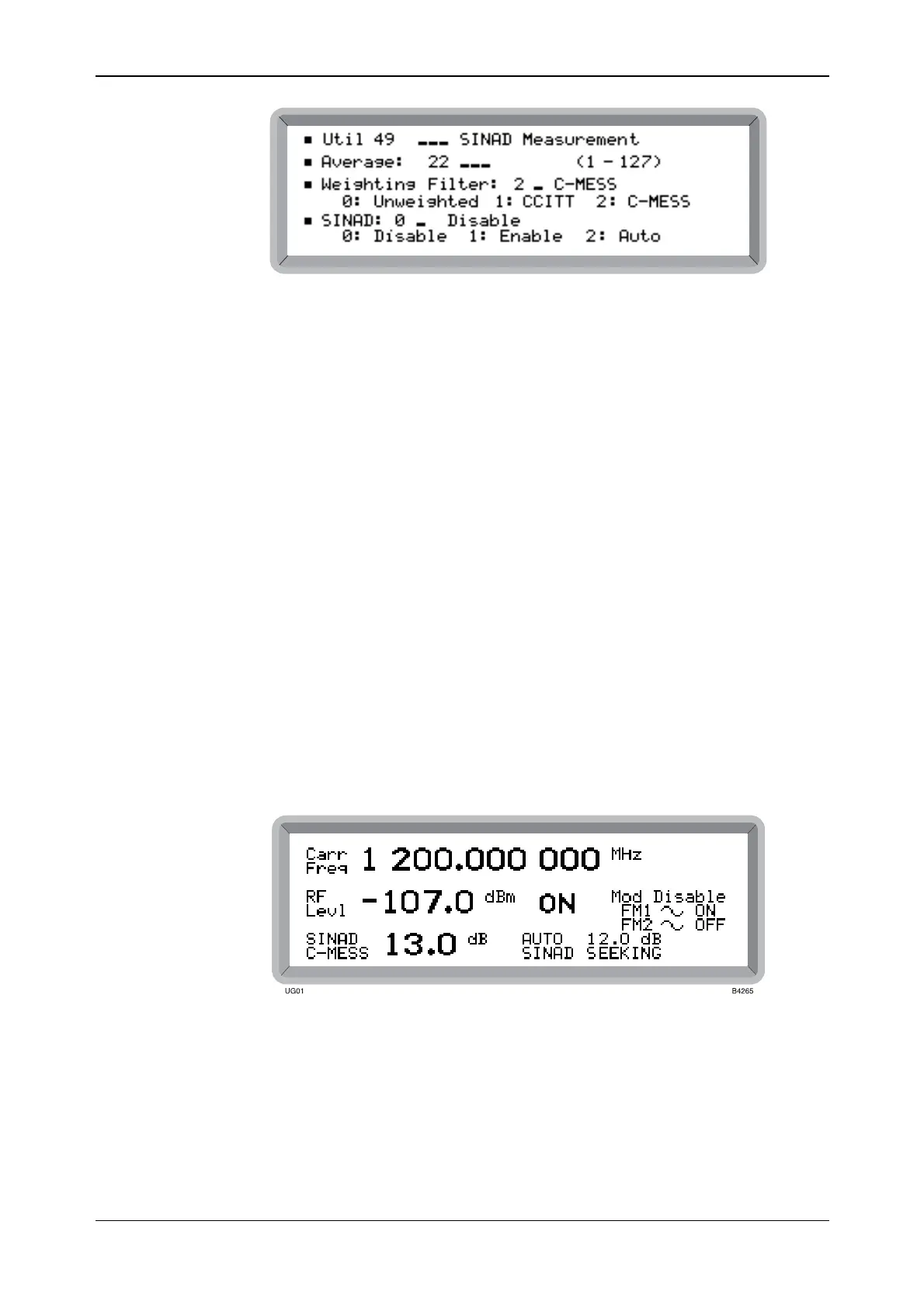
Fig. 4-42 SINAD measurement menu
(4) Select the number of samples to be averaged by highlighting Average and entering a
number on the key pad in the range 1 to 127. Note that although selecting a higher number
gives a more accurate measurement result, it also increases the measurement time.
(5) Select the weighted filter between 1 for CCITT and 2 for C-MESS. 0 selects Unweighted.
When no filter or averaging has been selected, by default the C-MESS filter is selected and
5 samples are averaged.
(6) Enter 1 to enable manual SINAD or 2 to enable auto SINAD measurements (see below).
(7) Press [MOD] to return to the main screen. Repeatedly press this key until SINAD is
displayed.
Manual SINAD
(8) The measured SINAD is constantly updated and is proportional to the amount of RF level
set. Adjust the RF level until the desired SINAD measurement is achieved.
Automatic SINAD
(9) Set the target SINAD value by pressing [MOD SOURCE] and entering the target value in
the range 6.0 to 60 dB.
(10) Set the RF level so that the measured SINAD is several dBs greater than the target SINAD.
(11) Start automatic leveling by pressing [SOURCE ON/OFF]. The RF level decrements by the
step size previously set (default 1 dB). During leveling the display shows SEEKING (as
shown in Fig. 4-43) then COMPLETE when finished. The [SOURCE ON/OFF] key may
be used to both pause and continue the process. At the conclusion pressing [SOURCE
ON/OFF] repeats the measurement.
Fig. 4-43 Main screen during auto SINAD operation



 To Next Page