DETAILED OPERATION
4-19
Sweep control
Control of the sweep: start, stop, reset and continue is performed as follows:
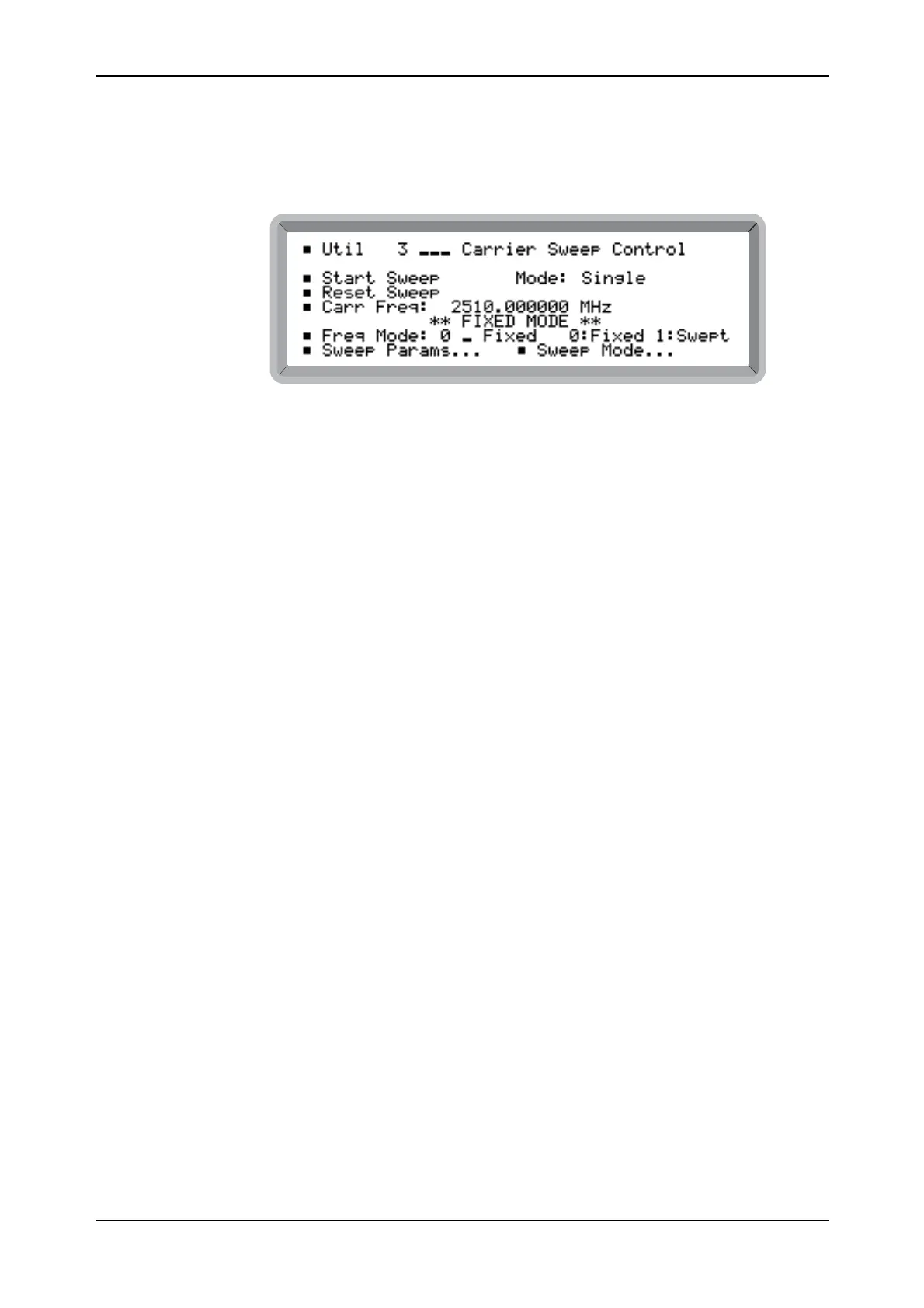
(1) Select the Util 3: Carrier Sweep Control menu. Initially this shows Start Sweep and the
start Carr Freq: value together with the currently selected Freq Mode: (see Fig. 4-14).
B6311
Fig. 4-14 Carrier sweep control menu
(2) Enable the sweep operation by setting Freq Mode: to 1 (no terminator is necessary).
** WAITING FOR TRIGGER ** is displayed.
(3) To start the sweep, select Start Sweep. The selection changes to Stop Sweep, the frequency
is shown changing and ** SWEEPING ** is displayed.
(4) During the sweep, Reset Sweep may be selected to discontinue the sweep and reset it to the
start frequency. Note that during the sweep all of the function keys are still accessible.
(5) Selecting Stop Sweep causes the selection to change to Continue Sweep and
** PAUSED ** is displayed.
(6) Selecting Continue Sweep allows the sweep to continue. At the end of a single sweep, the
stop frequency is shown and the selection changes to Restart Sweep with
** COMPLETE ** displayed. For continuous sweep, the sweep automatically
recommences from the start frequency.
(7) To change the sweep parameters, highlight Set Parameters... and press [SELECT] to return
to the Carrier Sweep Parameters menu.
(8) To change the sweep mode, highlight Sweep Mode... and press [SELECT] to return to the
Carrier Sweep Mode Select menu.



 To Next Page